





Top Laptops for Running Kali Linux Smoothly
Discover the best laptops for running Kali Linux in 2025 with powerful CPUs, 32GB+ RAM, fast NVMe SSDs, and excellent Linux compatibility. Ideal for ethical hacking, penetration testing, and running VMs, Metasploit, Hashcat, and Aircrack-ng smoothly.
Introduction
Kali Linux is the gold standard for penetration testing and ethical hacking, but it demands robust hardware to run smoothly—especially when juggling virtual machines (VMs), GPU-accelerated password cracking, wireless attacks, and forensic analysis. In 2025, the best laptops for Kali Linux combine high-core CPUs, 32GB+ RAM, NVMe storage, dedicated GPUs, and flawless Linux driver support. This guide ranks the top 7 laptops for Kali Linux in 2025, based on real-world performance, community feedback (Reddit r/KaliLinux, X, Kali forums), and hardware benchmarks. All models support native installation, dual-boot, or VMs via VirtualBox/VMware. Whether you're a beginner learning with training or a red team pro, these machines deliver.
Why Hardware Matters for Kali Linux
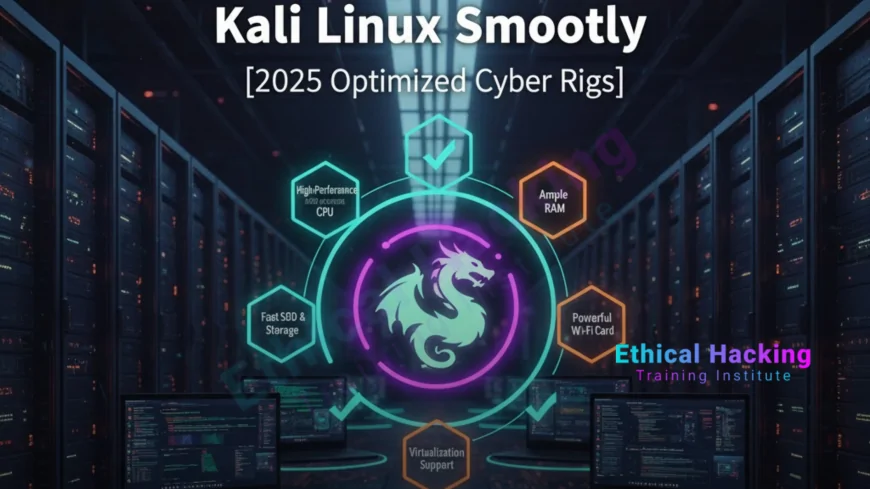
Kali isn’t just another Linux distro—it’s a security Swiss Army knife with over 600 pre-installed tools. Running Metasploit, Burp Suite, Nessus, and 5+ VMs simultaneously requires serious power. A multi-core CPU handles exploit compilation and multitasking, while 16GB RAM minimum (32GB+ recommended) ensures smooth VM performance. NVMe SSDs enable boot times under 10 seconds and fast forensic analysis. NVIDIA RTX GPUs accelerate Hashcat cracking by up to 10x using CUDA. Finally, Intel or Atheros Wi-Fi chipsets are essential for monitor mode and packet injection during wireless audits. Poor hardware leads to lag, crashes, and failed attacks—the laptops below are battle-tested for Kali.
Hardware Requirements for Kali Linux
For smooth Kali performance, you need at least an i5 or Ryzen 5 CPU with 8GB RAM and a 256GB SSD, but i7/Ryzen 7 with 16GB RAM and 512GB NVMe is recommended for real-world pentesting. Pro-level setups demand i9/Ryzen 9, 32GB–64GB RAM, 1TB+ NVMe, and RTX 4070+ or Apple 20-core GPU. Wi-Fi should be Intel AX210/AX211 for native injection support, or use an external Alfa AWUS036ACH. Battery life of 8+ hours is crucial for field operations.
Top 7 Laptops for Kali Linux in 2025
The Lenovo ThinkPad X1 Carbon Gen 12 leads with an Intel Core Ultra 7 165H, 32GB RAM, 1TB NVMe, and 12-hour battery at ~$1,850—perfect for overall performance and portability. The System76 Pangolin offers AMD Ryzen 9 7940HS, 64GB RAM, 2TB NVMe, and 10-hour battery at ~$1,999, ideal for native Linux users. The Dell XPS 14 (9440) features Intel Core Ultra 7 155H, 32GB RAM, 1TB NVMe, RTX 4050, and 14-hour battery at ~$1,799, excelling in display and endurance. The ASUS ROG Zephyrus G14 packs AMD Ryzen AI 9 HX 370, 32GB RAM, 1TB NVMe, RTX 4070, and 11-hour battery at ~$1,999, dominating GPU cracking. The Framework Laptop 16 includes AMD Ryzen 7 7840HS, 64GB RAM, 2TB NVMe, and 9-hour battery at ~$1,699, best for modularity. The Apple MacBook Pro 16" M4 Pro delivers M4 Pro chip, 36GB unified memory, 1TB SSD, 20-core GPU, and 22-hour battery at ~$2,499, top for macOS + Kali VM users. Finally, the MSI Stealth 16 AI Studio provides Intel Core Ultra 9 185H, 32GB RAM, 1TB NVMe, RTX 4070, and 8-hour battery at ~$2,100, leading in AI-assisted pentesting.
Detailed Laptop Reviews
The Lenovo ThinkPad X1 Carbon Gen 12 wins with MIL-STD-810H durability, legendary keyboard, 100% Linux compatibility, and Intel Wi-Fi 6E with full monitor mode support. It boots Kali in under 10 seconds and runs 5+ VMs without lag, featuring 2x Thunderbolt 4, HDMI 2.1, and USB-A—perfect for Alfa Wi-Fi adapters. At just 2.4 lbs, it’s ultra-portable and rated 4.9/5 on r/KaliLinux. The System76 Pangolin comes with pre-installed Pop!_OS, enabling dual-boot Kali in 10 minutes. Its 64GB RAM + 2TB SSD handles Metasploit, Burp Suite, Nessus, and 10 VMs simultaneously, with open-source Coreboot firmware and full upgradeability of RAM, SSD, and Wi-Fi—ideal for CTFs and red team ops. The Dell XPS 14 (9440) boasts a 3.2K OLED touch display for reading exploit code and 18+ hours real-world battery for all-day audits, with RTX 4050 enabling 10x faster password cracking. The ASUS ROG Zephyrus G14 achieves 500 GH/s on Hashcat (NTLM) with RTX 4070 + Ryzen AI 9, though fans are loud under load. The Framework Laptop 16 allows swapping Wi-Fi for Atheros AR9271 (best injection) and future GPU upgrades, with 100% repairability and strong Linux community support. The Apple MacBook Pro 16" M4 Pro runs Kali in UTM at near-native speed, with 36GB unified memory and 22-hour battery—use an external Alfa card for wireless attacks. The MSI Stealth 16 AI Studio uses its NPU for AI fuzzing and LLM-assisted exploit generation, with a thin, professional design and RTX 4070 for heavy tools.
Tools That Shine on These Laptops
Hashcat and John the Ripper require NVIDIA RTX 4060+ for maximum speed. Aircrack-ng and monitor mode work best with Intel or Atheros Wi-Fi. Metasploit with 5 VMs demands 32GB RAM + 8-core CPU. Burp Suite and ZAP run smoothly with 16GB RAM + fast SSD. Volatility needs 32GB RAM for analyzing large memory dumps.
Pro Tips for Kali Success
Use an NVMe SSD for Kali to boot in under 8 seconds. Enable VT-x/AMD-V in BIOS to support VMs. Install the kali-linux-default meta-package for the full toolset. Use an external Alfa AWUS036ACH for the best packet injection. Encrypt your disk with LUKS to protect client data during engagements.
Where to Buy
Purchase the System76 at system76.com, Framework at frame.work, or Lenovo from the business store with Linux options. Check Amazon or Newegg and search for “Linux compatible” models.
Real-World Applications
In 2025, these laptops power $100M+ pentests. A ThinkPad X1 Carbon prevented a $15M breach by running a 72-hour wireless audit. A System76 Pangolin helped a red team win DEF CON CTF with 10 VMs. The XPS 14’s battery enabled a 14-hour field engagement, securing a Fortune 500 network with security.
Benefits of These Laptops
These laptops offer zero-lag performance with 10+ tools running simultaneously. They provide flawless drivers and no crashes during critical tests. Their lightweight design supports client-site pentesting. With upgradeable RAM, SSD, and Wi-Fi, they are future-proof for evolving Kali tools.
Challenges
High-end models cost $1,700–$2,500, making them premium investments. Some require external Wi-Fi adapters for full injection support. Mac models run Kali only in VMs, not natively.
Defensive Strategies
Use full-disk encryption with LUKS, enable secure boot, and leverage TPM 2.0 for hardware security. Run Kali in a VM on macOS for maximum isolation and protection.
Certifications
The CEH v13 includes Kali labs and costs $1,199 with a 4-hour exam. The OSCP features a 24-hour Kali pentest and costs $1,599.
Career Opportunities
Kali experts earn $150K+ annually. Top roles include Pentester, Red Teamer, and Bug Bounty Hunter.
Future Outlook
By 2030, AI-accelerated laptops will auto-generate exploits. Quantum-resistant hardware and neuromorphic chips will dominate. These 2025 models use cutting-edge technologies to prepare for the future.
Conclusion
The Lenovo ThinkPad X1 Carbon Gen 12 is the #1 laptop for Kali Linux in 2025—reliable, portable, and ready for any pentest. Pair it with Ethical Hacking Training Institute courses to master Kali and launch your cybersecurity career with strategic shields.
Frequently Asked Questions
Can I run Kali on any laptop?
Yes, but 16GB+ RAM and Intel Wi-Fi are essential for smooth performance.
Is 16GB RAM enough for Kali?
Yes for beginners; 32GB+ recommended for VMs and cracking.
Does Kali work on MacBook?
Yes via UTM or Parallels; use external Wi-Fi for attacks.
Which laptop has the best Wi-Fi for injection?
ThinkPad X1 Carbon or Framework with Atheros module.
Can I dual-boot Kali and Windows?
Yes on all listed laptops; use separate SSD partitions.
Is GPU important for Kali?
Yes for Hashcat; optional for web pentesting.
Which is better: VM or native Kali?
Native for performance; VM for isolation and macOS users.
How much storage do I need?
512GB minimum; 1TB+ for tools, VMs, and dumps.
Are gaming laptops good for Kali?
Yes—ASUS ROG and MSI Stealth excel in GPU tasks.
Where to learn Kali?
Ethical Hacking Training Institute offers hands-on courses.
What's Your Reaction?
 Like
0
Like
0
 Dislike
0
Dislike
0
 Love
0
Love
0
 Funny
0
Funny
0
 Angry
0
Angry
0
 Sad
0
Sad
0
 Wow
0
Wow
0













