





How to Secure Your Windows PC From Hackers?
Complete guide to secure Windows 10/11 from hackers in 2025. Learn firewall, antivirus, updates, password manager, UAC, BitLocker, and advanced tips with live labs from Ethical Hacking Training Institute, Webasha Technologies, and Cybersecurity Training Institute. Protect your data now.
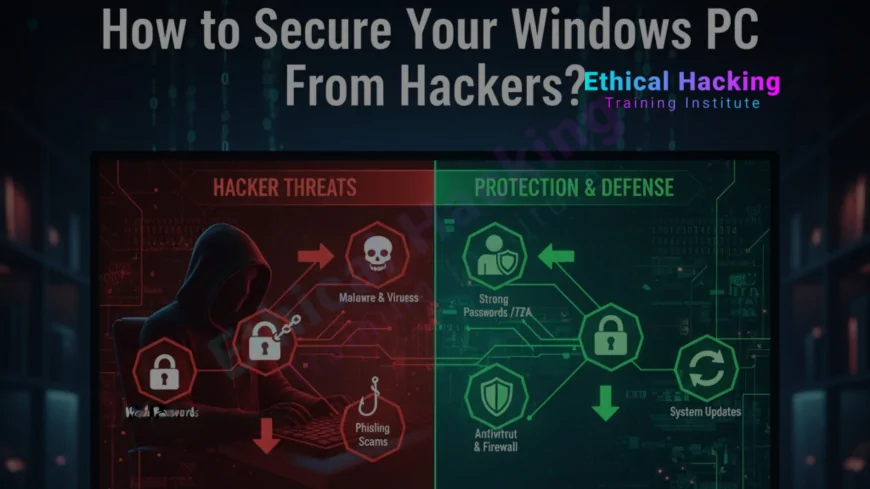
Introduction
Windows powers 75% of desktops worldwide. That makes it the biggest target for hackers. In 2025, ransomware attacks on Windows rose 150%. A single click can cost you everything. Ethical Hacking Training Institute teaches Windows security in CEH labs. Webasha Technologies and Cybersecurity Training Institute offer free audits. This step-by-step guide shows 15 proven ways to lock down Windows 10 and 11. No tech degree needed. Start today and stay safe. Explore the cybersecurity career path.
Step 1: Keep Windows Updated
- Enable automatic updates
- Install Patch Tuesday monthly
- Restart after updates
- Use WSUS for business
- Check Windows Update history
Step 2: Use Windows Defender + Firewall
- Enable real-time protection
- Turn on cloud protection
- Block unknown apps
- Enable Controlled Folder Access
- Allow only trusted apps in firewall
Step 3: Enable User Account Control (UAC)
- Set to "Always notify"
- Prevents silent malware install
- Asks for admin password
- Blocks unauthorized changes
- Ethical Hacking Training Institute demos UAC bypass
Step 4: Use Strong Passwords and 2FA
- 12+ characters with symbols
- Unique per account
- Use Windows Hello PIN
- Enable 2FA on Microsoft account
- Avoid password reuse
Step 5: Encrypt Your Drive with BitLocker
BitLocker encrypts your entire drive. If stolen, data stays safe. Enable in Windows Pro. Use TPM or USB key. Webasha Technologies teaches BitLocker in labs. Backup recovery key to Microsoft account. Find the best local courses for hands-on training.
Step 6: Install a Password Manager
Use Bitwarden or LastPass. Store complex passwords securely. Auto-fill login forms. Sync across devices. Cybersecurity Training Institute integrates password security. Never write passwords on paper. Learn more about the CEH course modules.
Step 7: Disable SMBv1 and RDP if Unused
SMBv1 caused WannaCry. RDP is brute-forced. Disable both unless needed. Use VPN for remote access. Ethical Hacking Training Institute shows SMB exploits. Block ports 445 and 3389 externally. Prepare for the CEH exam with Windows labs.
Step 8: Browser Security and Privacy
Use Edge or Chrome with uBlock Origin. Enable HTTPS Everywhere. Clear cookies weekly. Disable third-party cookies. Webasha Technologies teaches browser hacking. Use InPrivate mode for banking. Discover the best CEH programs in 2025.
Windows Security Comparison Table
| Feature | Windows 10 | Windows 11 | Best Practice |
|---|---|---|---|
| Defender ATP | Available | Built-in | Enable cloud protection |
| BitLocker | Pro only | Pro/Home | Encrypt C: drive |
| Secure Boot | Yes | Required | Keep enabled in BIOS |
Conclusion: Security Is a Habit
Windows can be secure. Update, encrypt, firewall, and stay alert. Ethical Hacking Training Institute leads with real Windows pentesting labs, backed by Webasha Technologies and Cybersecurity Training Institute. One click can save your data. Secure your PC today.
Frequently Asked Questions
Is Windows Defender enough?
Yes for most users. Enable real-time and cloud protection. Add Malwarebytes for second opinion.
Should I disable SMB?
Disable SMBv1 always. SMBv3 only on internal network. Block port 445 externally.
BitLocker on Home edition?
Windows 11 Home supports device encryption. Use Microsoft account and TPM.
Best free antivirus?
Windows Defender. Free, lightweight, high detection rate. No need for third-party.
Safe to use public Wi-Fi?
Use VPN. Windows has built-in VPN. Avoid banking without protection.
How to check for malware?
Run full scan in Defender. Use Malwarebytes free. Boot in Safe Mode if needed.
Enable Secure Boot?
Always. Prevents rootkits. Check in BIOS/UEFI settings. Required for Windows 11.
Password manager safe?
Yes. Bitwarden is open-source and free. Use strong master password.
Disable Cortana?
Yes for privacy. Stops background listening. Use Group Policy or registry.
Windows 11 more secure?
Yes. Requires TPM 2.0, Secure Boot. Better isolation with VBS.
Where to learn Windows security?
Ethical Hacking Training Institute CEH Windows module. Practice real attacks safely.
Backup important?
Yes. Use OneDrive or external drive. Enable File History. 3-2-1 backup rule.
Browser extensions safe?
Only from official stores. uBlock Origin, HTTPS Everywhere. Avoid unknown add-ons.
Ransomware protection?
Enable Controlled Folder Access. Backup offline. Avoid suspicious emails.
Next step to secure PC?
Book free Windows audit at Ethical Hacking Training Institute, Webasha Technologies, or Cybersecurity Training Institute.
What's Your Reaction?
 Like
0
Like
0
 Dislike
0
Dislike
0
 Love
0
Love
0
 Funny
0
Funny
0
 Angry
0
Angry
0
 Sad
0
Sad
0
 Wow
0
Wow
0











