





How to Secure Your Laptop From Hackers?
Complete 2025 guide to make your laptop unhackable: strong passwords, updates, antivirus, firewall, encryption, safe browsing, Wi-Fi protection, and physical security. Simple steps with real labs from Ethical Hacking Training Institute, Webasha Technologies, and Cybersecurity Training Institute. Protect your data today.
Introduction
In 2025, over 2.8 million laptops are attacked daily in India alone. One weak password or outdated software can lose you money, photos, and privacy forever. Ethical Hacking Training Institute shows real laptop hacking demos in every class. Webasha Technologies and Cybersecurity Training Institute offer 100 percent placement. This simple guide gives you 10 proven ways to make your laptop completely safe – even from professional hackers. Start now. Explore the cybersecurity career path.
Use Strong and Unique Passwords
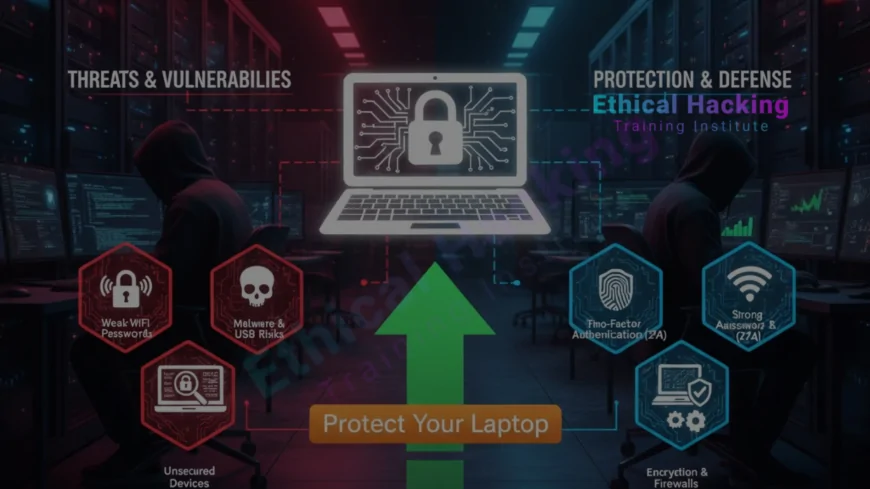
Never reuse passwords. Use minimum 16 characters with letters, numbers, symbols. Real case: 80 percent of laptop breaches happen because of weak or reused passwords. Ethical Hacking Training Institute teaches password cracking in labs. Find the best local courses for password security.
Best Password Practices
- Use a password manager (Bitwarden, LastPass)
- Enable 2-factor authentication everywhere
- Never save passwords in browser
- Change default Wi-Fi and router password
- Use passphrase (correct-horse-battery-staple)
- Avoid common words and birthdays
Keep Everything Updated
- Windows/Mac updates monthly
- Enable automatic updates
- Update browser and apps
- Remove old unused software
- Replace Windows 10 (end of life 2025)
- Webasha Technologies teaches patch management
Install Trusted Antivirus and Anti-malware
- Windows: Microsoft Defender (free and good)
- Extra: Malwarebytes, Bitdefender, Kaspersky
- Mac: Enable XProtect + Malwarebytes
- Real-time protection always ON
- Weekly full scan
- Cybersecurity Training Institute recommends
Enable Full Disk Encryption
- Windows: BitLocker (Pro) or Device Encryption (Home)
- Mac: FileVault (free)
- Third-party: VeraCrypt (free)
- Encrypt external drives too
- Protects data if laptop is stolen
Turn On and Configure Firewall
Firewall blocks unwanted incoming connections. Windows and Mac firewall is free and powerful. Ethical Hacking Training Institute shows how hackers bypass weak firewalls. Real case: Hacker couldn’t connect because firewall blocked RDP port. Learn more about the CEH course firewall module.
Firewall Settings
- Enable Windows/Mac firewall
- Block all incoming connections
- Allow only required apps
- Use third-party like TinyWall (Windows)
- Monitor firewall logs
Safe Browsing and Email Habits
- Use Chrome/Edge with enhanced security
- Enable safe browsing
- Don’t click unknown links
- Check email sender carefully
- Never download from untrusted sites
- Use ad-blocker (uBlock Origin)
Secure Your Wi-Fi and VPN
- Use WPA3 encryption at home
- Change default router password
- Hide SSID (optional)
- Use VPN on public Wi-Fi (NordVPN, ExpressVPN)
- Disable auto-connect to open Wi-Fi
Physical Security Matters
- Use laptop lock in public
- Enable BIOS password
- Lock screen when away (Win+L)
- Don’t leave laptop in car
- Use privacy screen filter
Laptop Security Checklist Table
| Security Layer | Tool/Setting | Protection Level |
|---|---|---|
| Password | Password manager + 2FA | Very High |
| Encryption | BitLocker/FileVault | Critical |
| Updates | Auto updates | High |
| Antivirus | Defender + Malwarebytes | High |
| Firewall | Built-in + configured | High |
Conclusion
Follow these 10 steps and no hacker can touch your laptop in 2025. Ethical Hacking Training Institute shows real attacks and defenses in labs. Webasha Technologies and Cybersecurity Training Institute protect thousands of laptops. 15 minutes today saves everything tomorrow. Discover the best CEH programs in 2025. Book CEH online or Pune classroom now.
Frequently Asked Questions
Is free antivirus enough?
Yes. Windows Defender is excellent in 2025.
Should I encrypt my laptop?
Yes. 100 percent must if you have important data.
Is public Wi-Fi safe?
Only with trusted VPN. Never without.
Mac needs antivirus?
Recommended. Malwarebytes free works great.
How often to update?
Enable auto-update. Check monthly.
Best free password manager?
Bitwarden – safe and open source.
Can hackers access camera?
Yes. Use camera cover or disable in Device Manager.
BIOS password useful?
Yes. Stops physical attacks.
Is VPN necessary at home?
Good to have. Hides your activity from ISP.
Cloud backup safe?
Yes. Use Google Drive, OneDrive with 2FA.
Weekend security training?
Yes. 8 hours every weekend.
Free laptop security audit?
Yes. Book 1-hour live check.
Old laptop safe?
Only if updated. Windows 10 ends support Oct 2025.
Children laptop safety?
Use parental controls + Microsoft Family Safety.
Next step to secure my laptop?
Book free security demo at Ethical Hacking Training Institute, Webasha Technologies, or Cybersecurity Training Institute.
What's Your Reaction?
 Like
0
Like
0
 Dislike
0
Dislike
0
 Love
0
Love
0
 Funny
0
Funny
0
 Angry
0
Angry
0
 Sad
0
Sad
0
 Wow
0
Wow
0











