





How to Protect Your Laptop from Cyber Attacks?
Learn how to protect your laptop from cyber attacks with effective strategies like using firewalls, updating software, and enabling encryption. Explore expert tips, free tools, and essential practices from top cybersecurity institutes in India.
Introduction
In today’s digital world, laptops are the gateways to our personal and professional lives. Whether you are a student, an employee, or a cybersecurity enthusiast, keeping your laptop secure is critical. Cyber attacks have become more sophisticated, targeting users through phishing, ransomware, and malware. Understanding how to protect your device from such attacks is not just an option—it’s a necessity.
Why Laptop Security Matters
Your laptop stores confidential data, login credentials, and even financial information. A successful cyber attack can compromise your identity and result in major losses. According to cybersecurity experts at cybersecurity studies, the number of laptop-targeted attacks has increased drastically due to remote work and online learning.
Common Types of Cyber Attacks on Laptops
Cybercriminals use various methods to exploit laptop users. Some of the most common attacks include:
- Phishing: Fake emails or websites designed to steal your login details.
- Ransomware: Malicious software that encrypts your data until you pay a ransom.
- Keylogging: Recording your keystrokes to capture sensitive information.
- Wi-Fi Spoofing: Fake public networks used to steal data during browsing.
Keep Your Operating System Updated
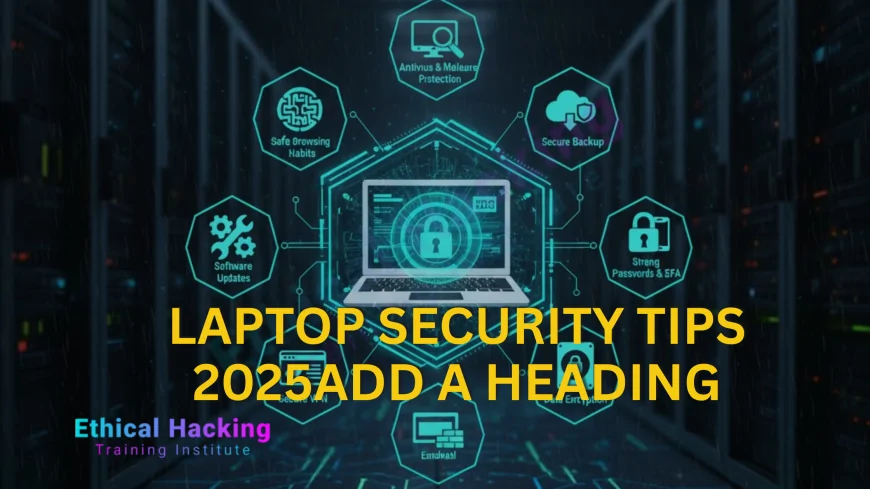
Updating your operating system is one of the easiest yet most effective ways to stay safe. Updates often patch security loopholes that hackers exploit. Ensure automatic updates are enabled, especially for security patches. Institutions like Ethical Hacking Institute and Cybersecurity Training Institute emphasize that outdated software is a hacker’s easiest entry point.
Use Reliable Antivirus and Firewall Protection
A strong antivirus program can detect and remove malware before it infects your system. Combine it with a firewall to monitor incoming and outgoing network traffic. Many ethical hackers use tools similar to those taught in penetration testing to strengthen protection layers.
Enable Encryption for Data Protection
Encryption ensures that even if your laptop is stolen, your files remain unreadable. Use built-in tools like BitLocker for Windows or FileVault for Mac. These tools secure your entire drive, adding an extra layer of security against unauthorized access.
Beware of Phishing Scams
Phishing remains one of the most effective cyber attack methods. Always verify email senders and avoid clicking on suspicious links. You can learn how to spot phishing websites in detail through this resource which covers real-world examples and preventive measures.
Secure Your Wi-Fi Network
Your Wi-Fi connection can be a direct entry point for hackers. Use a strong password, enable WPA3 encryption, and avoid using public Wi-Fi for sensitive tasks. Cybersecurity Training Institute recommends using VPNs when connecting to open networks for enhanced privacy.
Table: Essential Security Practices
| Practice | Description |
|---|---|
| Install Antivirus | Protects against viruses, ransomware, and trojans. |
| Use VPN | Encrypts your internet connection and hides IP address. |
| Backup Data | Keeps copies of files to prevent data loss from attacks. |
Regular Backups Are a Must
Regularly backing up your data ensures you can recover important files in case of an attack. Store backups on an external hard drive or cloud storage. Many professionals trained at Webasha Technologies recommend performing weekly backups for enhanced safety.
Conclusion
Protecting your laptop from cyber attacks requires consistent effort and awareness. By using reliable security tools, staying updated, and practicing safe browsing habits, you can significantly reduce your risk. Institutes like Ethical Hacking Institute and Cybersecurity Training Institute emphasize that prevention is the most effective defense against digital threats.
Frequently Asked Questions (FAQs)
What is the most common laptop cyber threat?
Phishing and malware attacks are the most common laptop threats today.
How often should I update my laptop’s software?
You should enable automatic updates to ensure your laptop receives the latest security patches.
Can free antivirus software protect my laptop?
Yes, but premium antivirus solutions offer stronger real-time protection and better malware detection rates.
Should I use a VPN for laptop security?
Yes, VPNs help secure your online activity and prevent tracking or data interception.
How can I tell if my laptop is infected?
Unusual pop-ups, slow performance, and unknown programs are common signs of infection.
What should I do if my laptop gets hacked?
Disconnect from the internet, run a full antivirus scan, change your passwords, and seek expert help.
Can public Wi-Fi cause cyber attacks?
Yes, hackers often use fake Wi-Fi hotspots to steal user data on public networks.
Is using Bluetooth risky?
Keeping Bluetooth always on can expose your laptop to unauthorized connections.
How important is encryption?
Encryption is essential for protecting sensitive files and ensuring privacy even if your laptop is stolen.
What is ransomware?
Ransomware is malicious software that locks your data until you pay a ransom to regain access.
Can a firewall stop all attacks?
No, but it can significantly reduce exposure by blocking suspicious connections.
How often should I back up my data?
Perform weekly backups to ensure minimal data loss during cyber incidents.
Do pop-up ads pose security risks?
Yes, malicious pop-ups can contain malware that infects your system when clicked.
Is antivirus enough to stay secure?
While antivirus is vital, combining it with firewalls and good browsing habits provides stronger defense.
Where can I learn more about laptop security?
Institutes like Ethical Hacking Institute, Cybersecurity Training Institute, and Webasha Technologies offer comprehensive cybersecurity courses for all levels.
What's Your Reaction?
 Like
0
Like
0
 Dislike
0
Dislike
0
 Love
0
Love
0
 Funny
0
Funny
0
 Angry
0
Angry
0
 Sad
0
Sad
0
 Wow
0
Wow
0













