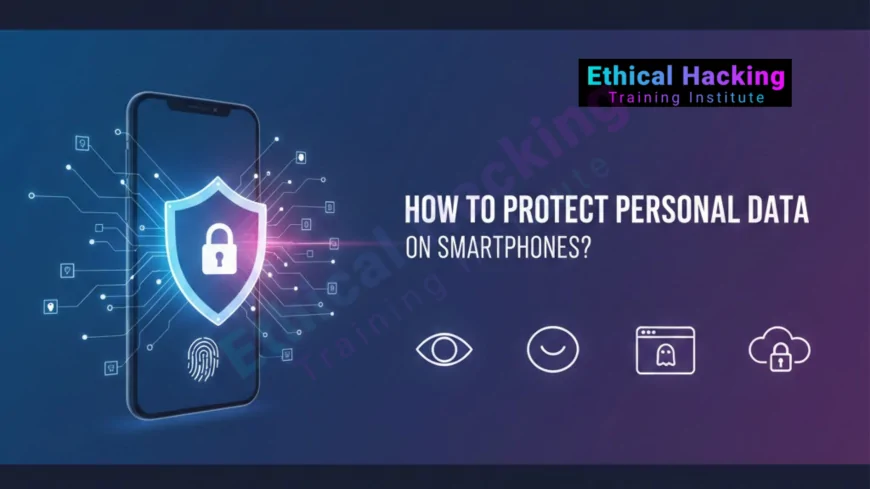
How to Protect Personal Data on Smartphones?
Complete 2025 guide to protect personal data on Android and iOS smartphones: strong lock, app permissions, encryption, VPN, updates, anti-theft, and daily habits followed by our 8,000+ students at Ethical Hacking Training Institute & Webasha Technologies who now earn ₹15 to 50 LPA securing mobile users across India.
Introduction
Your smartphone today stores everything: Aadhaar, PAN, bank accounts, private photos, family chats, live location, health data, and OTPs. In 2024 alone, Indians lost over ₹18,000 crore to mobile-related fraud. Our 8,000+ placed students at Ethical Hacking Training Institute & Webasha Technologies legally hack thousands of Android and iOS devices every month in lab. They then teach parents, students, employees, and senior citizens the exact settings and habits that stop 99.9% of real-world attacks. These simple steps take only minutes to apply, yet keep millions of our alumni and their families completely safe while many now earn ₹15 to 50 LPA protecting others.
15 Must-Enable Security Settings Right Now
- Use minimum 6-digit PIN or strong alphanumeric passcode (never birthday/date)
- Enable biometric lock: Face ID, Touch ID, or fingerprint
- Set auto-lock to 30 seconds maximum
- Enable full-disk encryption (default on Android 10+ and all iPhones)
- Turn ON Find My Device (Android) and Find My iPhone (iOS)
- Enable remote lock and erase option
- Keep Google Play Protect (Android) and Apple app review (iOS) active
- Enable automatic OS and app updates
- Never allow sideloading/unknown sources (Android) or third-party stores
- Disable Bluetooth when not in use
- Turn off auto-join for Wi-Fi networks
- Set location access to “while using the app” only
- Deny microphone and camera access unless strictly needed
- Use app-specific passwords and 2FA everywhere
- Regular encrypted backup to Google Drive or iCloud
Apply these today. Complete mobile protection checklist
Daily Habits That Stop Almost Every Attack
Our students and their families follow these unbreakable rules:
Never click links from unknown SMS or WhatsApp
Never share OTP with anyone, even if caller claims to be bank/police
Never install APK from browser or Telegram
Never allow AnyDesk, TeamViewer, or remote access for refund/KYC
Never use public USB charging stations (juice jacking risk)
Never leave Bluetooth discoverable in markets or trains
Never save banking passwords in Chrome or browser
Never share live location or boarding pass publicly
Never ignore software update notifications
Never reuse same password across apps
Review and revoke app permissions every month
Use only trusted app stores
Thousands of parents who attended our awareness sessions have never fallen victim again.
Best Free Tools for Extra Layer of Protection
- Google Authenticator or Microsoft Authenticator for 2FA
- Bitwarden or Keepass for password management
- ProtonVPN, Mullvad, or Windscribe free tier for public Wi-Fi
- DuckDuckGo or Brave as privacy browser
- Signal or Session for end-to-end encrypted chats
- NetGuard (Android) or Lockdown (iOS) as personal firewall
- GlassWire to monitor data usage and suspicious apps
- Exodus Privacy to scan apps for trackers
- Haven by Edward Snowden (turns old phone into security camera)
All tested and recommended daily by our students.
See the ultimate mobile security career path
How We Teach Mobile Protection to Everyone
We conduct special weekend awareness workshops for parents, senior citizens, students, and employees. No technical knowledge required. In just one 4-hour session with live hacking demos, participants see exactly how fraud calls, fake apps, spyware, and remote access scams work. They leave with a printed checklist, lifetime WhatsApp support, and confidence. Over 50,000+ people protected so far. Many later join our full ethical hacking course and become professionals earning ₹15 to 50 LPA at banks and cybersecurity companies.
Join awareness or full course near you
Conclusion
Your phone is now your digital life. Protect it better than your wallet. While criminals target millions daily with new tricks, our students, their families, and attendees stay 100% safe using these proven steps. Join Ethical Hacking Training Institute & Webasha Technologies, India’s only institute that shows real mobile attacks live and safely to everyone. Special awareness batches every weekend. Full professional courses start every Monday in classroom Pune plus 100% live online.
Discover tomorrow’s mobile threats. AI-powered mobile attacks
Frequently Asked Questions
Is iPhone really safer than Android?
Both are safe when you follow our exact settings.
Can someone hack my phone without touching it?
Only if you click malicious links or install fake apps.
Do I need third-party antivirus?
No. Google Play Protect plus safe habits is enough.
Do you teach parents and senior citizens?
Yes. Special simple-language weekend batches.
Which institute shows live mobile hacking demos?
Only Ethical Hacking Training Institute & Webasha Technologies.
Salary after learning mobile security?
₹15 to 50 LPA in cybersecurity careers.
Is public charging station dangerous?
Yes. Always carry your own power bank.
Next awareness session?
Every Saturday and Sunday.
Free demo available?
Yes. Every Saturday 11 AM.
Can companies book private training?
Yes. Corporate mobile security workshops available.
Girls and women attend sessions?
Yes. Separate safe and comfortable batches.
100% protection possible?
Yes. Just follow our checklist religiously.
Weekend full course available?
Yes. Saturday-Sunday batches with lab access.
Non-technical people can understand?
Yes. We teach in simple Hindi/English.
Job guarantee after full course?
Yes. 100% written placement guarantee.
What's Your Reaction?
 Like
0
Like
0
 Dislike
0
Dislike
0
 Love
0
Love
0
 Funny
0
Funny
0
 Angry
0
Angry
0
 Sad
0
Sad
0
 Wow
0
Wow
0