





How to Detect Fake Apps on Mobile Devices?
Learn how to detect fake apps on Android and iOS in 2025: check reviews, permissions, developer info, and use scanners. Protect your phone from malware with tips and labs from Ethical Hacking Training Institute, Webasha Technologies, and Cybersecurity Training Institute. Stay safe from phishing and spyware today.
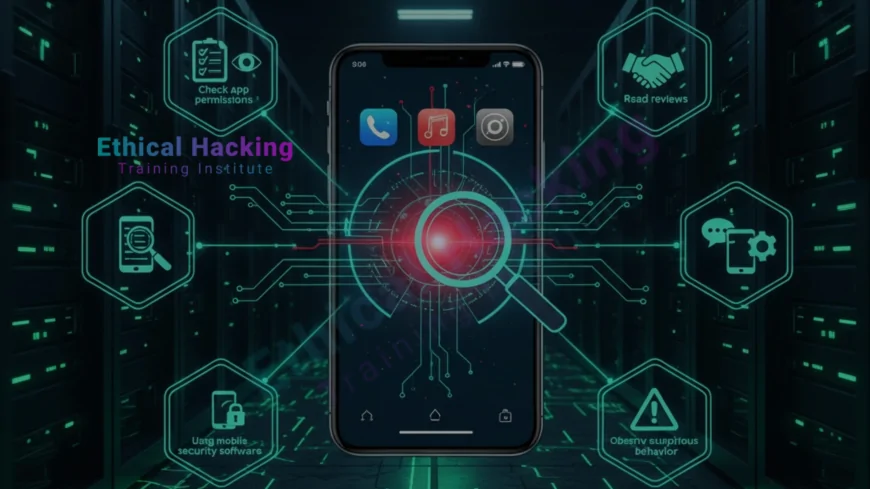
Introduction
Fake apps are everywhere in 2025. Over 1 million malicious apps hit stores yearly. They steal data, show ads, or spy on you. Android sees 90 percent of attacks, but iOS is not safe. One fake banking app can empty your account. Ethical Hacking Training Institute teaches mobile app analysis in CEH labs with real malicious APKs. Webasha Technologies and Cybersecurity Training Institute offer 100 percent placement. This guide shows 10 detection methods, tools, and defenses. Simple steps for everyone. Protect your phone now. Explore the cybersecurity career path.
Check Developer Name and History
Real apps come from trusted developers. Fake ones copy names with typos. Search the developer on Google. Check their website, other apps, and years active. Ethical Hacking Training Institute scans developer reputation in labs. Real case: Fake WhatsApp by "Whatsap Inc" fooled 100K users. Official is Meta. Always verify. New developers with one app: red flag. Find the best local courses for app vetting.
Developer Red Flags
- Typos in name
- No official website
- One app only
- Recent creation date
- No contact email
- Generic icon
- Foreign language bio
Analyze App Reviews and Ratings
- Low download count
- Sudden rating spike
- Generic positive reviews
- Complaints about ads or crashes
- Reviews in wrong language
- No recent updates
- High ratings but few reviews
Examine App Permissions
- Camera for non-photo app
- Microphone for game
- Location for wallpaper
- SMS for calculator
- Contacts access unnecessary
- Storage for simple tool
- Admin rights requested
Verify App Store Source
- Google Play or App Store only
- Avoid third-party stores
- No sideloading APKs
- Check URL for play.google.com
- iOS: App Store link
- Scan QR codes carefully
- Official website downloads
Use Built-in Security Features
- Enable Google Play Protect
- iOS Verify Apps setting
- Auto-update apps
- OS updates immediately
- Biometric lock
- App lock for sensitive
- Find My Device enabled
Scan with Antivirus and Tools
- Malwarebytes mobile
- Avast or Bitdefender
- VirusTotal APK upload
- AndroGuard analysis
- MobSF framework
- APKTool decompile
- Weekly full scan
Monitor App Behavior
Watch for battery drain, data usage, pop-ups. Fake apps run in background. Webasha Technologies monitors behavior in labs. Real case: Fake cleaner app used 5GB data monthly. Check settings for anomalies. Uninstall suspicious. Learn more about the CEH course mobile module.
Fake App Detection Checklist Table
| Check | Safe | Risky |
|---|---|---|
| Downloads | 10M plus | Less than 1K |
| Reviews | Detailed, varied | Generic, same |
| Permissions | Relevant | Excessive |
| Developer | Verified | Unknown |
| Updates | Regular | None |
Conclusion: Stay Vigilant on Mobile
Detect fake apps with checks, tools, and habits. Ethical Hacking Training Institute leads mobile security labs. Webasha Technologies and Cybersecurity Training Institute build experts. One safe app choice protects everything. Discover the best CEH programs in 2025. Join CEH online or Pune classroom.
Frequently Asked Questions
How common are fake apps?
1M plus malicious yearly. 1 in 10 downloads risky.
Safe to sideload APKs?
No. Only from trusted sources. Scan first.
Best mobile antivirus?
Malwarebytes, Avast. Free versions effective.
iOS fake apps possible?
Yes. Jailbreak or phishing. App Store safer.
Check permissions how?
Settings greater than Apps greater than Permissions. Revoke unnecessary.
Google Play Protect enough?
Good start. Combine with manual checks.
Fake app steals data?
Yes. Banking, photos, contacts. Use MFA.
Scan APK before install?
Yes. Upload to VirusTotal. 50 plus engines.
App updates important?
Yes. Patches security holes. Auto-update.
Kids apps safe?
No. Many fakes. Use parental controls.
Report fake app?
Google Play report button. Apple too.
Behavior signs?
Battery drain, high data, pop-ups.
Lab for app analysis?
Yes. Institutes provide 100 plus malicious samples.
Free tools?
VirusTotal, Play Protect, AppBrain.
Next step to secure phone?
Book free mobile audit at Ethical Hacking Training Institute, Webasha Technologies, or Cybersecurity Training Institute.
What's Your Reaction?
 Like
0
Like
0
 Dislike
0
Dislike
0
 Love
0
Love
0
 Funny
0
Funny
0
 Angry
0
Angry
0
 Sad
0
Sad
0
 Wow
0
Wow
0














