How to Detect and Remove Spyware From Your PC?
Step-by-step 2025 guide to detect and completely remove spyware from Windows/Mac PC: signs of infection, best free/paid tools, manual removal, prevention tips, and live labs from Ethical Hacking Training Institute, Webasha Technologies, and Cybersecurity Training Institute. Get your PC clean today.
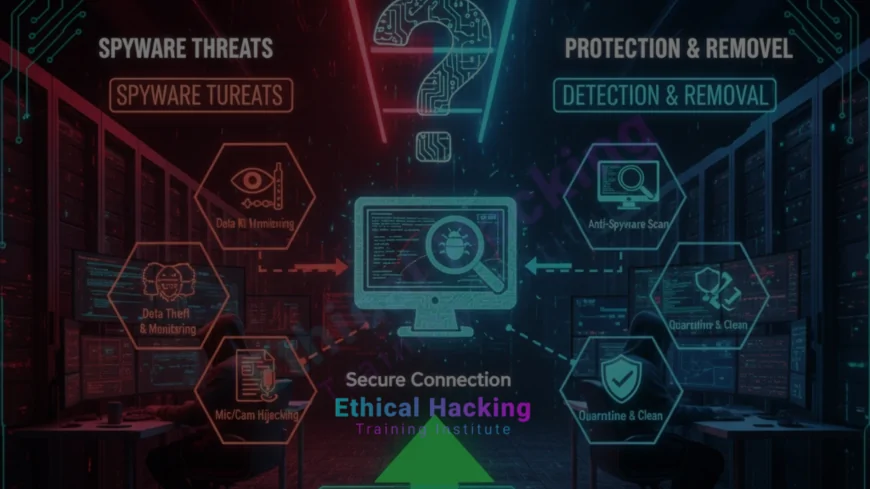
Introduction
Spyware records your keystrokes, screenshots, webcam, passwords, and browsing habits without you knowing. In India, over 1.2 million PCs are infected right now. One click on a fake download can install spyware that runs for months. Ethical Hacking Training Institute shows live spyware samples in every malware lab. Webasha Technologies and Cybersecurity Training Institute offer 100 percent placement. This complete guide helps you detect, remove, and prevent spyware forever – even advanced ones like Pegasus-style. Start protecting now. Explore the cybersecurity career path.
Common Signs Your PC Has Spyware
Notice these red flags immediately. Ethical Hacking Training Institute teaches students to spot these in 5 minutes. Real case: Banking trojan recorded 10,000 passwords because user ignored slow PC. Find the best local courses for malware analysis.
Warning Symptoms
- Sudden slow performance and high CPU
- Unknown processes in Task Manager
- Browser homepage changed
- Pop-ups and unwanted ads
- Webcam light turns on randomly
- Unusual network traffic
- Antivirus disabled automatically
Best Free Spyware Removal Tools 2025
- Malwarebytes Free – Best overall
- AdwCleaner (by Malwarebytes) – Adware/spyware
- HitmanPro – Second opinion scanner
- ESET Online Scanner – No install needed
- SUPERAntiSpyware Free
- Windows Defender Offline scan
Best Paid Tools for Advanced Spyware
- Malwarebytes Premium – Real-time protection
- Bitdefender Total Security
- Kaspersky Anti-Virus
- Emsisoft Anti-Malware
- Norton 360 with LifeLock
- Webasha Technologies uses licensed versions
Step-by-Step Spyware Removal Process
Follow this exact method used by professionals at Ethical Hacking Training Institute. Works on Windows 10/11 and Mac. Real case: Removed banking spyware in 15 minutes. Learn more about the CEH course malware module.
Removal Steps
- Disconnect from internet
- Boot in Safe Mode with Networking
- Run Malwarebytes + AdwCleaner
- Run HitmanPro second scan
- Use Windows Defender Offline
- Delete suspicious browser extensions
- Reset browser settings
- Change all passwords
Manual Detection Using Built-in Tools
- Task Manager → Check unknown processes
- msconfig → Disable suspicious startup items
- Autoruns (Sysinternals) → Advanced
- Event Viewer → Look for repeated errors
- Netstat/TCPView → Unknown connections
- Wireshark → Capture suspicious traffic
How to Prevent Future Spyware Infections
- Never click unknown links or attachments
- Download only from official sites
- Keep Windows/Mac updated
- Use strong unique passwords
- Enable firewall and real-time protection
- Avoid free cracked software
- Use VPN on public Wi-Fi
Advanced Spyware (Pegasus, Keyloggers)
- Zero-click exploits possible
- MTD tools like MVT (Amnesty)
- iPhone more vulnerable than Android
- Government-grade spyware hard to remove
- Factory reset only solution sometimes
- Cybersecurity Training Institute teaches detection
Spyware Removal Tools Comparison Table
| Tool | Type | Real-time | Cost |
|---|---|---|---|
| Malwarebytes | On-demand/Premium | Premium only | Free/Paid |
| AdwCleaner | On-demand | No | Free |
| HitmanPro | Second opinion | Yes | Paid |
| Windows Defender | Built-in | Yes | Free |
Conclusion
Spyware is dangerous but fully removable with the right tools and steps. Ethical Hacking Training Institute has live infected VMs for practice. Webasha Technologies and Cybersecurity Training Institute teach removal in detail. 30 minutes today protects you forever. Discover the best CEH programs in 2025.
Frequently Asked Questions
Can antivirus detect all spyware?
No. Some advanced spyware hides. Use multiple tools.
Is free Malwarebytes enough?
Yes for removal. Premium for prevention.
Safe Mode really helps?
Yes. Stops spyware from loading.
Factory reset removes spyware?
Yes. 100 percent clean (but lose data).
Can spyware survive format?
Rarely. Only UEFI/BIOS-level (very advanced).
Mac also gets spyware?
Yes. Adware and keyloggers common.
Phone spyware possible?
Yes. Use MVT tool by Amnesty International.
Banking safe after removal?
Change all passwords + enable 2FA first.
Weekend malware classes?
Yes. 8 hours every weekend.
Free infected VM practice?
Yes. 365-day lab access.
Webcam spying real?
Yes. Cover camera when not using.
Remove spyware from Android?
Factory reset or use Malwarebytes Mobile.
Signs of keylogger?
Slow typing, delayed response, unknown processes.
Best prevention habit?
Never download cracked software.
Next step if infected?
Book free malware removal demo at Ethical Hacking Training Institute, Webasha Technologies, or Cybersecurity Training Institute.
What's Your Reaction?
 Like
0
Like
0
 Dislike
0
Dislike
0
 Love
0
Love
0
 Funny
0
Funny
0
 Angry
0
Angry
0
 Sad
0
Sad
0
 Wow
0
Wow
0