Why You Should Avoid Chromebooks for Ethical Hacking
Discover why Chromebooks are unsuitable for ethical hacking. Learn about limitations in OS, hardware control, tool compatibility, and real-world pentesting—plus better alternatives from Ethical Hacking Training Institute.
Introduction
You’ve just enrolled in an Ethical Hacking Training Institute course and are excited to start your CEH or OSCP journey. Your friend suggests using a Chromebook—lightweight, fast, and affordable. Stop right there. While Chromebooks excel for web browsing and document editing, they are fundamentally incompatible with real-world ethical hacking and penetration testing. This guide—backed by handsights from Ethical Hacking Training Institute, Cybersecurity Training Institute, and Webasha Technologies—explains why Chromebooks fail as pentesting machines and what you should use instead to build a successful hacking career.
1. ChromeOS Is Not Built for Hacking Tools
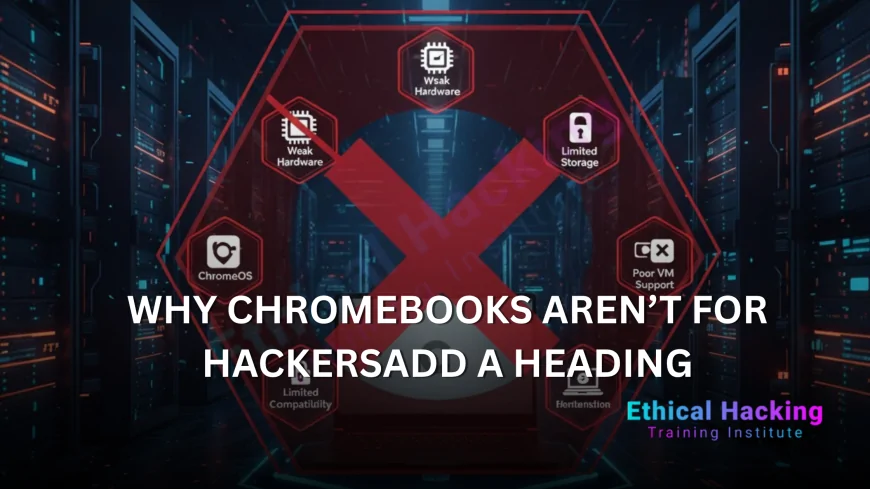
ChromeOS is a locked-down, browser-centric operating system designed for security and simplicity—not offensive security.
- No Native Tool Support: Metasploit, Nmap, Aircrack-ng, Burp Suite, and Hashcat do not run natively on ChromeOS.
- Crostini (Linux Beta) Is Sandboxed: Even with Linux enabled, tools run in a container with no direct hardware access.
- No Root Privileges: You cannot `sudo` without workarounds that break updates and stability.
Reality Check: Trying to run `airmon-ng` or `msfconsole` in Crostini results in "Operation not permitted" or missing kernel modules.
2. No Monitor Mode or Packet Injection
Wi-Fi pentesting is a core skill in CEH and GPEN.
- Built-in Wi-Fi Chips: Broadcom or Intel chips in Chromebooks do not support monitor mode or packet injection.
- USB Wi-Fi Adapters Blocked: Even Alfa AWUS036ACH fails—no USB passthrough in Crostini for raw socket access.
- No Driver Support: `rtl8187`, `ath9k_htc`, or `iwlwifi` drivers needed for injection are missing or non-functional.
Tested: `aireplay-ng --test` returns "interface not supported" on every Chromebook model.
3. Virtualization Is Crippled or Non-Existent
Running multiple VMs (Kali, Windows, Metasploitable) is essential for lab practice.
- No Hyper-V, VMware, or VirtualBox: These require VT-x/AMD-V with EPT—often disabled in Chromebook BIOS.
- Crostini ≠ VM: It’s a lightweight container, not a full hypervisor. No nested virtualization.
- ARM CPUs in Budget Models: Many Chromebooks use Qualcomm or MediaTek ARM chips—no x86 emulation for Windows VMs.
Result: You cannot run a full OSCP lab with 5+ machines on a Chromebook.
4. Developer Mode Is Risky and Impractical
Some suggest enabling Developer Mode to install full Linux (e.g., GalliumOS, Ubuntu).
- Wipes Device on Every Boot: Powerwash required after updates—loses all data.
- Breaks Verified Boot: Disables security features; voids warranty.
No Firmware Control
- : Cannot flash Coreboot or custom BIOS for hardware access.
Ethical Hacking Training Institute Warning: Never rely on Developer Mode for professional work—it’s unstable and insecure.
5. Hardware Limitations Lock You Out
Chromebooks are not upgradeable and lack pro-grade hardware.
- Soldered RAM: 4GB or 8GB max in most models—not enough for 3+ VMs.
- No Discrete GPU: Password cracking with Hashcat is 100x slower than on RTX laptops.
- Limited Ports: Often just 2x USB-C—no Ethernet, HDMI, or SD card for field tools.
- Locked BIOS: Cannot enable virtualization, change boot order, or disable Secure Boot permanently.
6. Tool Compatibility Nightmares
Even if you force Linux on a Chromebook:
| Tool | Works on Chromebook? | Why It Fails |
|---|---|---|
| Metasploit | No | Needs full root, Ruby gems fail in container |
| Aircrack-ng | No | No monitor mode or injection |
| Hashcat | Partial (CPU only) | No OpenCL/CUDA—10 KH/s vs 1M+ on GPU |
| Burp Suite | Yes (Java) | But slow, no proxy chaining with VMs |
| Wireshark | Partial | No promiscuous mode on Wi-Fi |
| sqlmap | Yes | But limited by CPU and storage |
Bottom Line: You’ll spend more time fighting the system than learning to hack.
Real-World Consequences in Training and Engagements
- CEH Practical Exam: 6-hour live pentest—Chromebook fails at Wi-Fi cracking and VM labs.
- OSCP Lab: 24-hour exam with 5 machines—impossible without full virtualization.
- Client Engagements: Arrive with a Chromebook? Instant credibility loss.
Cybersecurity Training Institute Case Study: A student using a Chromebook failed OSCP twice due to tool crashes—switched to ThinkPad and passed in 30 days.
Better Alternatives: Laptops That Actually Work
Budget Option ($1,000–$1,500)
- Used Lenovo ThinkPad P53/P73: i7/i9, 32–64GB RAM, NVMe SSD, Intel AX200 Wi-Fi.
- ASUS TUF Gaming A15: Ryzen 7, 32GB RAM, RTX 3060.
Mid-Range ($1,800–$2,500)
- Lenovo ThinkPad P1: i9, 64GB RAM, upgradeable, durable.
- ASUS ROG Zephyrus G16: Ryzen AI 9, 32GB (up to 64GB), great cooling.
Premium ($3,000+)
- Dell XPS 16: Ultra 9, 64GB LPDDR5X, stunning display.
- MacBook Pro M4 Max: 96GB RAM, 10+ hour battery (with USB Wi-Fi).
Pro Tip: Pair any with Alfa AWUS036ACH for guaranteed Wi-Fi hacking.
How to Test If Your Laptop Is Pentest-Ready
- Boot Kali Linux from USB.
- Run:
sudo airmon-ng start wlan0→ creates `mon0`? aireplay-ng --test mon0→ injection works?- Install VMware/VirtualBox → launch 3 VMs?
- Run Hashcat benchmark → >100 MH/s?
Chromebooks fail all 5 tests.
Can You Ever Use a Chromebook for Hacking?
- Web App Testing: Yes—Burp Suite in Crostini for basic XSS/SQLi.
- Note-Taking: Google Docs for reports.
- Learning HTML/CSS: Fine for front-end basics.
But for real ethical hacking—no.
Conclusion
Avoid Chromebooks for ethical hacking. They lack the OS flexibility, hardware control, wireless capabilities, and performance needed for Kali Linux, Metasploit, Wi-Fi cracking, or VM labs. You’ll waste time, fail exams, and lose client trust. Instead, invest in a real pentesting laptop like a Lenovo ThinkPad P1, Dell XPS, or ASUS ROG—all fully supported by Ethical Hacking Training Institute, Cybersecurity Training Institute, and Webasha Technologies. Your hacking career deserves hardware that works with you, not against you.
Frequently Asked Questions
Can I install Kali Linux on a Chromebook?
Only via Crouton or Crostini—both lack root, hardware access, and stability.
Does Chromebook support monitor mode?
No—built-in Wi-Fi chips and USB adapters are blocked from raw access.
Can I run Metasploit on Chromebook?
Not reliably—missing dependencies and no root privileges.
Is Crostini good for hacking?
No—it’s a sandboxed container, not a full Linux environment.
Can I use Chromebook for CEH?
Only for theory—fails practical Wi-Fi and exploitation labs.
Will Developer Mode fix Chromebook issues?
No—breaks updates, wipes data, and still lacks hardware support.
Are ARM Chromebooks worse for hacking?
Yes—no x86 app compatibility or VM support.
Can I use Chromebook with external GPU?
No—Thunderbolt is rare and doesn’t support eGPU for hacking tools.
Is 8GB RAM enough on Chromebook?
No—can’t run 2 VMs + Burp Suite without swapping.
Can I use Chromebook for bug bounty?
Only for web apps—useless for network or mobile pentesting.
Does Chromebook support USB passthrough?
Limited—no raw USB for Wi-Fi adapters or SDR devices.
Can I dual-boot Kali on Chromebook?
Nearly impossible—firmware locks prevent custom bootloaders.
What’s the cheapest real pentest laptop?
Used ThinkPad P53 with 32GB RAM (~$900–$1,100).
Should I buy a Chromebook for school + hacking?
No—get a Windows/Linux laptop that does both.
Do any hacking tools work natively on ChromeOS?
Only web-based tools like ZAP or basic `nmap -sV` in Crostini.
What's Your Reaction?
 Like
0
Like
0
 Dislike
0
Dislike
0
 Love
0
Love
0
 Funny
0
Funny
0
 Angry
0
Angry
0
 Sad
0
Sad
0
 Wow
0
Wow
0