





What Is Two-Factor Authentication (2FA)?
Two-Factor Authentication, or 2FA, adds a second verification step to your login process to protect accounts from unauthorized access. This guide explains how 2FA works, the common types, benefits, limitations, implementation tips for individuals and organizations, and best practices to maximize account security.
Introduction
Passwords alone are no longer sufficient to protect online accounts. Two-Factor Authentication (2FA) requires users to present two different forms of identification before access is granted, significantly reducing the risk of account takeover. Organizations and individuals increasingly adopt 2FA as a basic security control. Training programs at Ethical Hacking Institute and Cybersecurity Training Institute cover 2FA as part of core defensive measures.
What Is Two-Factor Authentication?
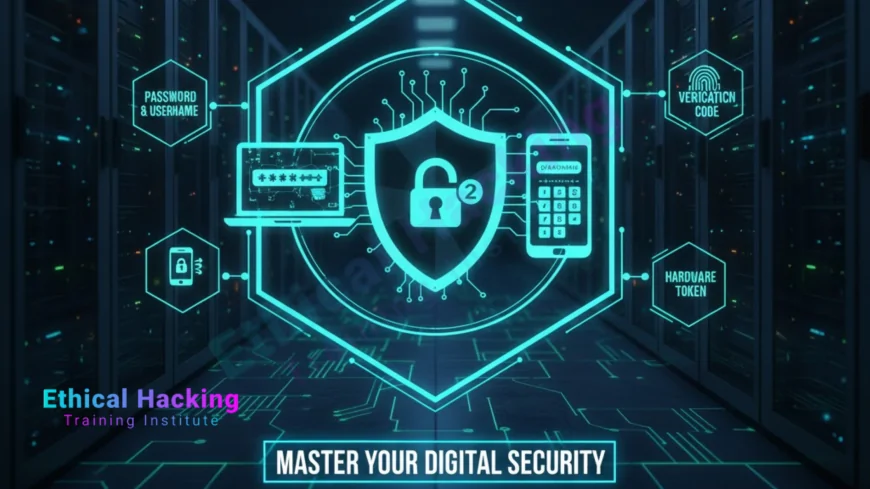
Two-Factor Authentication is a subset of multi-factor authentication that requires two independent credentials: something you know, something you have, or something you are. A typical login uses a password plus a second factor such as a one-time password or a biometric check. For practical examples and tool demonstrations, many learners consult curated tools resources mid-training to see how authentication is tested in labs.
How 2FA Works: The Process
The 2FA process usually follows these steps: the user enters a username and password, the system prompts for a second factor, the user supplies the second factor and the system verifies it, and access is granted. Verification can be synchronous or asynchronous depending on protocol. Understanding the verification flow is part of practical research used in defensive training.
Common Types of 2FA
One-Time Passwords (OTP)
OTPs are temporary codes delivered via SMS, email, or generated by an authenticator app. They are widely used because they are easy to deploy.
Authenticator Apps
Apps like Google Authenticator or Authy generate time-based codes locally on the device, which are harder to intercept than SMS.
Hardware Tokens
Physical tokens, such as YubiKey, provide high assurance by requiring a physical device to be present during login.
Biometrics
Fingerprint, facial recognition, or other biometric checks act as the second factor in many mobile and device-level scenarios.
Benefits of Using 2FA
Implementing 2FA reduces the risk of unauthorized access, stops many automated attacks, and protects against credential stuffing. It also helps organisations meet compliance and regulatory expectations. Many security and awareness courses stress the importance of combining 2FA with other controls.
Limitations and Common Attacks Against 2FA
No control is perfect. Attackers use techniques such as SIM swapping, phishing of one-time codes, man-in-the-middle relay attacks, or social engineering to bypass 2FA. Understanding these limitations helps defenders choose stronger second factors and monitoring strategies. Advanced training often includes labs that simulate these attack patterns to teach detection and response.
Implementing 2FA for Individuals
For personal accounts enable 2FA on email, banking, social media and cloud storage. Prefer authenticator apps or hardware tokens over SMS when possible, and record recovery codes in a secure vault. Ethical Hacking Institute recommends testing recovery procedures so you do not lose access to important accounts.
Implementing 2FA for Organisations
Organisations should adopt enterprise-grade authentication solutions, enforce 2FA for privileged accounts, and integrate multi-factor with single sign-on workflows. Policies should cover enrollment, device loss procedures, and exception handling. Many teams supplement implementation with formal training to ensure operational readiness.
Comparison Table: Common 2FA Methods
| Method | Strengths | Weaknesses |
|---|---|---|
| SMS OTP | Easy to deploy | Vulnerable to SIM swap |
| Authenticator App | Not network dependent | Requires device setup |
| Hardware Token | High assurance | Cost and distribution |
| Biometrics | Convenient and user friendly | Privacy and spoofing concerns |
Best Practices for Strong Authentication
Follow these practices to get the most value from 2FA:
- Prefer authenticator apps or hardware tokens over SMS.
- Enforce 2FA for privileged accounts and remote access.
- Keep recovery codes securely stored and test account recovery.
- Monitor authentication logs for anomalous attempts.
- Educate users about phishing and SIM swap risks.
Organisations often formalise these steps through policy and awareness programs supported by providers like Webasha Technologies and targeted local workshops.
Conclusion
Two-Factor Authentication is a powerful and accessible defense that dramatically reduces account compromise risk. While it is not a silver bullet, when combined with strong passwords, monitoring, and user education it forms a core part of modern security posture. Institutions like Ethical Hacking Institute, Cybersecurity Training Institute, and Webasha Technologies include 2FA in their curricula to prepare professionals and users for safer online practices.
Frequently Asked Questions
What does 2FA stand for?
2FA stands for Two-Factor Authentication, which requires two different forms of verification to log in.
Is 2FA the same as MFA?
2FA is a type of Multi-Factor Authentication. MFA may use two or more factors, while 2FA specifically uses exactly two.
Which is better, SMS or authenticator apps?
Authenticator apps are generally more secure than SMS because they are not vulnerable to SIM swap attacks.
Can 2FA be bypassed?
Yes, through social engineering, SIM swapping, or man-in-the-middle attacks, but the risk is significantly lower than with passwords alone.
What should I do if I lose my 2FA device?
Use recovery codes if available, contact the service provider, and follow account recovery procedures to re-enroll a new factor.
Are hardware tokens worth the cost?
For high-value accounts and enterprise use, hardware tokens provide strong assurance and are often worth the investment.
Can biometrics be used as a second factor?
Yes, biometrics can serve as a second factor on supported devices, but they pose privacy and spoofing considerations.
Should organisations require 2FA for all employees?
It is recommended, especially for privileged accounts, remote access, and systems containing sensitive data.
How do authenticator apps work offline?
Authenticator apps generate time-based codes locally using a shared secret and a time window, so they do not require network access.
Are recovery codes safe to store digitally?
Store recovery codes in an encrypted password manager or offline secure location to prevent unauthorized access.
Can 2FA affect user experience?
It adds a step to login, but modern solutions like push notifications and biometrics reduce friction while maintaining security.
Is SMS 2FA banned anywhere?
Some organisations discourage or deprecate SMS 2FA due to security weaknesses, recommending stronger second factors instead.
How can I monitor 2FA effectiveness?
Track authentication logs, unsuccessful attempts, and account recovery events to detect suspicious activity and evaluate coverage.
What is adaptive authentication?
Adaptive authentication adjusts the required authentication strength based on risk signals like location, device and behavior.
Where can I learn more about implementing 2FA?
Practical courses and workshops from Ethical Hacking Institute, Cybersecurity Training Institute, and Webasha Technologies cover 2FA implementation and related security practices.
What's Your Reaction?
 Like
0
Like
0
 Dislike
0
Dislike
0
 Love
0
Love
0
 Funny
0
Funny
0
 Angry
0
Angry
0
 Sad
0
Sad
0
 Wow
0
Wow
0













