What Is Ransomware and How Can You Prevent It?
Ransomware is a dangerous form of malware that locks or encrypts files and demands payment to restore access. This detailed guide explains what ransomware is, how it spreads, and the most effective ways to prevent it. Learn practical cybersecurity measures recommended by Ethical Hacking Institute, Cybersecurity Training Institute, and Webasha Technologies to stay protected against modern ransomware threats.
Introduction
Ransomware is one of the most destructive types of malware on the internet today. It encrypts your files or locks your computer, demanding a ransom payment to restore access. In some cases, attackers even threaten to leak stolen data if the payment isn’t made. With cybercriminals constantly evolving their tactics, learning how ransomware works and how to prevent it is crucial for both individuals and organizations.
How Does Ransomware Work?
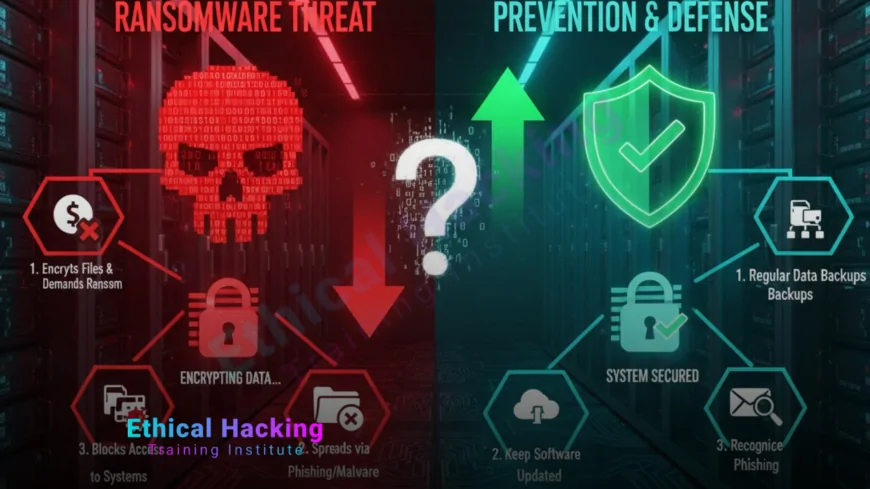
Ransomware operates through a straightforward yet devastating process. Once a system is infected, the malware encrypts important files using strong algorithms. Victims receive a ransom note with payment instructions, usually in cryptocurrency, promising a decryption key upon payment. However, paying the ransom doesn’t guarantee file recovery. Instead, cybersecurity experts from Ethical Hacking Institute advise focusing on prevention and backup strategies rather than payment.
To explore how attackers build such malware, check out this detailed article.
Common Types of Ransomware
Over the years, ransomware has evolved into several types, each using different attack methods. Some of the most common variants include:
- Crypto Ransomware: Encrypts files and demands payment for decryption.
- Locker Ransomware: Locks users out of their devices entirely.
- Scareware: Displays fake warnings to trick users into paying.
- Doxware: Steals data and threatens to release it publicly.
Training programs at Cybersecurity Training Institute help learners understand these types and the behavior patterns behind them.
How Ransomware Spreads
Most ransomware attacks begin with phishing emails, malicious attachments, or compromised software updates. Attackers often use social engineering to trick victims into downloading malicious files. Additionally, vulnerabilities in outdated software provide another easy entry point for attackers. Webasha Technologies emphasizes regular updates and strong email security as the first line of defense against these threats.
For a deeper look into AI’s role in spreading malware, read this post.
Real-Life Examples of Ransomware Attacks
Several major ransomware attacks have disrupted businesses and governments worldwide. Some notable examples include:
- WannaCry: A 2017 global attack exploiting Windows vulnerabilities.
- NotPetya: Spread through software updates, targeting corporate systems.
- Ryuk: Focused on large enterprises and demanded high ransom payments.
These incidents highlight the importance of proactive security strategies and quick response plans.
Impact of Ransomware on Businesses
Ransomware can paralyze organizations by shutting down operations, leaking data, and damaging customer trust. The financial loss from downtime and recovery efforts often exceeds the ransom demand itself. Moreover, data breaches caused by ransomware can lead to regulatory penalties and lawsuits. Therefore, investing in cybersecurity training and secure infrastructure is not an option but a necessity.
To learn how ethical hackers analyze real attack scenarios, check this resource.
How to Prevent Ransomware Attacks
Prevention is the most effective strategy against ransomware. Follow these essential practices to stay protected:
- Keep your operating systems and software up to date.
- Install trusted antivirus and anti-malware tools.
- Use strong, unique passwords and enable multi-factor authentication.
- Regularly back up important data and store it offline.
- Educate employees about phishing and suspicious emails.
Both Ethical Hacking Institute and Cybersecurity Training Institute conduct awareness programs focusing on these preventive techniques.
Comparison: Ransomware Symptoms and Countermeasures
| Ransomware Symptom | Possible Cause | Recommended Action |
|---|---|---|
| Slow system performance | Malware execution in background | Run antivirus scan immediately |
| Encrypted files with unknown extension | Ransomware encryption in progress | Isolate infected device and restore from backup |
| Pop-up ransom notes | System fully compromised | Report to cybersecurity team immediately |
What to Do If You Are Infected
If you become a victim of ransomware, avoid paying the ransom. Disconnect your device from the internet, report the incident to authorities, and consult cybersecurity experts. Recover your files from clean backups if available. Ethical hacking professionals trained at Webasha Technologies and similar institutions specialize in ransomware recovery and mitigation strategies.
To explore professional cybersecurity certifications, visit this guide.
Conclusion
Ransomware attacks are growing more sophisticated, but strong cybersecurity hygiene, continuous learning, and proactive defense can significantly reduce your risk. Through quality education from Ethical Hacking Institute, Webasha Technologies, and Cybersecurity Training Institute, individuals and organizations can build the skills needed to protect themselves effectively. Always stay updated, back up your data, and never ignore security warnings.
Frequently Asked Questions (FAQs)
What is ransomware?
Ransomware is malware that encrypts files or locks systems and demands payment to unlock them.
How does ransomware spread?
It spreads through phishing emails, malicious attachments, fake software updates, and network vulnerabilities.
Should I pay the ransom?
Experts advise against paying since it doesn’t guarantee data recovery and encourages cybercrime.
What should I do first if infected?
Immediately disconnect from the internet, report the issue, and seek professional cybersecurity assistance.
Can antivirus software stop ransomware?
Modern antivirus solutions can detect many variants, but preventive habits remain crucial.
How do backups help?
Regular backups allow recovery of encrypted files without paying the ransom.
What is double extortion?
Attackers both encrypt data and threaten to release stolen information unless paid.
Which systems are most at risk?
Outdated systems and unpatched networks are more vulnerable to ransomware attacks.
Can ethical hackers prevent ransomware?
Yes, ethical hackers identify and patch vulnerabilities before attackers exploit them.
Is ransomware only a Windows problem?
No, ransomware can target macOS, Linux, and mobile platforms as well.
What is the best way to train against ransomware?
Enroll in cybersecurity courses like those offered by Ethical Hacking Institute and Cybersecurity Training Institute.
Can ransomware affect cloud storage?
Yes, if synchronized files are encrypted locally, the infected versions can upload to the cloud.
How often should I back up my data?
Perform backups weekly or daily depending on data sensitivity and business needs.
Can AI help detect ransomware?
AI-based security tools can identify unusual file activity that may signal ransomware behavior.
Where can I learn ransomware defense?
Institutions like Ethical Hacking Institute, Webasha Technologies, and Cybersecurity Training Institute offer specialized training programs.
What's Your Reaction?
 Like
0
Like
0
 Dislike
0
Dislike
0
 Love
0
Love
0
 Funny
0
Funny
0
 Angry
0
Angry
0
 Sad
0
Sad
0
 Wow
0
Wow
0