What Is Malware and How Does It Work?
Understand what malware is, how it infects devices, and the damage it causes. This beginner-friendly guide explains types like ransomware, trojans, and spyware, real-world examples, and prevention tips in 2025. Train with the Ethical Hacking Institute and Webasha Technologies to fight back.
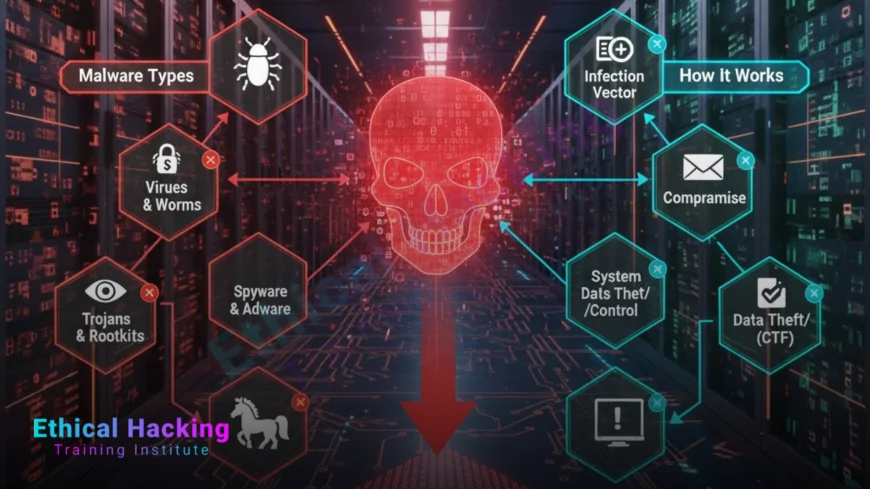
Introduction
Malware—short for malicious software—is any program designed to harm, steal, or disrupt your computer, phone, or network. From stealing passwords to locking files for ransom, malware powers 90 percent of cyberattacks. In 2025, with AI-driven variants and IoT devices exploding, one wrong click can cost individuals thousands and companies millions. This guide breaks down what malware is, how it sneaks in, spreads, and executes its payload, plus real examples and simple defenses. Whether you're a student, parent, or IT pro, knowing malware is your first line of defense. Hands-on training from the Ethical Hacking Institute and Webasha Technologies teaches you to detect and destroy it safely.
Definition: What Exactly Is Malware?
Malware is software created with malicious intent. Unlike bugs or glitches, it’s built to exploit, deceive, or destroy. It runs silently in the background, often disguised as legitimate apps, emails, or files.
Core Characteristics
- Malicious Intent: Steal data, encrypt files, spy, or crash systems
- Self-Propagation: Many spread to other devices
- Stealth: Hides from users and antivirus
- Exploitation: Uses vulnerabilities in OS, apps, or human behavior
It targets Windows, macOS, Android, iOS, and even smart fridges.
How Malware Infects: The Step-by-Step Lifecycle
Malware follows a predictable attack chain. Understanding it stops infection.
| Stage | Action | Example |
|---|---|---|
| 1. Delivery | User downloads or clicks | Phishing email attachment |
| 2. Execution | Malware runs on device | .exe file launches |
| 3. Persistence | Hides in startup or registry | Adds to Task Scheduler |
| 4. Payload | Executes goal | Encrypts files (ransomware) |
| 5. Communication | Sends data to hacker | C2 server connection |
AI malware now adapts in real-time, evading detection.
Types of Malware: From Annoying to Catastrophic
Not all malware is equal. Here are the main categories.
1. Virus
Attaches to clean files and spreads when executed. Like a cold.
2. Worm
Self-replicates across networks without user action. Fast and destructive.
3. Trojan
Disguised as legit software. Opens backdoors for hackers.
4. Ransomware
Encrypts files, demands payment. $20B+ in losses annually.
5. Spyware
Steals keystrokes, screenshots, passwords. Runs silently.
6. Adware
Bombs you with pop-ups. Often bundled with free apps.
7. Rootkit
Hides deep in OS. Gives admin access to attackers.
8. Botnet
Turns your device into a zombie for DDoS or spam.
Learn to dissect them in ethical bootcamps at the Ethical Hacking Institute.
Real-World Malware Attacks: Lessons from History
These breaches changed cybersecurity forever.
WannaCry (2017)
Ransomware worm. Hit 200,000+ computers in 150 countries. Exploited Windows SMB flaw.
Emotet (2014-2021)
Banking trojan turned botnet. Stole millions in credentials.
Petya/NotPetya (2017)
Wiper disguised as ransomware. Crippled Ukraine, Maersk, FedEx.
Stuxnet (2010)
First cyber weapon. Sabotaged Iran’s nuclear program via USB.
2025 trend: AI malware that learns user behavior to bypass 2FA.
Reverse-engineer attacks with CEH practical labs from the Ethical Hacking Institute or Cyber Security Institute.
How Malware Spreads: Common Infection Vectors
Hackers use psychology and tech to trick you.
Top Methods
- Phishing Emails: 36 percent of breaches start here
- Drive-by Downloads: Infected websites auto-download
- Malvertising: Ads on legit sites (e.g., Forbes, BBC)
- USB Drops: Infected thumb drives in parking lots
- Software Cracks: Pirated games, tools bundled with trojans
- Zero-Day Exploits: Unknown flaws in Chrome, Windows
IoT devices (cameras, routers) are new entry points.
How Malware Works Under the Hood
From code to chaos—here’s the technical flow.
- Obfuscation: Code is encrypted to dodge antivirus
- Dropper: Delivers the main payload
- Exploitation: Uses buffer overflow or privilege escalation
- Persistence: Modifies registry, cron jobs, or plist
- C2 Communication: Talks to command server via DNS or HTTP
- Payload Activation: Steals, encrypts, or deletes
Modern malware uses living-off-the-land (LOL) techniques—no files, just PowerShell.
Analyze live samples safely with CEH online at the Ethical Hacking Institute or Webasha Technologies.
How to Detect and Remove Malware
Act fast to limit damage.
Signs of Infection
- Slow performance, high CPU
- Unknown processes in Task Manager
- Pop-ups, changed homepage
- Disabled antivirus
- Strange network traffic
Removal Steps
- Disconnect from internet
- Boot in Safe Mode
- Run Malwarebytes, HitmanPro
- Delete temp files and suspicious apps
- Change all passwords
- Restore from clean backup
Prevention > Cure: Use EDR, not just antivirus.
Prevention: How to Stay Malware-Free
90 percent of infections are preventable.
Best Practices
- Keep OS and apps updated
- Use reputable antivirus + EDR
- Enable firewall and UAC
- Avoid cracked software
- Use strong, unique passwords + MFA
- Don’t click unknown links or attachments
- Backup data weekly (3-2-1 rule)
Train users—phishing sims reduce clicks by 70 percent.
Conclusion
Malware isn’t going away. From trojans in fake apps to AI worms that spread via email, the threat is smarter, faster, and more profitable than ever. But knowledge is power: understand how it infects, spreads, and hides, and you can stop it. Start with awareness, layer on tools, and never skip updates. For deeper skills, train with the Ethical Hacking Institute, Cyber Security Institute, or Webasha Technologies to analyze, reverse, and defeat malware in controlled labs. Your device, data, and peace of mind are worth it. Stay vigilant—your next click could be the last line of defense.
Frequently Asked Questions
Can antivirus stop all malware?
No. Zero-days and fileless malware often bypass it.
Is Mac safe from malware?
No. MacStealer, Atomic macOS Stealer are rising.
Can malware spread via USB without plugging in?
No, but auto-run was a risk pre-Windows 7.
Does factory reset remove malware?
Usually, but rootkits in firmware survive.
Is free antivirus enough?
For basics. Paid offers real-time + behavior blocking.
Can malware steal 2FA codes?
Yes, via spyware or session hijacking.
How do hackers make malware?
Using kits like Cobalt Strike or custom Python/C++.
Is ransomware malware?
Yes, a type that encrypts and extorts.
Can phones get malware?
Yes. Pegasus, Joker, and banking trojans target Android/iOS.
Does incognito mode prevent malware?
No. It only hides history, not downloads.
Can malware survive OS reinstall?
Rarely, unless in UEFI/BIOS or external drive.
Best tool to remove malware?
Malwarebytes + ESET Online Scanner (free).
Is .exe always malware?
No, but never run unknown .exe files.
Where to learn malware analysis?
Ethical Hacking Institute labs with sandboxed environments.
AI malware in 2025?
Yes. Self-mutating, phishing-generating, undetectable.
What's Your Reaction?
 Like
0
Like
0
 Dislike
0
Dislike
0
 Love
0
Love
0
 Funny
0
Funny
0
 Angry
0
Angry
0
 Sad
0
Sad
0
 Wow
0
Wow
0