What Are the Most Common Cybersecurity Mistakes Students Make?
Discover the most common cybersecurity mistakes students make and how to avoid them. Learn about weak passwords, unsafe Wi-Fi, phishing scams, and privacy oversharing, with expert guidance from Ethical Hacking Institute and other cybersecurity training leaders.
Introduction
Today’s students are more connected than ever before. From online classes to social media, their lives are deeply integrated with the digital world. However, this dependence on technology often leads to careless mistakes that can compromise personal data, financial information, or academic records. Cybersecurity is not just for IT professionals anymore; it’s a basic skill every student must develop.
Institutes such as the Ethical Hacking Institute emphasize that online safety starts with awareness. Understanding the most common cybersecurity mistakes can help students strengthen their defenses and build lifelong digital safety habits.
Using Weak or Reused Passwords
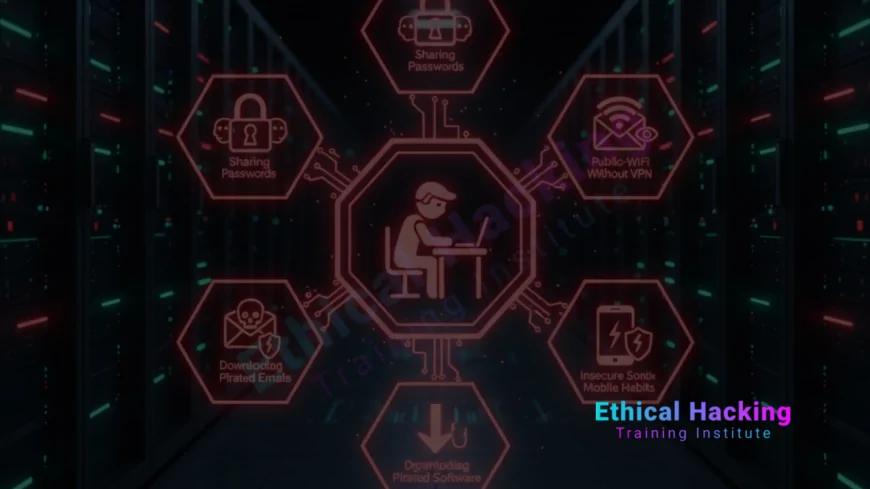
One of the biggest mistakes students make is using simple, predictable passwords. Many use “123456,” “password,” or their birthdate across multiple accounts. This makes it easy for hackers to break into accounts using brute-force attacks or leaked password databases.
To stay secure, students should:
- Create strong passwords using a mix of uppercase, lowercase, numbers, and symbols.
- Never reuse passwords across platforms.
- Use a password manager to store credentials safely.
For a deeper understanding of password security, explore this comprehensive hacking course that teaches practical cybersecurity basics.
Falling for Phishing Emails
Phishing scams are one of the oldest tricks in the hacker’s playbook. Students often receive fake emails claiming to be from universities, scholarship programs, or online services. These messages may request login details or contain malicious links that steal credentials.
The best protection is awareness:
- Always verify the sender’s address and domain.
- Hover over links to check authenticity before clicking.
- Never download attachments from unknown sources.
Using Public Wi-Fi Without Protection
Public Wi-Fi networks at cafes, libraries, or campuses are convenient, but they can be a hacker’s paradise. Attackers can intercept your data through “man-in-the-middle” attacks or packet sniffing.
Always use a Virtual Private Network (VPN) when connecting to public Wi-Fi. A VPN encrypts data and keeps your identity hidden. Avoid logging into sensitive accounts, like banking or university portals, on open networks.
You can learn more about network security in this ethical hacking career guide that explores safe networking practices.
Ignoring Software Updates
Another frequent mistake is ignoring software or operating system updates. Students often click “Remind Me Later,” unaware that these updates contain essential security patches that fix vulnerabilities.
Regularly updating your software protects against:
- Exploits targeting outdated applications.
- System instability caused by unpatched bugs.
- Ransomware attacks using known vulnerabilities.
Downloading Pirated or Free Software
Students sometimes install cracked software to avoid paying for licenses. However, these versions are often infected with malware that steals personal information or corrupts files.
Always download from official sources. Pirated software might cost nothing upfront but can lead to severe data loss or identity theft.
If you want to understand how attackers exploit software flaws, take the Certified Ethical Hacker Training for practical experience.
Oversharing Personal Information Online
Social media can be a goldmine for hackers. Many students reveal details like their date of birth, school name, or phone number on public profiles. Cybercriminals use this data for identity theft or targeted scams.
To stay safe:
- Keep personal details private.
- Adjust privacy settings to limit visibility.
- Think before posting sensitive information.
Neglecting Device Security
Leaving laptops or phones unlocked and unattended is another careless mistake. Without strong passwords or biometric locks, anyone can access sensitive files or accounts.
Always enable two-factor authentication (2FA) on critical accounts. This extra step adds an additional layer of protection even if your password is compromised.
Falling Victim to Social Engineering
Hackers use social engineering to manipulate people into revealing confidential data. They may impersonate friends, professors, or tech support personnel to gain trust.
To protect yourself:
- Be cautious when sharing information, even with familiar names.
- Verify requests through official communication channels.
- Never share passwords or OTPs with anyone.
To learn about how social engineering works, read this advanced ethical hacking blog that explores common hacker tactics.
Not Backing Up Important Files
Imagine losing your thesis or project data overnight because of a ransomware attack or system failure. Many students fail to create backups, assuming it won’t happen to them.
Always store data in multiple locations:
- Use cloud storage like Google Drive or OneDrive.
- Keep an external hard drive for offline backups.
- Automate backups weekly for convenience.
Installing Unverified Browser Extensions
Free browser extensions may seem helpful, but some are built to track data or display intrusive ads. They can even hijack your browser to redirect you to unsafe sites.
Only install extensions from verified publishers. Review permissions before installation and uninstall unnecessary ones.
Clicking Suspicious Links or Ads
Hackers use attractive ads or shortened links to spread malware. Clicking unknown links can infect your device instantly or redirect you to phishing sites.
Always inspect URLs carefully. Avoid “free gift” or “exclusive offer” pop-ups, as they often lead to malicious downloads.
Learn to identify phishing traps by exploring top CEH programs for 2025 that teach detection and prevention.
Ignoring Cybersecurity Education
Many students assume cybersecurity is only for tech experts. However, basic awareness about online threats can prevent serious damage. Cybersecurity education helps students recognize and respond to risks before they escalate.
Training from reputed institutes like Ethical Hacking Bootcamps provides real-world knowledge about data protection, digital hygiene, and ethical hacking practices.
Conclusion
Cybersecurity isn’t just a professional requirement; it’s a life skill every student must learn. From using strong passwords to identifying phishing emails, small steps can make a big difference. Avoiding the mistakes discussed above will help safeguard your privacy, finances, and academic future. Remember, awareness is your strongest defense in the digital world.
Frequently Asked Questions (FAQs)
What are the most common cybersecurity mistakes students make?
Weak passwords, phishing, and unsafe Wi-Fi usage are the most frequent issues.
Why should students learn cybersecurity?
Cybersecurity knowledge protects personal, academic, and financial information from online threats.
Can using public Wi-Fi be risky?
Yes, hackers can intercept your data unless you use a VPN.
What is phishing?
Phishing involves fake messages or emails that steal login credentials or financial details.
How can I make strong passwords?
Combine uppercase, lowercase, numbers, and special symbols for maximum strength.
What is two-factor authentication?
It’s an extra login step using your password plus a verification code or device.
Is free software safe to download?
Only from official sources. Pirated versions often contain malware.
Can antivirus protect against all threats?
Not all, but it prevents many common attacks and infections when regularly updated.
What are some cybersecurity courses for beginners?
Beginner-friendly programs at Ethical Hacking Institute teach foundational security skills.
How often should I back up my data?
Weekly backups are recommended to avoid losing critical files.
What are signs of a phishing attempt?
Generic greetings, spelling errors, and suspicious links are common red flags.
Should I use the same password for multiple accounts?
No, each account should have a unique and strong password.
How do hackers exploit social media?
They collect personal information to create targeted attacks or fake identities.
Are browser extensions safe?
Only verified ones are safe. Avoid installing unknown or suspicious plugins.
Where can I learn ethical hacking safely?
Join courses at Ethical Hacking Institute for structured and legal ethical hacking training.
What's Your Reaction?
 Like
0
Like
0
 Dislike
0
Dislike
0
 Love
0
Love
0
 Funny
0
Funny
0
 Angry
0
Angry
0
 Sad
0
Sad
0
 Wow
0
Wow
0