





What Are the Best Tools Used in Ethical Hacking?
This practical guide lists and explains the best tools used in ethical hacking, from reconnaissance and scanning to exploitation, post exploitation, and reporting. It covers widely adopted open source and commercial tools, explains when and why to use each, and outlines how tools fit into a professional penetration testing workflow. Whether you are a beginner building a lab or an experienced security practitioner refining your toolkit, this article shows tool categories, trade offs, and learning resources including hands on courses and labs that accelerate practical skill building.
Introduction
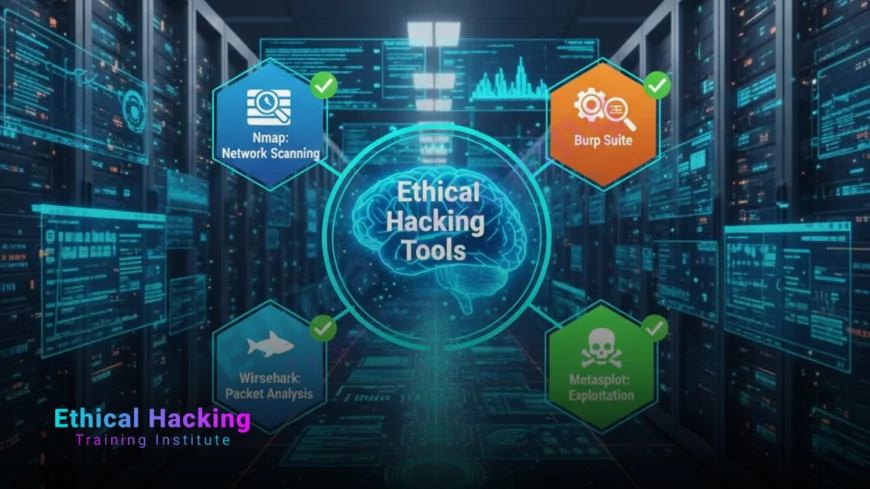
Ethical hacking is methodical work. Professionals follow a repeatable process that starts with reconnaissance and ends with a clear, actionable report. At each step, well chosen tools accelerate discovery, reduce human error, and help prove findings to stakeholders. This guide introduces the most reliable and widely used tools across the testing lifecycle, explains practical usage notes, and offers suggestions for building a balanced toolkit for real engagements.
Throughout the article we also mention practical training and labs offered by training providers that help you learn tools safely and legally, alongside hands on practice that turns theory into demonstrable skills.
Tooling Categories and How They Map to the Testing Lifecycle
High level workflow
An ethical hacking engagement typically follows these stages: reconnaissance, scanning and enumeration, vulnerability analysis, exploitation, post exploitation and persistence, and reporting. Each stage has specialized tools that simplify tasks and increase accuracy.
Why categories matter
Grouping tools by category helps testers pick the right instrument for the job rather than defaulting to a favorite. A balanced toolkit includes scanning, exploitation, protocol analysis, web testing, wireless tools, privilege escalation helpers, and reporting suites.
A practical overview of modern automated helpers and advanced assistants is available in this tools review.
Reconnaissance Tools
Passive and active reconnaissance
Reconnaissance gathers information without and with interaction. Passive techniques collect public data from search engines, DNS records, and social media. Active reconnaissance probes targets directly to discover services and entry points.
Key tools
- OSINT frameworks — Maltego, theHarvester, and Recon-ng aggregate public data about domains, email addresses, and infrastructure.
- DNS and WHOIS — dig, host, and online WHOIS services reveal domain ownership and DNS records.
- Search engines and data leaks — Google dorking and breach databases (responsibly used) expose exposed assets and credentials.
Combine passive lists with targeted active probes to reduce noise and avoid tipping off defenders too early during an authorized engagement.
Network Scanning and Enumeration
Purpose
Scanning identifies live hosts, open ports, and running services. Enumeration digs deeper to extract banners, user lists, shares, and other service specific data to build an attack plan.
Essential tools
- Nmap — the de facto network scanner for host discovery, port scanning, and service fingerprinting.
- Masscan — ultra fast port scanner for large ranges when speed matters.
- Enum4linux / rpcclient — Windows specific enumeration of Samba/SMB services and shares.
Nmap combined with NSE scripts is highly versatile and often the first active tool run during an assessment.
For a perspective on how AI and automation shape reconnaissance workflows, read this piece on AI.
Vulnerability Scanning and Analysis
Automated vs manual
Vulnerability scanners quickly find common issues, but manual analysis validates findings and uncovers complex problems that scanners miss.
Recommended scanners
- OpenVAS — open source vulnerability scanner for network services and hosts.
- Nessus — commercial scanner with broad plugin coverage that helps triage findings.
- Nmap scripts — lightweight checks and version detection for initial prioritization.
Use scanner output as a starting point, not a final report. False positives are common and require proof through manual verification.
Web Application Testing Tools
Web focused attacks
Web applications require specific tooling to test authentication, input validation, session handling, and API security. A mix of automated scans and interactive testing catches most vulnerabilities.
Top tools
- Burp Suite — the industry standard proxy and testing platform for intercepting, fuzzing, and manipulating web traffic.
- OWASP ZAP — an open source alternative for automated scanning and active testing.
- sqlmap — automated SQL injection and database takeover tool.
Burp’s extender API allows writing custom plugins to automate repetitive tasks and integrate testing into CI pipelines.
If you prefer guided learning with lab practice, check curated courses that include web testing modules.
Exploitation Frameworks
When to use them
Exploitation frameworks help validate vulnerabilities by safely demonstrating exploitability. Always operate within scope and with authorization.
Common frameworks
- Metasploit — the dominant exploitation framework with a large module library and post exploitation features.
- Empire — often used for Windows post exploitation and persistence (use responsibly and ethically).
Use these frameworks to reproduce findings and gather evidence for remediation, but avoid causing harm in production environments.
Protocol and Packet Analysis
Deep inspection
Packet capture and protocol analysis reveal hidden behaviors, exfiltration channels, and weak encryption practices.
Must have
- Wireshark — industry standard for packet capture and protocol decoding.
- Tshark — command line packet analysis for scripting.
Packet captures are also essential evidence in incident response and forensic analysis.
To follow a full beginner-to-advanced learning track that ties tools to career outcomes, review the complete curriculum.
Wireless and Bluetooth Testing Tools
Wireless attack surface
Wireless networks and Bluetooth enabled devices are frequent entry points. Specialized tools help audit access points, encryption settings, and client behavior.
Tools to know
- Aircrack-ng — suite for wireless packet capture, deauthentication, and key cracking where permitted.
- Kismet — wireless device discovery and spectrum analysis.
- Bettercap — active network and WiFi attacks for testing and research.
Wireless testing requires extra care to avoid interfering with legitimate users and must always be authorized.
Password Cracking and Credential Testing
Why passwords matter
Weak or reused credentials are a primary cause of breaches. Testing password strength and credential stuffing vulnerability is critical in any assessment.
Key utilities
- John the Ripper — flexible password cracker supporting many hash types.
- Hashcat — GPU accelerated cracking for speed and efficiency.
- Hydra — online brute force against services for testing login robustness.
Always use red team-approved wordlists, limit attempts, and coordinate with defenders to avoid lockouts or alarms during tests.
For hands-on exercises and local classroom options, explore local training listings.
Reverse Engineering and Malware Analysis
Static and dynamic analysis
Understanding how malware operates is essential for incident response and secure architecture design. Reverse engineering reveals logic, persistence mechanisms, and communication routines.
Common tools
- Ghidra — open source disassembler and reverse engineering suite.
- IDAPRO — commercial disassembler used by advanced analysts.
- OllyDbg and x64dbg — debuggers for dynamic analysis.
Malware analysis should take place in isolated lab environments to avoid accidental spread and legal exposure.
Post Exploitation and Persistence Tools
What comes after compromise
Once access is obtained, post exploitation focuses on privilege escalation, lateral movement, and data collection—always for testing and remediation purposes when authorized.
Useful frameworks
- Metasploit post modules — pivoting, credential harvesting, and persistence.
- BloodHound — Active Directory mapping to find privilege escalation paths.
- PowerSploit and PowerShell Empire modules — for Windows-centric post exploitation tasks.
Post exploitation tooling reveals real business risk and helps defenders remediate by showing attacker paths.
Many learners choose structured, end-to-end tracks; consider the career guides that map tools to job roles.
Reporting, Evidence Collection, and Collaboration Tools
Delivering value to stakeholders
The final and most important deliverable is a clear, actionable report. Use tools that help collect evidence, track remediation, and present risk in business terms.
Reporting aids
- Dradis — collaborative reporting platform to centralize findings and export client-ready reports.
- KeepNote / CherryTree — note taking and evidence management for assessments.
- Faraday — collaborative pentest IDE for team workflows.
Good reporting turns a list of vulnerabilities into prioritized remediation steps that business owners can act on.
Building a Balanced Toolkit and Lab
Principles for selecting tools
Choose tools that are well maintained, widely adopted, and appropriate for the engagement scope. Avoid overly niche tooling unless the test requires it. Mix open source and commercial tools to balance cost and capability.
Creating a practice lab
A good lab replicates networks, web apps, and endpoints safely. Use virtual machines, isolated networks, intentionally vulnerable applications, and capture the flag platforms to practice without legal risk. Many training providers integrate labs into curricula so learners can practice tools in a guided environment.
Comparison Table: Popular Ethical Hacking Tools
| Category | Representative Tools | Purpose |
|---|---|---|
| Reconnaissance | theHarvester, Maltego | Collect public intel and map assets |
| Scanning | Nmap, Masscan | Discover hosts, ports, and services |
| Vulnerability | OpenVAS, Nessus | Automated vulnerability detection |
| Web Testing | Burp Suite, OWASP ZAP, sqlmap | Test web applications and APIs |
| Exploitation | Metasploit | Validate and demonstrate exploits |
| Packet Analysis | Wireshark, Tshark | Capture and analyze network traffic |
| Password Testing | Hashcat, John the Ripper | Test password strength and hashes |
| Reporting | Dradis, Faraday | Evidence management and client reports |
Practical Advice for Learning Tools Safely
- Practice only in authorized, isolated lab environments or platforms that permit testing.
- Document every step in assessments so findings are reproducible and legally defensible.
- Combine automated scans with manual verification to avoid false positives.
- Keep tools updated and understand the legal and ethical constraints for each engagement.
- Participate in CTFs and lab platforms to learn tools in realistic scenarios.
Conclusion
The best ethical hacking toolkit is not the largest, but the most appropriate for the job. Learn core tools deeply, practice relentlessly in labs, and prioritize clear reporting. Training providers and hands on courses that include guided lab time help bridge the gap between tool familiarity and professional competence. With legal authorization and strong process discipline, these tools empower testers to find real risks and help organizations improve their security posture.
Frequently Asked Questions
Do I need to learn many tools to start ethical hacking?
No. Start with a core set—Nmap, Burp Suite, Wireshark, Metasploit, and a password tool—then expand as you specialize.
Are commercial tools necessary?
Commercial tools add convenience and coverage, but open source tools are sufficient for most learning and many professional tasks.
Which tool is best for web application testing?
Burp Suite is widely used for interactive web testing, while OWASP ZAP is a strong open source alternative.
How do I practice tools legally?
Use intentionally vulnerable labs, CTF platforms, or your own isolated VMs. Never test live systems without explicit authorization.
Is automation replacing manual testing?
Automation speeds discovery, but manual testing is still required for validation, exploitation, and business logic testing.
Which tool should I learn first?
Begin with Nmap for scanning and Wireshark for packet analysis, then add Burp Suite for web testing.
Can I use these tools on a corporate network?
Only with documented authorization and scope. Unauthorized testing can have legal consequences.
Are AI tools useful for ethical hacking?
AI can accelerate reconnaissance and triage, but human judgment remains essential for exploitation and reporting.
What is the role of Metasploit?
Metasploit is an exploitation framework used to safely validate vulnerabilities and demonstrate impact during authorized tests.
How do I manage evidence and reporting?
Use tools like Dradis or Faraday to centralize findings, attach proof, and produce client ready reports.
Do I need programming skills to use these tools?
Basic scripting helps automate tasks and customize tools, but many tools are usable without advanced coding initially.
Which tools are best for wireless testing?
Aircrack-ng for key attacks, Kismet for discovery, and Bettercap for active testing are common choices.
How do I choose between open source and paid tools?
Balance cost, required features, support, and compliance needs. Open source tools often meet learning and many professional requirements.
Where can I learn to use these tools hands on?
Use lab platforms, CTFs, and structured training with hands on labs. Many institutes incorporate lab time into their curricula.
How often should I update my toolkit?
Regularly. Tools and exploits evolve quickly, so keep software updated and follow community advisories.
What's Your Reaction?
 Like
0
Like
0
 Dislike
0
Dislike
0
 Love
0
Love
0
 Funny
0
Funny
0
 Angry
0
Angry
0
 Sad
0
Sad
0
 Wow
0
Wow
0












