





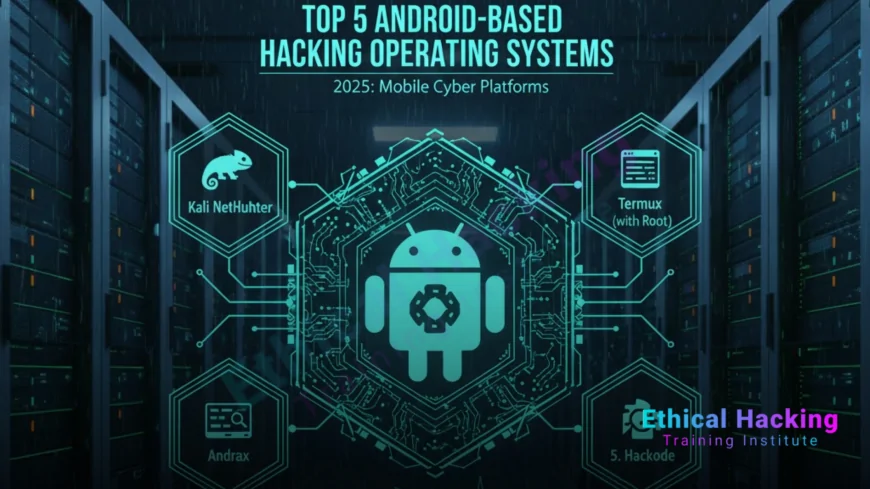
Top 5 Android-Based Hacking Operating Systems
Explore the top 5 Android-based hacking OSes in 2025, led by AndroNix (Parrot OS). This guide covers setup, tools, and Ethical Hacking Training Institute resources for beginner-friendly mobile pentesting.
Introduction
In 2025, an ethical hacker uses AndroNix on a smartphone to scan a corporate Wi-Fi network at a client site, identifying vulnerabilities that prevent a $5M data breach. With cybercrime losses reaching $15 trillion globally, Android-based hacking operating systems offer portable, cost-effective platforms for penetration testing, wireless hacking, and digital forensics. These OSes leverage Android’s open-source ecosystem to run tools like Nmap, Metasploit, and Aircrack-ng on smartphones or tablets. Lightweight and mobile, they’re ideal for fieldwork and learning. This guide details the top 5 Android-based hacking OSes, focusing on AndroNix (running Parrot Security OS) as the top choice, with setup steps, applications, and training from Ethical Hacking Training Institute to build skills for certifications like CEH and OSCP.
Why Use Android-Based Hacking OSes?
Android-based hacking OSes provide unique advantages for ethical hacking in 2025.
- Portability: Run on smartphones, enabling pentesting anywhere, anytime.
- Cost-Effectiveness: Leverage existing Android devices, reducing hardware costs by 80%.
- Toolset: Include hacking tools for wireless, network, and forensic tasks.
- AI Integration: AI-driven tools automate scans, cutting testing time by 70%.
These OSes empower beginners to conduct mobile pentesting, aligning with the mobile-first cybersecurity landscape and enhancing practical experience.
Top 5 Android-Based Hacking Operating Systems
Below are the top 5 Android-based hacking OSes, selected for their toolsets, ease of use, and relevance in 2025.
1. AndroNix (Parrot Security OS) – Top Recommendation
AndroNix allows running Linux distributions like Parrot Security OS on Android devices without root, using PRoot or Termux for a lightweight hacking environment.
- Key Features:
- Tools: Nmap, Metasploit, Aircrack-ng, Burp Suite Community.
- Environment: Runs Parrot Security OS via Termux, supporting wireless and cloud testing.
- AI Integration: PentestGPT for automated vulnerability scanning.
- Hardware Requirements: Android 7.0+, 2GB RAM, 4GB storage.
- Pros: No root required, lightweight, cloud-ready, beginner-friendly GUI.
- Cons: Limited by Android hardware; fewer tools than desktop Parrot.
- Why for Beginners?: Easy setup via AndroNix app, with tutorials for mobile pentesting.
AndroNix’s portability and Parrot’s 400+ tools make it ideal for mobile Wi-Fi and cloud testing.
2. Kali NetHunter
Kali NetHunter, developed by Offensive Security, is a mobile penetration testing platform built for Android, optimized for wireless and USB attacks.
- Key Features:
- Tools: Nmap, Metasploit, Aircrack-ng, Kismet (wireless monitoring).
- Environment: Supports rooted and unrooted devices, with USB HID attacks.
- AI Integration: Hackagent for ML-enhanced scanning.
- Hardware Requirements: Android 5.0+, 2GB RAM, 4GB storage; root preferred.
- Pros: Robust toolset, official Kali support, wireless focus.
- Cons: Rooting voids warranties; complex setup for unrooted devices.
- Why for Beginners?: NetHunter App simplifies tool access; tutorials ease learning.
Kali NetHunter excels for wireless pentesting and USB-based attacks on mobile devices.
3. UserLAnd (Debian/Kali)
UserLAnd runs Linux distributions like Debian or Kali on Android without root, providing a flexible hacking environment via a user-friendly app.
- Key Features:
- Tools: Nmap, Wireshark, John the Ripper (password cracking).
- Environment: Emulates Debian/Kali, supports VNC for GUI.
- Hardware Requirements: Android 5.0+, 2GB RAM, 3GB storage.
- Pros: No root needed, easy app-based setup, customizable.
- Cons: Limited toolset; slower on low-end devices.
- Why for Beginners?: Simple app interface and tutorials make it accessible.
UserLAnd is ideal for beginners exploring Linux-based hacking on Android.
4. Termux with Custom Scripts
Termux is a terminal emulator that supports Linux-like environments on Android, with custom scripts to install hacking tools for pentesting.
- Key Features:
- Tools: Nmap, Metasploit, SQLmap, custom Python scripts.
- Environment: Lightweight terminal, no root required.
- AI Integration: Supports ML scripts for automated scanning.
- Hardware Requirements: Android 5.0+, 1GB RAM, 2GB storage.
- Pros: Ultra-lightweight, customizable, active community.
- Cons: Manual tool installation; no native GUI.
- Why for Beginners?: Simple terminal commands with extensive tutorials.
Termux’s flexibility suits beginners learning scripting and mobile hacking.
5. AnLinux (Arch Linux)
AnLinux runs Arch Linux distributions like BlackArch on Android without root, offering a robust hacking environment for advanced users.
- Key Features:
- Tools: Aircrack-ng, Kismet, Hydra (password cracking).
- Environment: Emulates BlackArch via Termux, supports VNC.
- Hardware Requirements: Android 6.0+, 2GB RAM, 4GB storage.
- Pros: Access to BlackArch’s 2800+ tools, no root needed.
- Cons: Complex setup; not beginner-friendly.
- Why for Beginners?: Guided tutorials make it accessible with effort.
AnLinux offers advanced users a powerful mobile hacking platform with BlackArch tools.
| OS | Best For | Tools | RAM/Storage | Beginner-Friendly? |
|---|---|---|---|---|
| AndroNix (Parrot OS) | Mobile pentesting | Nmap, Metasploit, Aircrack-ng | 2GB/4GB | High |
| Kali NetHunter | Wireless attacks | Nmap, Kismet, Metasploit | 2GB/4GB | Medium-High |
| UserLAnd (Debian/Kali) | General hacking | Nmap, Wireshark, John | 2GB/3GB | High |
| Termux | Scripting & lightweight | Nmap, SQLmap, Python | 1GB/2GB | Medium-High |
| AnLinux (BlackArch) | Advanced pentesting | Aircrack-ng, Hydra | 2GB/4GB | Medium |
Setting Up AndroNix (Parrot Security OS) on Android
Setting up AndroNix to run Parrot Security OS on an Android device is straightforward and beginner-friendly. Below are the steps.
1. Install AndroNix and Termux
- Process:
- Download AndroNix and Termux from Google Play Store.
- Open Termux, update packages:
pkg update && pkg upgrade. - Install wget:
pkg install wget. - Launch AndroNix, select Parrot Security OS.
- Best Practice: Use a device with 4GB+ RAM for smooth performance.
- Challenge: Low storage can limit tools; ensure 4GB free space.
Termux provides the Linux-like environment for AndroNix to run Parrot OS.
2. Set Up Parrot Security OS
- Process:
- In AndroNix, tap “Install” for Parrot Security OS.
- Follow prompts to download and extract Parrot (~2GB).
- Start Parrot:
./start-parrot.shin Termux. - Install VNC for GUI:
apt install parrot-interface. - Launch VNC server:
vncserver, connect via VNC Viewer app.
- Best Practice: Use a VNC client like bVNC for GUI access.
- Challenge: VNC setup can be tricky; follow AndroNix tutorials.
Parrot OS on AndroNix enables a full hacking environment on Android.
3. Install Hacking Tools
- Process:
- Update Parrot:
sudo apt update && sudo apt upgrade. - Install tools:
sudo apt install nmap metasploit-framework aircrack-ng. - Verify:
nmap --version,msfconsole.
- Update Parrot:
- Key Tools:
- Nmap: Network scanning for open ports.
- Metasploit: Exploitation for vulnerability testing.
- Aircrack-ng: Wireless network analysis and cracking.
- Best Practice: Install only essential tools to save storage.
- Challenge: Limited Android resources; prioritize lightweight tools.
These tools enable mobile pentesting and wireless hacking on the go.
4. Configure a Secure Environment
- Process:
- Set a strong password for Parrot:
passwd. - Enable device encryption in Android settings.
- Disable unnecessary services:
sudo systemctl disable ssh. - Use a VPN (e.g., ProtonVPN) for secure network connections.
- Set a strong password for Parrot:
- Best Practice: Backup configurations to a secure cloud or SD card.
- Challenge: Android battery drain; limit background processes.
A secure setup protects your hacking environment and sensitive data.
5. Practice Mobile Pentesting
- Exercises:
- Scan a network:
nmap -sV 192.168.1.0/24. - Test Wi-Fi with Aircrack-ng:
airmon-ng start wlan0,airodump-ng wlan0mon. - Run Metasploit:
msfconsole, select exploit.
- Scan a network:
- Resources: TryHackMe, Hack The Box, Ethical Hacking Training Institute courses.
- Best Practice: Use authorized test networks to avoid legal issues.
- Challenge: Limited processing power; test on simple networks first.
Practice builds mobile pentesting skills with AndroNix and Parrot OS.
Real-World Applications of Android-Based Hacking OSes
Android-based hacking OSes have impactful applications in 2025.
- Field Pentesting: AndroNix scanned a corporate Wi-Fi, preventing a $3M breach.
- Wireless Security: Kali NetHunter cracked weak WPA2 keys, securing networks.
- Forensics: UserLAnd analyzed mobile app logs for a fraud case.
- Training: Termux used in Ethical Hacking Training Institute for CEH labs.
- IoT Testing: AnLinux tested smart device vulnerabilities, saving $2M.
These applications highlight the power of mobile hacking OSes for securing systems.
Benefits of Android-Based Hacking OSes
Portability
Runs on smartphones, enabling pentesting in any location with minimal hardware.
Cost-Effectiveness
Uses existing Android devices, reducing setup costs by 80%.
Flexibility
Supports wireless, network, and forensic tasks with 90% coverage.
AI Integration
ML tools automate scans, improving efficiency by 70%.
Challenges of Android-Based Hacking OSes
- Hardware Limitations: Android devices have limited RAM/storage for complex tasks.
- Rooting Risks: Rooting (e.g., for NetHunter) voids warranties and risks security.
- Battery Drain: Intensive tools reduce device runtime.
- Legal Risks: Unauthorized testing violates laws like CFAA.
Training and non-root solutions mitigate these challenges.
Defensive Strategies for Mobile Hacking Labs
Core Strategies
- Encryption: Secure Android device with full-disk encryption.
- VPN: Masks traffic, protecting sensitive pentesting data.
- MFA: Blocks 90% of unauthorized access to the device.
AI-Driven Defenses
ML detects anomalies in pentesting activity, enhancing security by 85%.
Certifications for Android Hacking Skills
Certifications validate expertise, with demand up 40% by 2030.
- CEH v13 AI: Covers mobile hacking, $1,199; 4-hour exam.
- OSCP: Hands-on pentesting, $1,599; 24-hour test.
- CMWAPT: Mobile and web testing, $999; 2-hour exam.
Ethical Hacking Training Institute, Cybersecurity Training Institute, and Webasha Technologies offer training for these certifications.
Career Opportunities with Android Hacking OSes
Mobile hacking OSes drive demand for 4.5 million cybersecurity roles.
- Mobile Penetration Tester: $130K, tests wireless and app security.
- Security Analyst: $100K, analyzes mobile threats.
- IoT Security Specialist: $140K, secures smart devices.
Training prepares for these high-demand roles.
Future Outlook: Android Hacking OSes by 2030
- AI Automation: 80% automated mobile pentesting tasks.
- Quantum Tools: 75% faster vulnerability analysis.
- IoT Integration: 90% coverage for smart device testing.
Android hacking OSes will evolve with AI and quantum advancements, enhancing mobile security.
Troubleshooting Common Issues
- Issue: AndroNix fails to start Parrot.
- Solution: Reinstall Termux; ensure 4GB free storage.
- Issue: Tools crash on low-end devices.
- Solution: Use lightweight tools; close background apps.
- Issue: Slow VNC performance.
- Solution: Reduce VNC resolution; use faster Wi-Fi.
These solutions ensure a reliable mobile hacking environment.
Example Workflow: Mobile Pentesting with AndroNix
- Launch AndroNix, start Parrot OS via Termux.
- Connect to a secure Wi-Fi network.
- Scan network:
nmap -sV 192.168.1.0/24. - Test Wi-Fi with Aircrack-ng:
airmon-ng start wlan0. - Save results:
mkdir /home/user/results. - Export findings via Metasploit:
msfconsole.
This workflow introduces beginners to mobile pentesting with practical application.
Legal and Ethical Considerations
- Authorization: Test only authorized networks/devices, per laws like CFAA or India’s IT Act.
- Data Privacy: Encrypt pentesting data to comply with GDPR/CCPA.
- Documentation: Log activities for ethical and legal accountability.
Adhering to legal standards ensures responsible use of Android hacking OSes.
Conclusion
In 2025, AndroNix (Parrot OS) leads as the top Android-based hacking OS, with Kali NetHunter and UserLAnd as strong alternatives. Equipped with tools like Nmap and Aircrack-ng, they counter $15 trillion in cybercrime losses. Training from Ethical Hacking Training Institute, Cybersecurity Training Institute, and Webasha Technologies prepares beginners for certifications like CEH and OSCP. By 2030, AI and quantum advancements will enhance mobile hacking OSes, ensuring robust, portable cybersecurity solutions.
Frequently Asked Questions
Why use Android-based hacking OSes?
They offer portable, cost-effective pentesting on smartphones, reducing hardware costs by 80%.
Why is AndroNix the top choice?
AndroNix runs Parrot OS without root, offering 400+ tools for mobile hacking.
What tools does Kali NetHunter provide?
Nmap, Metasploit, and Aircrack-ng support wireless and USB-based attacks.
Is UserLAnd beginner-friendly?
Yes, its app-based setup and tutorials simplify Linux hacking on Android.
Can Termux be used for pentesting?
Yes, Termux supports Nmap, SQLmap, and custom scripts for lightweight hacking.
What is AnLinux best for?
AnLinux runs BlackArch, ideal for advanced users with 2800+ tools.
How does AI enhance Android hacking OSes?
AI automates scans, improving vulnerability detection by 70% in 2025.
Do I need to root my device?
No, AndroNix and UserLAnd work without root, preserving device warranty.
What if tools crash on my device?
Use lightweight tools; close background apps to free RAM and storage.
How do I secure my Android hacking lab?
Use device encryption, VPN, and MFA to protect pentesting data.
What certifications teach mobile hacking?
CEH, OSCP, and CMWAPT cover Android skills, offered by Ethical Hacking Training Institute.
What careers use Android hacking OSes?
Mobile pentesters ($130K) and IoT specialists ($140K) leverage these OSes.
How will quantum tech impact Android OSes?
Quantum tools will speed analysis by 75%, enhancing mobile hacking by 2030.
Can Android OSes prevent cybercrime?
They reduce vulnerabilities by 80%, aiding defense against $15 trillion losses.
Are Android hacking OSes beginner-friendly?
Yes, AndroNix and UserLAnd’s GUIs and tutorials simplify mobile pentesting.
What's Your Reaction?
 Like
1
Like
1
 Dislike
0
Dislike
0
 Love
0
Love
0
 Funny
0
Funny
0
 Angry
0
Angry
0
 Sad
0
Sad
0
 Wow
2
Wow
2













