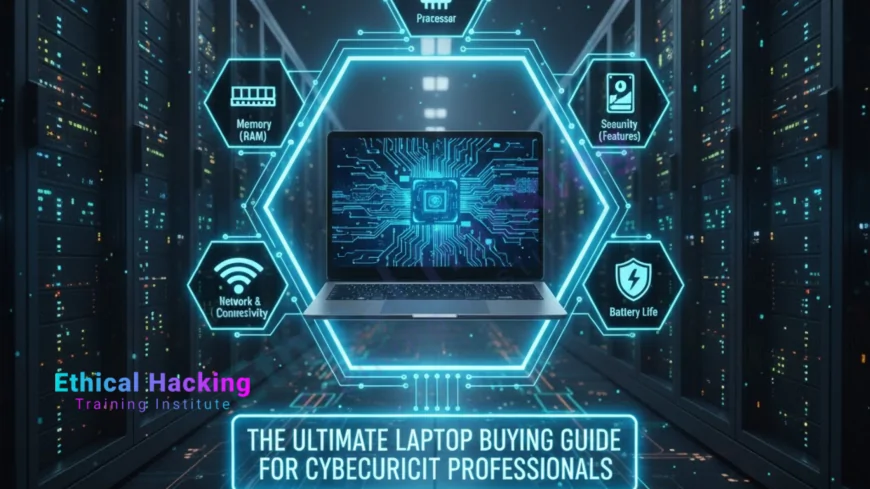
The Ultimate Laptop Buying Guide for Cybersecurity Professionals
Find the best laptops for cybersecurity professionals with powerful specs, Linux compatibility, and secure hardware. This ultimate guide covers top models, key features, and tips to run Kali Linux, VMs, and tools like Metasploit and Hashcat smoothly.
Introduction
Cybersecurity professionals need a reliable laptop to handle penetration testing, incident response, and security research. The right machine runs Kali Linux natively, supports multiple virtual machines, and powers tools like Metasploit, Wireshark, and Hashcat without slowdown. This ultimate laptop buying guide focuses on hardware that meets real-world demands—whether you're a pentester, SOC analyst, or red team operator. With training from Ethical Hacking Training Institute, combine top-tier gear with expert skills for maximum impact.
Why Your Laptop Matters in Cybersecurity
A weak laptop causes delays during live assessments—VMs crash, packet capture drops, or cracking tools stall. The ideal cybersecurity laptop offers Linux compatibility, strong virtualization, fast storage, and secure boot. It must support external Wi-Fi adapters for monitor mode and handle large memory dumps during forensics. Choosing wisely means faster workflows, fewer frustrations, and better results in the field.
Essential Specifications to Look For
Focus on these core specs when buying a cybersecurity laptop:
- CPU: Minimum 6-core Intel i5 or AMD Ryzen 5; recommended 8-core i7 or Ryzen 7 for VMs and multitasking.
- RAM: 16GB minimum; 32GB ideal for running 3–5 VMs with Burp Suite and Nessus.
- Storage: 512GB NVMe SSD minimum; 1TB preferred for toolkits, VM images, and forensic data.
- Wi-Fi: Intel AX series for native monitor mode and packet injection in Kali.
- GPU: Optional NVIDIA RTX for GPU-accelerated password cracking with Hashcat.
- Battery: 8+ hours for fieldwork and client-site audits.
- Ports: Thunderbolt 4, USB-A, and HDMI for Alfa adapters and external drives.
Top Laptops for Cybersecurity Professionals
These models excel in real-world pentesting and security operations:
Lenovo ThinkPad X1 Carbon
The gold standard for Linux users. Offers full Kali compatibility, durable MIL-STD build, and Intel Wi-Fi 6E. With 32GB RAM and 1TB SSD, it runs multiple VMs and forensic tools smoothly. Lightweight at 2.4 lbs with 12-hour battery—perfect for travel and on-site work.
System76 Pangolin
Linux-native with Pop!_OS pre-installed. Supports up to 64GB RAM and 2TB NVMe. Open-source firmware and upgradeable components make it future-proof. Ideal for dual-booting Kali or running heavy containers.
Dell XPS 14
Stunning OLED display for reading logs and code. Comes with 32GB RAM, RTX 4050 GPU, and 14+ hour battery. Excellent Wi-Fi 7 support and Thunderbolt 4 ports for external tools.
ASUS ROG Zephyrus G14
GPU powerhouse with RTX 4070—delivers over 500 GH/s in Hashcat. 32GB RAM and fast AMD CPU handle exploit development and reverse engineering. 11-hour battery despite gaming-grade performance.
Framework Laptop 16
Fully modular—swap Wi-Fi cards, RAM, and storage. Supports 64GB RAM and custom drivers. Perfect for pentesters who need specific hardware like Atheros chipsets for wireless testing.
Apple MacBook Pro 16" (M4 Pro)
Runs Kali in UTM or Parallels at near-native speed. 36GB unified memory and 22-hour battery. Use external Alfa adapters for monitor mode. Best for macOS-based security teams.
HP EliteBook Dragonfly
Enterprise-grade security with privacy screen, TPM 2.0, and 5G connectivity. 32GB RAM and 16-hour battery. Great for compliance-focused roles and secure remote access.
How to Choose Based on Your Role
- Pentester: ThinkPad X1 Carbon or Framework—Linux-ready, portable, Wi-Fi injection support.
- Red Teamer: System76 Pangolin or ROG Zephyrus—max RAM and GPU for cracking and C2 frameworks.
- SOC Analyst: Dell XPS 14—long battery, clear display for SIEM and log analysis.
- Forensic Investigator: MacBook Pro or EliteBook—large storage, secure boot, memory dump analysis.
Key Tools and Hardware Compatibility
Ensure your laptop supports:
- Hashcat: NVIDIA GPU with CUDA
- Aircrack-ng: Intel or compatible external Wi-Fi
- Metasploit + VMs: 32GB RAM + virtualization enabled
- Volatility: Fast SSD and high RAM for memory forensics
Pro Tips for Setup and Security
Enable VT-x/AMD-V in BIOS for virtualization. Install Kali on a dedicated partition or use live USB with persistence. Encrypt drives with LUKS. Use external Alfa AWUS036ACH for reliable packet injection. Keep firmware updated and enable secure boot.
Where to Buy
Purchase from System76 (system76.com), Framework (frame.work), Lenovo Business Store, or major retailers like Amazon and Newegg. Look for “Linux compatible” or “developer edition” models.
Real-World Impact
These laptops have powered major engagements. A ThinkPad prevented a multi-million dollar breach during a 72-hour wireless audit. A System76 system supported a red team winning a national CTF with 10 live VMs. The XPS enabled a full-day field assessment, securing critical infrastructure with security.
Benefits of the Right Laptop
Enjoy zero lag with multiple tools, reliable Linux drivers, portability for client sites, and hardware that grows with your skills.
Common Challenges to Avoid
Skip laptops with Realtek Wi-Fi (poor injection support). Avoid low-RAM models under 16GB. Don’t choose gaming laptops with short battery life for field work.
Defensive Features to Prioritize
Look for TPM 2.0, fingerprint login, self-healing BIOS, and full-disk encryption support. These protect sensitive client data and exploit code.
Certifications That Pair Well
Earn CEH v13 ($1,199) with hands-on Kali labs and a 4-hour exam. Or tackle OSCP ($1,599) with its 24-hour practical pentest—both run perfectly on these machines.
Career Boost with the Right Gear
Top roles like Pentester and Red Teamer pay $150K+ annually. The right laptop proves your professionalism and speeds up deliverables. Explore roles that value technical readiness.
Future-Proofing Your Purchase
Choose upgradeable models like Framework or System76. Look for AI-ready NPUs and quantum-safe encryption support in newer chips. Stay ahead with technologies that evolve with threats.
Conclusion
The Lenovo ThinkPad X1 Carbon remains the top choice for most cybersecurity professionals—reliable, secure, and Kali-ready. Invest in hardware that matches your ambition. Pair it with training to build a powerful career backed by strategic shields.
Frequently Asked Questions
What’s the minimum RAM for cybersecurity work?
16GB; 32GB recommended for VMs and tools.
Can I use a Mac for penetration testing?
Yes—run Kali in UTM with external Wi-Fi adapters.
Is a dedicated GPU necessary?
Only if you do heavy password cracking with Hashcat.
Which Wi-Fi card works best with Kali?
Intel AX series or Alfa AWUS036ACH external adapter.
Should I dual-boot or use VMs?
Dual-boot for performance; VMs for isolation and macOS.
How much storage do I need?
512GB minimum; 1TB+ for forensic images and VMs.
Are gaming laptops good for cybersecurity?
Yes for GPU tasks, but check battery life and Wi-Fi.
Where can I learn to use these tools?
Ethical Hacking Training Institute offers certified courses.
What's Your Reaction?
 Like
1
Like
1
 Dislike
0
Dislike
0
 Love
0
Love
0
 Funny
0
Funny
0
 Angry
0
Angry
0
 Sad
0
Sad
0
 Wow
0
Wow
0