MacBook vs Windows Laptop: Which Is Better for Ethical Hacking?
MacBook vs Windows laptop for ethical hacking: Compare Kali Linux native support, Wi-Fi injection, GPU cracking with Hashcat, VM performance in UTM vs VirtualBox, battery life for field audits, and tool compatibility for Metasploit, Burp Suite, and Wireshark. Discover which platform dominates in real-world pentesting, OSCP labs, CTFs, and red teaming. Get expert insights from Ethical Hacking Training Institute on hardware choices that boost productivity and security assessments.
Introduction
Choosing between a MacBook and a Windows laptop for ethical hacking depends on your specific workflow, tools, and environment. Both platforms support Kali Linux, virtualization, and security tools, but differ in hardware access, performance, and usability. This guide compares MacBook and Windows across key ethical hacking tasks—wireless testing, password cracking, exploit development, and VM management. Whether preparing for CEH, OSCP, or client assessments, understanding these differences helps you select the right system. With training from Ethical Hacking Training Institute, master any platform and optimize your setup.
Hardware Impact on Ethical Hacking
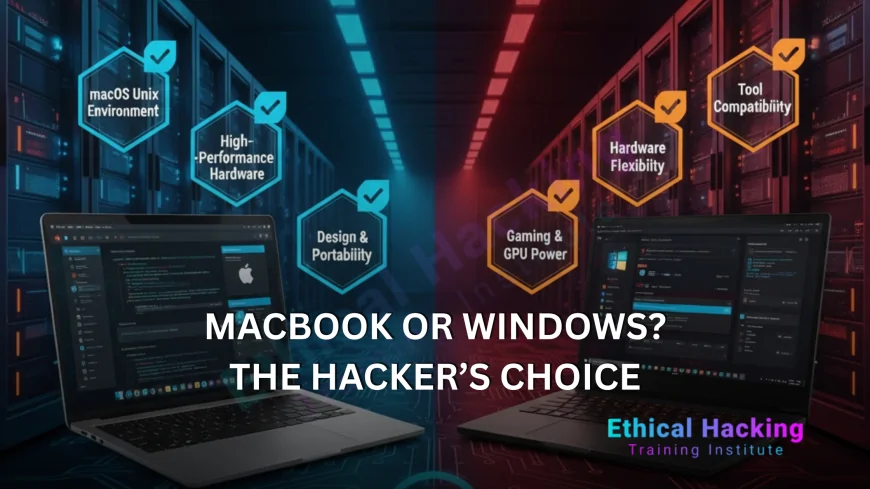
- Battery life varies: MacBook offers 20+ hours; Windows typically 8–10 hours under load.
- Kali Linux installation: Windows supports native dual-boot; MacBook uses VMs or live USB.
- Wi-Fi injection: Windows with Intel AX210 works natively; Mac requires external adapters.
- GPU cracking: Windows with NVIDIA RTX accelerates Hashcat; Mac uses Metal with lower speed.
- Virtualization: Mac uses UTM/Parallels; Windows supports VirtualBox, VMware, Hyper-V.
- Hardware upgrades: Windows allows RAM and Wi-Fi swaps; MacBook is fixed configuration.
- Memory architecture: Mac uses unified memory; Windows uses discrete RAM modules.
MacBook Capabilities for Ethical Hacking
MacBooks deliver strong performance for ethical hacking through M-series chips and optimized software. The M4 Pro runs Kali in UTM with near-native speed using 36GB unified memory. Battery life supports extended field operations. macOS Terminal and Homebrew simplify scripting and tool installation. Burp Suite, sqlmap, and Ghidra run natively. External Alfa AWUS036ACH via USB-C enables full monitor mode and packet injection. FileVault and secure enclave protect sensitive data. The system suits users who value long battery, portability, and macOS-native development alongside virtualized Kali environments.
MacBook Constraints
- Internal Wi-Fi lacks monitor mode support in Kali.
- No native Kali installation—VMs or live USB only.
- Hashcat performance lags behind NVIDIA CUDA.
- Locked bootloader restricts kernel-level access.
- Limited driver support for specialized hardware.
- Fixed hardware—no RAM or storage upgrades.
Windows Laptop Capabilities
Windows laptops support ethical hacking with full hardware access and native Linux integration. Kali dual-boot installs quickly with direct device control. Intel i7/i9 or Ryzen 9 CPUs handle multi-VM and fuzzing tasks. NVIDIA RTX GPUs accelerate Hashcat via CUDA. Intel AX210 Wi-Fi enables monitor mode and injection. Framework and ThinkPad models allow RAM, storage, and Wi-Fi upgrades. Thunderbolt 4 and USB-A ports connect external tools. The platform supports OSCP labs, CTF environments, and enterprise red teaming with broad tool compatibility and performance flexibility.
Windows Laptop Constraints
- Battery life limited during intensive workloads.
- System updates may interrupt testing sessions.
- Some models include Realtek Wi-Fi without injection support.
- Gaming laptops generate noise and heat.
- WSL2 has limitations for low-level Linux tools.
- Security software can block exploit execution.
- Resale value declines faster than MacBooks.
Tool Performance Comparison
- Hashcat: Windows RTX 4070 = 500 GH/s; Mac M4 Pro = ~80 GH/s.
- Aircrack-ng: Windows = native support; Mac = external adapter.
- Metasploit + VMs: Windows = direct access; Mac = efficient unified memory.
- Volatility: Windows native = faster; Mac VM = minor overhead.
- Burp Suite: Equal performance on both systems.
- BloodHound: Windows AD tools = streamlined enumeration.
Real-World Use Cases
During extended wireless audits, MacBook’s battery and lightweight design support prolonged operations without recharging.
In high-intensity CTFs with multiple VMs and cracking, Windows with dedicated GPU and RAM handles all tasks efficiently.
Setup and Configuration
- MacBook: Install UTM, load Kali ARM ISO, assign RAM, connect Alfa via USB-C.
- Windows: Partition drive, install Kali from USB, verify Wi-Fi compatibility.
- Enable virtualization in BIOS settings.
- Apply encryption using LUKS or BitLocker.
- Install kali-linux-default package.
- Test injection with airodump-ng.
Cost and Value
MacBook Air M3 (24GB) costs $1,500 with strong resale retention. Dell XPS 14 (32GB, RTX) costs $1,800 with upgrade options.
Framework 16 (64GB) at $1,900 supports full customization. Entry-level Windows gaming systems start under $1,400 with GPU focus.
Certification and Support
- CEH v13: Labs work in UTM or VirtualBox.
- OSCP: VM submissions accepted from both.
- TryHackMe and Hack The Box run equally.
- Training Institute: Covers Mac and Windows setups.
- Community forums support both platforms.
- Windows integrates better with AD tools.
Future Considerations
Future M-series chips will enhance AI-driven testing. Windows NPUs will support local exploit generation.
Windows maintains CUDA advantage; Mac advances Metal and MLX frameworks. Select based on upgrade needs or system longevity.
Conclusion
Both MacBook and Windows laptops support ethical hacking effectively. Choose MacBook for battery life and portability. Select Windows for native Kali and GPU performance. Recommended models: M4 Pro 16" and ThinkPad/Framework. Pair with security training to optimize results.
Frequently Asked Questions
Can Kali run natively on MacBook?
No—use UTM or Parallels. Speed remains high with M-series chips.
Which handles password cracking faster?
Windows with RTX GPUs—significantly faster than Mac.
Is Wi-Fi hacking possible on Mac?
Yes—with external Alfa adapter via USB-C.
Can I complete OSCP on MacBook?
Yes—UTM with bridged networking is fully supported.
Which offers longer battery life?
MacBook—up to 22 hours during active use.
Can Windows dual-boot Kali?
Yes—provides full native performance.
Is WSL2 sufficient for hacking?
Suitable for learning; use native Kali for assessments.
Which system is more secure?
Both—Mac uses secure enclave; Windows uses TPM 2.0.
Which is better for beginners?
Windows offers simpler Kali setup and wider tool support.
Where to find certified training?
Ethical Hacking Training Institute provides CEH, OSCP, and practical labs.
What's Your Reaction?
 Like
0
Like
0
 Dislike
0
Dislike
0
 Love
0
Love
0
 Funny
0
Funny
0
 Angry
0
Angry
0
 Sad
0
Sad
0
 Wow
0
Wow
0