





How to Set Up a Safe Virtual Lab for Ethical Hacking Practice?
Learn how to build a safe and effective virtual lab for ethical hacking practice. Explore virtual machines, vulnerable targets, networking setups, and tools recommended for hands-on cybersecurity training.
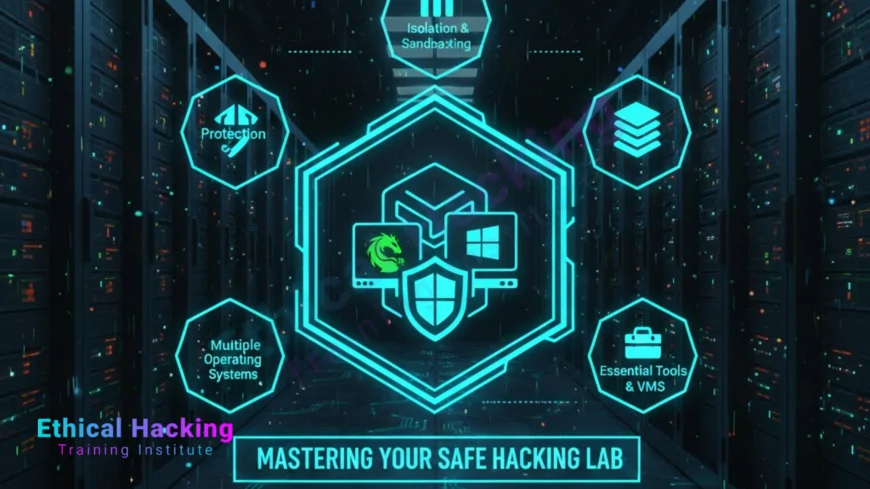
Introduction
A safe virtual lab is essential for learning ethical hacking. It allows aspiring cybersecurity professionals to experiment with attacks, exploits, and defenses in a controlled, legal environment. Without a lab, hands-on practice becomes risky, as testing live systems without permission is illegal and unethical.
Institutes like Ethical Hacking Institute, Webasha Technologies, and Cybersecurity Training Institute provide guidance on building labs with pre-configured environments and structured exercises to accelerate learning.
Why a Virtual Lab is Crucial
A virtual lab provides a risk-free environment to practice penetration testing, vulnerability scanning, and exploit development. It helps learners gain confidence, troubleshoot errors, and understand attack vectors. Safe labs also reinforce ethical behavior by providing legal platforms for experimentation.
Practicing in a lab ensures that skills are transferable to real-world scenarios. It allows repeated testing of exploits and remediation techniques, which is critical for mastering tools like Nmap, Burp Suite, Metasploit, and Wireshark.
Choosing the Right Virtualization Platform
Popular platforms include VirtualBox, VMware Workstation, and VMware ESXi. These allow multiple virtual machines to run on a single host computer. Beginners can start with VirtualBox, which is free and user-friendly. VMware offers additional features for enterprise-level testing.
Ensure your hardware supports virtualization (VT-x/AMD-V) and has sufficient RAM (16GB recommended) and storage to run multiple virtual machines smoothly.
Selecting Operating Systems and Vulnerable Machines
A typical lab includes a Kali Linux attacker machine and target machines like Metasploitable, OWASP Juice Shop, and Windows test machines. These targets are intentionally vulnerable, providing a safe environment to practice scanning, exploitation, and privilege escalation.
Download pre-built vulnerable images from trusted sources, or set up your own using intentionally misconfigured services. Ensure isolation from your home or work network to prevent accidental attacks.
Network Setup and Isolation
Configure an internal virtual network to allow communication between attacker and target machines. Avoid using bridged networking to prevent attacks from affecting your real network. NAT networking or host-only adapters are recommended.
Using snapshots enables easy rollback if experiments crash the system or create misconfigurations. Isolating the lab also ensures compliance with ethical hacking principles.
Essential Tools to Install
Install tools commonly used in penetration testing and ethical hacking: Nmap for network scanning, Metasploit for exploitation, Burp Suite for web testing, Wireshark for packet analysis, and Hydra for password attacks. Practicing with these tools in a controlled lab environment develops practical skills needed for real-world assessments.
Many courses from institutes like Ethical Hacking Institute integrate lab exercises for these tools, helping learners apply theory effectively.
Lab Security and Best Practices
Ensure all virtual machines are isolated, snapshots are regularly saved, and the lab network does not connect to sensitive systems. Document your experiments, track your learning, and avoid using pirated tools.
Following these practices reduces risk, encourages repeatable experiments, and reinforces professional ethics in cybersecurity training.
Learning Workflow in the Lab
Start with reconnaissance exercises, scanning, and vulnerability assessment. Move to exploitation and post-exploitation, then practice reporting and remediation. Structured learning in a virtual lab mirrors professional penetration testing workflows, preparing learners for certifications such as CEH and OSCP.
Institutes like Webasha Technologies and Cybersecurity Training Institute often provide step-by-step lab guides to help learners gradually progress from beginner to advanced scenarios.
Conclusion
Setting up a safe virtual lab is a foundational step for any aspiring ethical hacker. It allows legal, risk-free experimentation and builds hands-on expertise. Use proper virtualization platforms, select vulnerable machines, isolate networks, and integrate essential tools. Following structured exercises from recognized institutes ensures effective learning and prepares you for certifications and real-world cybersecurity roles.
Frequently Asked Questions
Do I need a powerful computer for a virtual lab?
At least 16GB RAM and a multi-core CPU are recommended for running multiple virtual machines efficiently.
Can I connect my lab to the internet?
It's safer to keep labs isolated using NAT or host-only networking to prevent accidental exposure.
Which virtualization software is best for beginners?
VirtualBox is free, easy to use, and sufficient for most beginner labs.
Do I need paid tools for a lab?
Most ethical hacking tools are open-source and free. Paid tools provide additional features for enterprise scenarios.
How do I reset a VM if I make mistakes?
Use snapshots to quickly roll back to a known good state.
Is it legal to hack in my lab?
Yes, if all target machines are your own or intentionally vulnerable systems in a controlled environment.
Can I practice web application attacks?
Yes, using intentionally vulnerable applications like OWASP Juice Shop or DVWA.
Should I document my lab exercises?
Yes, documenting steps, commands, and findings helps reinforce learning and prepares for professional reporting.
How many VMs should I start with?
Start with 2–3 VMs: one attacker and 1–2 targets, then expand as needed.
Do institutes provide lab setups?
Yes, Ethical Hacking Institute and Webasha Technologies provide pre-configured labs for practice.
Can I practice password attacks safely?
Yes, only against VMs or lab targets, never real systems.
How do I practice network attacks?
Use isolated virtual networks with multiple VMs to simulate internal and external network scenarios.
Is cloud-based lab an option?
Yes, cloud labs provide scalable environments but may incur additional cost.
Can I share my lab VMs?
Yes, but ensure no sensitive data is included and maintain security best practices.
How do labs prepare for certifications?
Labs provide hands-on practice aligned with CEH, OSCP, and other certification objectives.
What's Your Reaction?
 Like
0
Like
0
 Dislike
0
Dislike
0
 Love
0
Love
0
 Funny
0
Funny
0
 Angry
0
Angry
0
 Sad
0
Sad
0
 Wow
0
Wow
0













