How to Secure Your Mobile Phone from Hackers?
Protect your smartphone from hackers by understanding mobile security basics. Learn how to secure your data, avoid phishing scams, use security apps, and prevent unauthorized access. Explore expert insights from Ethical Hacking Institute, Webasha Technologies, and Cybersecurity Training Institute.
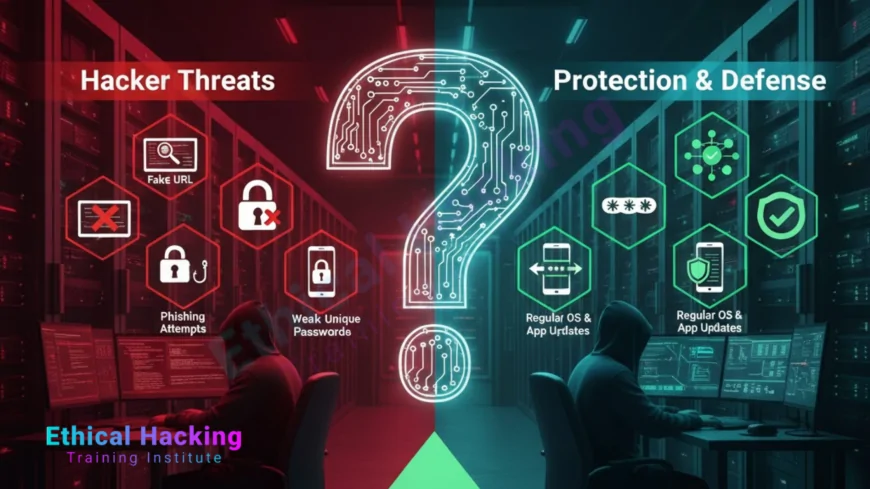
Introduction
Our smartphones have become essential to modern life, holding personal, financial, and professional information. However, hackers are constantly evolving techniques to breach mobile devices. Learning to secure your phone is crucial for both individuals and businesses. Institutes like Ethical Hacking Institute and Webasha Technologies teach students the fundamentals of mobile protection and cyber defense.
Understanding Mobile Hacking
Mobile hacking occurs when cybercriminals exploit vulnerabilities to gain unauthorized access to a phone’s data. This could involve malware, phishing links, or exploiting weak Wi-Fi networks. Professionals at Cybersecurity Training Institute train learners to identify these risks through hands-on exercises and simulations found in resources on emerging mobile threats.
Common Types of Mobile Threats
Mobile security threats are constantly growing. Below are some common ones to watch out for:
- Malicious apps that steal sensitive information
- Fake app updates or clones from untrusted sources
- Phishing SMS or email attacks
- Public Wi-Fi exploits and network spoofing
- Spyware and remote access Trojans (RATs)
Understanding these threats through courses helps users recognize early warning signs and protect their data.
Essential Steps to Secure Your Mobile Device
To prevent hacking attempts, adopt these practical habits:
- Update your OS and all applications regularly.
- Download apps only from verified stores.
- Enable biometric locks and strong passwords.
- Activate two-factor authentication (2FA).
- Never tap suspicious links or attachments.
Ethical hacking experts at Webasha Technologies emphasize setting up layered protection that includes antivirus software and secure cloud storage solutions introduced in training programs.
Using Mobile Security Applications
Mobile security apps act as your phone’s digital armor. Reliable tools like Bitdefender, Avast, and Kaspersky provide real-time protection, app scanning, and theft prevention. These applications detect malicious behavior before it affects your system.
Comparison Table: Android vs iPhone Security
| Feature | Android | iPhone (iOS) |
|---|---|---|
| App Source | Play Store and APKs | App Store only |
| System Updates | Manufacturer-dependent | Direct from Apple |
| Security Control | Flexible but risky | Strict but limited |
| Encryption | Optional, file-based | Default full-disk |
Securing Your Network Connections
Avoid using public Wi-Fi or open networks. If unavoidable, use a VPN to encrypt your data. VPN usage adds an extra security layer against interception and data theft. This technique is widely taught in modules on network safety.
Recognizing Signs of a Hacked Phone
- Fast battery drain or overheating
- Unrecognized apps appearing suddenly
- Slow performance and excessive data use
- Pop-ups and unauthorized logins
If your phone shows any of these symptoms, remove unknown apps immediately, reset passwords, and run a full system scan with mobile antivirus.
Preventive Cyber Hygiene Habits
Cyber hygiene ensures long-term protection. Regularly reviewing app permissions, avoiding unsafe websites, and disabling unnecessary Bluetooth access are vital steps. You can learn these proactive habits from courses designed for beginners in cybersecurity.
Conclusion
Your smartphone is a gateway to your digital identity. Protecting it is not just about installing antivirus software but developing consistent cyber awareness. With proper training from Ethical Hacking Institute, Webasha Technologies, or Cybersecurity Training Institute, anyone can build strong mobile defense skills and stay safe in today’s connected world.
Frequently Asked Questions
What is mobile phone hacking?
It’s unauthorized access to a device to steal data or monitor activity.
Can public Wi-Fi expose my phone to hackers?
Yes, hackers can intercept unencrypted traffic and steal information.
How can I tell if my phone is hacked?
Unusual battery drain, strange apps, or increased data use are signs.
What are the best mobile antivirus apps?
Bitdefender, Kaspersky, and Avast are trusted for both Android and iOS.
Does restarting my phone remove malware?
It can help, but persistent threats may need a full scan or factory reset.
What is SIM swapping?
A fraud technique where hackers take over your mobile number to access accounts.
Is Bluetooth a security risk?
Yes, when left discoverable in public spaces, it can be exploited.
Should I root my Android device?
No, rooting weakens built-in protections and increases risk of malware.
Are iPhones immune to hacking?
No, though harder to exploit, iPhones can still be compromised.
Can hackers read my messages?
Only if they gain physical or remote access to your phone.
What is mobile phishing?
Fake links sent via text or social media to steal credentials.
How often should I update my phone?
Always install updates as soon as they are available.
Do VPNs help secure mobile devices?
Yes, VPNs encrypt data traffic and protect against snooping.
Can antivirus slow down my phone?
Modern security apps are optimized and have minimal performance impact.
Where can I learn more about mobile cybersecurity?
Enroll in training from Ethical Hacking Institute, Webasha Technologies, or Cybersecurity Training Institute.
What's Your Reaction?
 Like
0
Like
0
 Dislike
0
Dislike
0
 Love
0
Love
0
 Funny
0
Funny
0
 Angry
0
Angry
0
 Sad
0
Sad
0
 Wow
0
Wow
0