





How to Secure Your Cloud Accounts From Hackers?
Protect your AWS, Google Cloud, Azure, Dropbox, and personal cloud accounts from hackers in 2025. This ultimate guide covers 12 proven security steps: MFA, strong passwords, IAM roles, encryption, audit logs, least privilege, anomaly detection, and more. Includes real breach examples, checklists, tools, and 15 FAQs to lock down cloud data for businesses, developers, and individuals.
Introduction
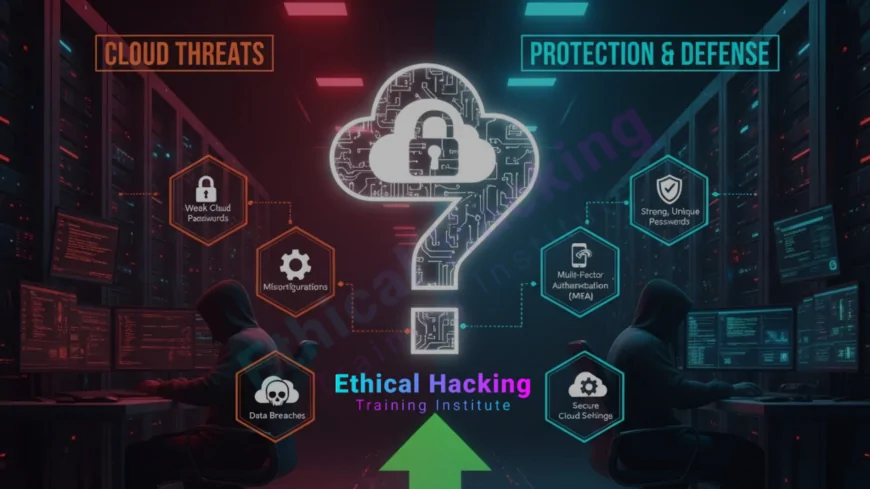
Cloud breaches now cost companies $4.45 million on average. Over 80% of hacks involve weak or stolen credentials. A single misconfigured S3 bucket exposed 198 million U.S. voter records. Hackers don’t break in. They log in. With 95% of organizations using cloud services, your data is only as safe as your weakest account.
This guide gives you 12 battle-tested steps to secure AWS, Google Cloud, Azure, Dropbox, OneDrive, and personal accounts. From MFA to zero trust, encryption to anomaly alerts, you’ll learn exactly what CISOs implement to stop attackers cold. No fluff. Just actionable defenses that work in 2025.
Enable Multi-Factor Authentication (MFA) Everywhere
MFA blocks 99.9% of automated credential attacks. One password isn’t enough. Add a second factor: app, hardware key, or biometrics. Enforce it for all users, especially admins.
- AWS: Use virtual MFA or U2F keys in IAM
- Google Cloud: Security Key Enforcement for high-risk users
- Azure: Conditional Access with MFA
- Dropbox: Enable for all team members
- Use YubiKey or Google Authenticator
- Never approve MFA push requests you didn’t initiate
Use Strong, Unique Passwords with a Manager
80% of breaches involve compromised passwords. Reuse kills. Generate 20+ character random passwords. Store them securely.
- Use Bitwarden, 1Password, or LastPass
- Enable passwordless login where available
- Change default credentials immediately
- Audit password reuse with HaveIBeenPwned
- Rotate service account keys every 90 days
- Avoid SMS-based passwords (SIM swapping risk)
Start with a solid foundation. Explore a ethical hacking course to understand attacker techniques.
Implement Least Privilege Access
Users should only access what they need. Over-permission is the #1 cloud misconfiguration. Use roles, not users, for automation.
- AWS IAM: Create policies with minimal permissions
- Google Cloud: Custom roles with granular APIs
- Azure RBAC: Scope access to resource groups
- Review permissions quarterly
- Remove dormant accounts after 30 days
- Use temporary credentials (AWS STS, GCP Workload Identity)
Encrypt Data at Rest and in Transit
Unencrypted data is free for the taking. Force encryption everywhere. Use managed keys or bring your own.
- AWS: Enable S3 SSE-S3 or SSE-KMS
- Google Cloud: Default encryption + CMEK
- Azure: Storage Service Encryption
- Dropbox: 256-bit AES at rest
- Force HTTPS with HSTS
- Scan for unencrypted buckets weekly
Monitor Logs and Enable Anomaly Detection
Hackers hide in normal traffic. Detect them with real-time monitoring. Set alerts for suspicious logins, config changes, and data access.
- AWS CloudTrail + GuardDuty
- Google Cloud Security Command Center
- Azure Sentinel + Defender for Cloud
- Alert on logins from new countries
- Track failed login attempts
- Integrate with SIEM (Splunk, ELK)
Want to go deeper? Enroll in a complete hacking course to master cloud exploitation.
Secure API Keys and Secrets
Hardcoded keys in GitHub = instant breach. 1 in 5 repos leak secrets. Never commit them.
- Use AWS Secrets Manager, GCP Secret Manager
- Azure Key Vault for certificates and keys
- Rotate secrets every 60 days
- Scan repos with GitGuardian or TruffleHog
- Use environment variables in CI/CD
- Revoke exposed keys immediately
Lock Down Publicly Exposed Storage
Public S3 buckets caused 70% of cloud data leaks. One click exposes terabytes.
- Set all buckets to private by default
- Use Block Public Access in AWS
- Google Cloud: Uniform bucket-level access
- Scan with AWS S3 Browser or CloudSploit
- Require signed URLs for sharing
- Audit public objects weekly
Use Identity Federation and SSO
Centralize logins. Avoid multiple passwords. Use your corporate directory.
- AWS SSO with Active Directory
- Google Cloud Identity + Okta
- Azure AD Connect
- Enforce SSO for all SaaS apps
- Disable local account logins
- Use SCIM for user provisioning
Planning a career in cloud security? Follow the ultimate career path in cybersecurity.
Enable Versioning and Backup Immutable Copies
Ransomware deletes cloud data. Versioning saves you. Keep immutable backups.
- AWS S3: Enable versioning + Object Lock
- Google Cloud: Bucket Lock
- Azure: Immutable blobs
- Dropbox: 180-day version history (Business)
- Test restores monthly
- Store backups in separate accounts
Apply Zero Trust Principles
Trust no one. Verify every access. Context matters: device, location, behavior.
- Require managed devices
- Block logins from Tor or VPNs
- Use Google BeyondCorp or AWS Verified Access
- Azure Conditional Access policies
- Segment workloads with VPCs
- Inspect all traffic
Need hands-on practice? Find ethical hacker courses near you.
Train Users and Simulate Attacks
Humans are the weakest link. 74% of breaches involve human error. Train and test.
- Run phishing simulations quarterly
- Teach password hygiene
- Use KnowBe4 or Proofpoint
- Tabletop cloud breach exercises
- Reward secure behavior
- Update policies annually
Automate Security with Policy-as-Code
Manual checks fail. Automate compliance. Catch drift early.
- Use Terraform with security modules
- AWS Config Rules
- Google Cloud Security Health Analytics
- Azure Policy
- Scan infrastructure weekly
- Block non-compliant resources
Conclusion: Security Is a Process, Not a Product
Cloud accounts are secure until they’re not. One weak password, one public bucket, one unused key. That’s all it takes. But with these 12 steps, you’re not just reacting. You’re preventing.
Start today: enable MFA, review IAM, scan buckets. In 30 days, your cloud will be fortress-grade. Hackers will move on. Your data stays yours.
Frequently Asked Questions
Is MFA enough to secure cloud accounts?
No. It’s essential but pair with strong passwords, least privilege, and monitoring.
What’s the biggest cloud security mistake?
Publicly exposed storage buckets. Always block public access by default.
Should I use passwordless login?
Yes. WebAuthn and passkeys are more secure than passwords + MFA.
How often should I rotate cloud keys?
Every 60–90 days. Automate with secret managers.
Can hackers access deleted cloud data?
Only if versioning and backups aren’t immutable. Enable Object Lock.
Is Dropbox secure for business?
Yes with MFA, SSO, and admin controls. Avoid personal accounts for work.
What is zero trust in cloud?
Verify every request. Never trust, always verify device, user, and context.
How do I find exposed S3 buckets?
Use AWS Console, S3 Browser, or third-party tools like CloudSploit.
Are hardware security keys worth it?
Yes. YubiKeys resist phishing and remote theft.
Can I secure personal cloud accounts?
Yes. Use strong passwords, MFA, and avoid public sharing links.
What if I find a leaked API key?
Revoke immediately. Rotate. Scan code repos. Alert your team.
Is encryption automatic in cloud?
Usually at rest. Enable in transit (HTTPS) and manage your own keys.
How to train employees on cloud security?
Monthly phishing tests, policy refreshers, and breach simulations.
Should I use multiple cloud providers?
For redundancy, yes. But manage IAM consistently across all.
What’s next after securing accounts?
Secure workloads: containers, serverless, and CI/CD pipelines.
What's Your Reaction?
 Like
0
Like
0
 Dislike
0
Dislike
0
 Love
0
Love
0
 Funny
0
Funny
0
 Angry
0
Angry
0
 Sad
0
Sad
0
 Wow
0
Wow
0












