





How to Protect Yourself from Phishing Attacks?
Stay safe online with this easy-to-follow guide on avoiding phishing scams. Learn how to spot fake emails, texts, and websites, protect your passwords, enable security tools, and respond if you've been targeted. Perfect for beginners and everyday internet users in 2025.
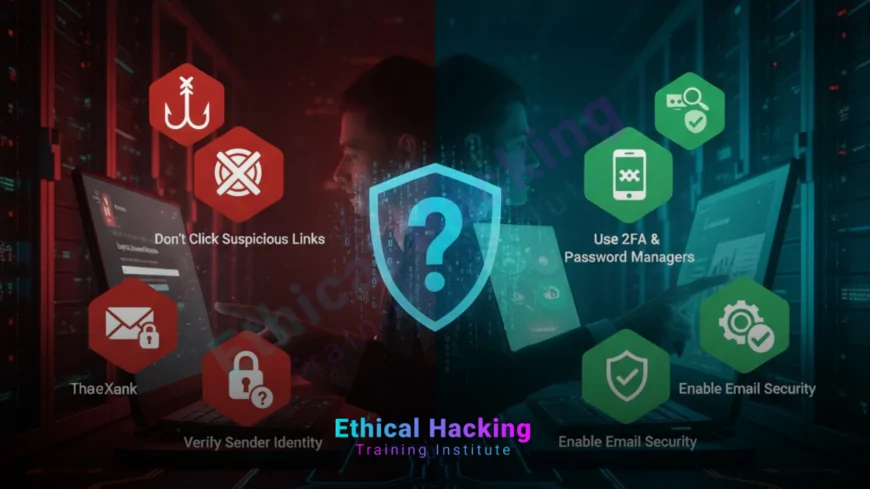
Introduction: The Growing Danger of Phishing in 2025
Imagine opening your email and seeing a message from your bank: “Your account has been compromised. Click here to secure it now.” You click, enter your login details, and just like that, a criminal now controls your money.
This is phishing, and it’s not just a tech problem. It’s a human trick. Scammers use fear, urgency, and trust to steal your information. In 2025, phishing attacks are smarter, more personalized, and reaching more people through email, text, phone, and even social media.
But here’s the truth: you can stop 99 percent of phishing attacks with simple awareness and habits. This guide gives you clear, practical steps, no tech degree required. Let’s keep your data safe.
Understanding Phishing: What It Is and Why It Works
Phishing is a cyberattack where criminals pretend to be a trusted person or organization to trick you into giving away sensitive information like passwords, credit card numbers, or Social Security details.
How Phishing Works
- Scammers send fake messages that look real
- They create urgency (“Your account will be deleted in 1 hour”)
- They include links to fake websites that steal your login
- Or they ask you to reply with personal details
Why People Fall for It
Because the messages look authentic. Scammers copy logos, use real company names, and even know your name or recent purchases. They bet on you acting before thinking.
Understanding attacker techniques is key. Start with an ethical bootcamp to learn how real hackers operate.
Types of Phishing Attacks You Should Know
Phishing comes in many forms. Here are the most common ones in 2025:
| Type | How It Appears | Example |
|---|---|---|
| Email Phishing | Fake bank or shopping alert | “Amazon: Unusual sign-in attempt” |
| SMS Phishing (Smishing) | Text with urgent link | “UPS: Pay $2.99 to release package” |
| Voice Phishing (Vishing) | Phone call from “tech support” | “Your computer has a virus” |
| Spear Phishing | Personalized attack using your data | Email from “your boss” asking for gift cards |
10 Red Flags Every Phishing Message Has
Train yourself to spot these clues in under 5 seconds:
- Urgent language (“Act now or lose access”)
- Generic greeting (“Dear User” instead of your name)
- Misspelled words or poor grammar
- Sender email doesn’t match the company (e.g., @gmail.com for a bank)
- Links that don’t go to the official site
- Requests for passwords, PINs, or full card numbers
- Unexpected attachments (.exe, .zip, .doc with macros)
- Offers that sound too good to be true
- Pressure to bypass normal procedures
- Threats of account closure or fines
Mastering CEH practical skills helps you test your own defenses like a pro.
How to Safely Check a Suspicious Email or Message
Don’t click. Follow this 4-step verification process:
Step 1: Check the Sender Email
Hover over the name. Real banks use @bankname.com, not @bank-support.net or @gmail.com.
Step 2: Hover Over Links (Don’t Click)
See where the link really goes. If it says paypal.com but leads to paypa1.com (with a number 1), it’s fake.
Step 3: Go Directly to the Official Site
Type the website address yourself or use a bookmark. Never use links from messages.
Step 4: Call Using a Known Number
Find the contact number on the back of your card or official website, not in the message.
Essential Security Tools to Block Phishing Automatically
Use these free tools to add an extra layer of protection:
Browser Extensions
- uBlock Origin: Blocks malicious ads and pop-ups
- HTTPS Everywhere: Forces secure connections
- Bitwarden: Free password manager with phishing warnings
Email Provider Features
- Enable Gmail’s “External Email” warning
- Turn on spam filtering and phishing protection
- Report suspicious emails with one click
Antivirus with Real-Time Protection
Use Windows Defender (built-in) or Malwarebytes (free version) to scan downloads and block malware from phishing sites.
Take your learning home with CEH online training and build real-world cybersecurity skills.
Lock Down Your Accounts: Must-Have Security Settings
Even if a scammer gets your password, these stop them from logging in.
Enable Two-Factor Authentication (2FA) Everywhere
Add a second step: a code from an app like Google Authenticator or Authy. Avoid SMS 2FA when possible; use app-based instead.
Create Strong, Unique Passwords
- Minimum 12 characters
- Use letters, numbers, and symbols
- Never reuse passwords across sites
- Let a password manager generate and store them
Freeze Your Credit for Free
Contact Equifax, Experian, and TransUnion to freeze your credit. Scammers can’t open new accounts in your name. It’s free and takes 5 minutes online.
Daily Habits to Stay Phishing-Proof
Make these part of your routine:
- Never click links in unexpected messages
- Shred documents with personal info
- Avoid public Wi-Fi for banking or shopping
- Update your phone, computer, and apps regularly
- Teach family members (especially kids and seniors) these rules
- Use virtual credit cards for online shopping
Want to find weak spots before attackers do? Learn Nmap mastery for network scanning and penetration testing.
What to Do If You Clicked a Phishing Link
Don’t panic. Act fast:
- Disconnect from the internet immediately
- Change your password from another device
- Run a full antivirus scan
- Contact your bank if you entered financial info
- Enable 2FA if it wasn’t already on
- Report the incident to ftc.gov and your email provider
Conclusion: You Now Have the Power to Stay Safe
Phishing only works if you let it. With the knowledge in this guide, you can spot fake messages, verify suspicious links, and protect your accounts with strong security layers. You don’t need to live in fear of the internet; just use it wisely.
Start today: enable 2FA on your email and bank, install a password manager, and share this guide with someone you care about. Small actions now prevent big problems later. Stay alert, stay safe, and enjoy the web without worry.
Frequently Asked Questions
What is phishing in simple terms?
Phishing is when someone pretends to be a trusted company or person to trick you into giving away your password, money, or personal information.
Can phishing happen through text messages?
Yes, it’s called smishing. Fake texts about packages, payments, or account issues often contain malicious links.
Why do phishing emails look so real?
Scammers copy logos, use real company names, and buy personal data from breaches to make messages look authentic.
Should I ever click a link in an email?
Only if you were expecting it and trust the sender. Otherwise, go directly to the official website by typing the address.
Is it safe to open email attachments?
Only from people you know and expect. Never open .exe, .zip, or Office files with macros from strangers.
Does antivirus stop phishing?
It blocks malware from phishing sites, but not the act of entering your password on a fake page. You still need caution.
Why shouldn’t I use the same password everywhere?
If one site is hacked, criminals can access all your accounts. Unique passwords limit damage.
Is SMS two-factor authentication safe?
It’s better than nothing, but not ideal. Hackers can intercept texts. Use authenticator apps instead.
Can I get phished on my phone?
Yes. Fake apps, texts, and pop-ups are common. Only download from official app stores.
Are Apple users immune to phishing?
No. Phishing targets people, not devices. Mac and iPhone users fall for scams daily.
Should I reply to phishing emails?
Never. Replying confirms your email is active. Mark as spam and delete.
How do I report a phishing email?
In Gmail: Click “Report phishing.” Also forward to [email protected] and your email provider.
Can children be targeted by phishing?
Yes, especially with gaming scams (“Free V-Bucks”) or fake school alerts. Teach them to ask an adult first.
Is online shopping safe?
Yes, on trusted sites with HTTPS. Use PayPal or virtual cards, and never save card details.
What’s the best way to stay updated on new scams?
Follow official sources like ftc.gov, staysafeonline.org, or your bank’s security blog. Avoid fear-mongering sites.
What's Your Reaction?
 Like
0
Like
0
 Dislike
0
Dislike
0
 Love
0
Love
0
 Funny
0
Funny
0
 Angry
0
Angry
0
 Sad
0
Sad
0
 Wow
0
Wow
0













