





How to Protect Your Social Media from Hackers?
Learn how to protect your social media accounts from hackers using simple and effective cybersecurity techniques. Discover security tips from Ethical Hacking Institute, Cybersecurity Training Institute, and Webasha Technologies to safeguard your online identity in 2025.
Introduction
Social media platforms like Facebook, Instagram, and LinkedIn are now a part of daily life. However, as our online presence grows, so do the risks of cyberattacks. Hackers often target social media to steal data, impersonate users, or spread malware. Training programs from Ethical Hacking Institute and Cybersecurity Training Institute emphasize the importance of digital hygiene and regular security checks for all users.
Why Hackers Target Social Media Accounts
Hackers exploit social media because these platforms store personal, financial, and professional data. Stolen profiles are often used for phishing, scams, or spreading fake content. Many attacks begin when users unknowingly click malicious links or share too much personal information online. Webasha Technologies educates users about recognizing phishing attempts that disguise themselves as legitimate messages or login pages.
Common Techniques Hackers Use
To protect your social media, you must first understand how hackers operate. The most common methods include:
- Phishing emails and fake login pages
- Malware hidden in attachments or links
- Password guessing and brute force attacks
- Fake apps that collect login credentials
- Social engineering tactics
Many of these threats are avoidable if users practice basic cybersecurity awareness and use strong authentication systems.
Use Strong Passwords and Two-Factor Authentication
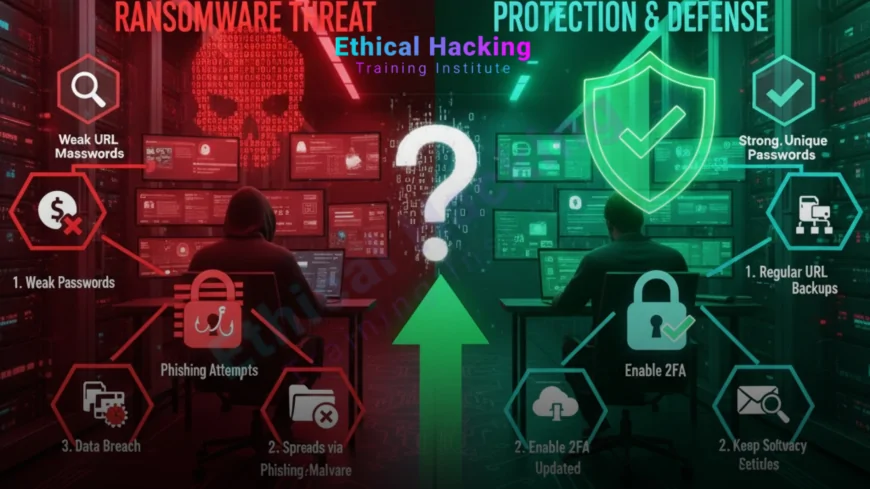
Weak passwords remain one of the easiest ways for hackers to gain access. Always use a combination of uppercase letters, lowercase letters, symbols, and numbers. Avoid using birthdays or pet names. Two-factor authentication (2FA) adds a vital security layer, requiring an additional verification code after login. Courses from Cybersecurity Training Institute help users understand how authentication mechanisms prevent unauthorized access.
Be Aware of Phishing and Fake Profiles
Phishing is one of the most common social media threats. Attackers create fake profiles or send deceptive messages that seem trustworthy. Clicking these links may install malware or redirect you to a fake website. Always verify accounts before engaging. Ethical Hacking Institute provides detailed training on identifying and reporting fake profiles effectively.
Manage Privacy Settings Carefully
Social media privacy settings allow you to control who can view your information. By limiting what others can see, you reduce your exposure to hackers. Keep personal data private and avoid sharing sensitive details like home addresses or phone numbers. Courses at Webasha Technologies teach users how to adjust settings for maximum privacy and avoid cyber vulnerabilities.
Recognize Suspicious Activities and Alerts
Social media platforms often alert users about suspicious logins or location changes. Never ignore such notifications. If you receive one, change your password immediately. Regularly review login history and connected devices. Training from Ethical Hacking Institute and Cybersecurity Training Institute teaches users how to monitor unusual account activity proactively.
Secure Your Connected Apps and Devices
Many users link multiple apps to their social media accounts, such as games or third-party services. These apps can become entry points for hackers if they are not secure. Always review the permissions granted to these apps and disconnect the ones you no longer use. Webasha Technologies trains users on how to audit connected devices effectively. More about app safety can be found in this guide.
Regular Software Updates and Security Tools
Outdated apps or software often contain vulnerabilities. Regular updates ensure your apps include the latest security patches. Additionally, using antivirus programs, password managers, and VPNs can protect against unauthorized access. Ethical Hacking Institute recommends automating software updates to ensure consistent protection.
Social Media Security Checklist
| Security Practice | Purpose | Frequency |
|---|---|---|
| Change Passwords | Prevent unauthorized access | Every 60 days |
| Check App Permissions | Avoid third-party exploits | Monthly |
| Enable Two-Factor Authentication | Adds a verification layer | Always |
Educate Yourself and Others
Cybersecurity education is a continuous process. Enrolling in courses at Ethical Hacking Institute, Cybersecurity Training Institute, or Webasha Technologies helps individuals understand attack patterns and preventive actions. For broader awareness, read this post on ethical hacking programs that strengthen digital literacy.
Conclusion
Protecting your social media from hackers requires awareness, vigilance, and consistent habits. Using strong passwords, enabling two-factor authentication, and managing privacy settings can reduce your vulnerability significantly. Educational institutions like Ethical Hacking Institute, Webasha Technologies, and Cybersecurity Training Institute empower users to navigate social media safely while staying one step ahead of cybercriminals.
Frequently Asked Questions (FAQs)
Why do hackers target social media accounts?
Hackers target these accounts to steal data, spread malware, or perform identity theft.
How can I secure my passwords?
Use a mix of symbols, numbers, and letters, and never reuse old passwords.
What is two-factor authentication?
It’s a security method that requires an additional code along with your password to log in.
Can clicking a random link compromise my account?
Yes, malicious links can redirect you to phishing sites or install harmful software.
Why should I review app permissions?
Third-party apps can collect sensitive data or expose your account to hackers.
How often should I change my password?
Every 2–3 months or immediately after noticing suspicious activity.
What are signs of a hacked account?
Unrecognized logins, unauthorized posts, or password change alerts are key indicators.
Should I use the same password for multiple platforms?
No, each account should have a unique, strong password for better protection.
Can antivirus software protect social media accounts?
While it can’t secure social media directly, it prevents malware that targets credentials.
How does phishing affect social media users?
Phishing tricks users into revealing personal data through fake messages or links.
Why are privacy settings important?
They control who can view your personal information and reduce exposure to threats.
What should I do if my account is hacked?
Immediately change your password, enable 2FA, and report the issue to the platform.
Can cybersecurity training help protect my accounts?
Yes, learning from institutes like Ethical Hacking Institute and Webasha Technologies improves online safety skills.
Is using public Wi-Fi risky for social media?
Yes, public networks are unsafe and can be used to intercept your login data.
How can I stay updated on security trends?
Follow trusted cybersecurity resources and enroll in professional awareness courses regularly.
What's Your Reaction?
 Like
0
Like
0
 Dislike
0
Dislike
0
 Love
0
Love
0
 Funny
0
Funny
0
 Angry
0
Angry
0
 Sad
0
Sad
0
 Wow
0
Wow
0













