





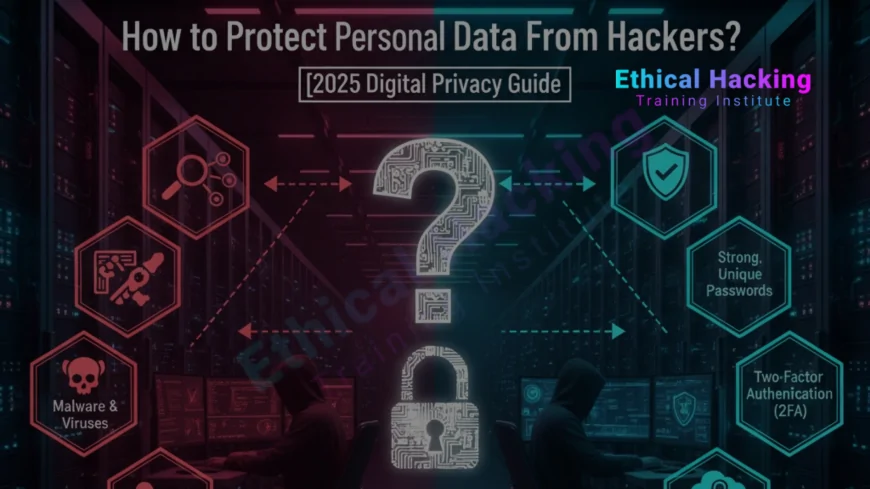
How to Protect Personal Data From Hackers?
Learn how to protect your personal data from hackers through strong passwords, encryption, secure browsing, and cybersecurity best practices. Discover proven strategies to keep your identity and online privacy safe from cyber threats in 2025.
Introduction
In today’s hyper-connected world, personal data has become a valuable asset — not just for you, but also for hackers. From banking details and social media accounts to health and educational records, almost every part of our life is stored digitally. Unfortunately, cybercriminals are constantly devising new methods to steal this data and exploit it for financial gain, identity theft, or fraud.
To stay safe online, individuals must understand how hackers operate and what preventive measures can keep their personal data secure. Institutions like the Ethical Hacking Institute educate people about practical cybersecurity techniques to counter digital threats. This blog explores the most effective strategies to protect personal data from hackers.
Understanding Personal Data and Its Importance
Personal data includes any information that can identify an individual, such as name, address, phone number, date of birth, or financial credentials. Hackers often target this data because it can be used for identity theft, online scams, or unauthorized transactions.
In a digital ecosystem where every click and login generates data, protecting this information has become a personal responsibility. Whether you are a student, professional, or entrepreneur, maintaining control over your personal data is crucial for digital trust and safety.
To explore how hackers misuse personal data, read this insightful post on AI-driven hacking techniques that reveals how artificial intelligence is changing the threat landscape.
Common Ways Hackers Steal Personal Data
Understanding how hackers gain access to your data is the first step to protecting it. Cybercriminals use various methods, such as:
- Phishing: Sending fake emails or messages to trick users into sharing sensitive information.
- Malware Attacks: Using malicious software to infiltrate systems and extract data.
- Social Engineering: Manipulating people into revealing personal details.
- Wi-Fi Snooping: Intercepting unencrypted data on public Wi-Fi networks.
- Data Breaches: Exploiting weak security systems of websites or organizations.
Strengthen Passwords and Authentication
One of the simplest yet most powerful defenses against hacking is creating strong passwords. Avoid using personal details like birthdays or names. Instead, create complex passwords combining letters, numbers, and symbols. For added protection, activate two-factor authentication (2FA) on all major accounts.
Here are quick password management tips:
- Use a reputable password manager.
- Never share passwords with anyone.
- Update passwords every 90 days.
For more details, refer to the Certified Ethical Hacker Training Guide to understand how professionals secure systems through password hardening and ethical hacking.
Secure Your Devices and Networks
A strong password is not enough if your device or network is insecure. Hackers can exploit vulnerabilities in routers, IoT devices, and even outdated operating systems. Always keep your devices updated with the latest security patches and avoid using default router credentials.
Use a reliable antivirus program and firewall to monitor suspicious activity. When connecting to the internet, ensure your Wi-Fi is encrypted with WPA3 and hidden from public view.
The Complete Ethical Hacking Course provides an in-depth look at how attackers breach networks and how to prevent such intrusions.
Use Encryption for Sensitive Information
Encryption converts your data into unreadable text that only authorized parties can decode. It’s one of the most effective ways to protect personal and financial information. Students and professionals should enable encryption on devices, emails, and cloud storage services.
| Encryption Type | Purpose | Examples |
|---|---|---|
| Disk Encryption | Secures entire drives or partitions | BitLocker, FileVault |
| Email Encryption | Protects confidential email content | PGP, S/MIME |
| Cloud Encryption | Safeguards data stored online | Google Cloud, AWS KMS |
Be Cautious With Public Wi-Fi
Public Wi-Fi networks are convenient but highly insecure. Hackers often use them to intercept unencrypted data, such as login credentials or banking information. Avoid performing sensitive transactions on public networks and always use a VPN (Virtual Private Network) for protection.
To learn how cybersecurity experts manage Wi-Fi security, explore the Ethical Hacking Career Path Guide that includes practical insights into wireless network defense.
Recognize and Avoid Phishing Attacks
Phishing remains one of the most dangerous threats. Attackers impersonate legitimate entities to trick users into revealing sensitive data. Always double-check URLs, look for spelling errors, and verify email addresses before clicking any link.
Never provide personal details via email or social media messages, no matter how convincing they appear. Legitimate organizations will never ask for sensitive data through insecure channels.
Regularly Update and Backup Data
Outdated software can be a gateway for hackers. Regular updates fix security flaws that attackers often exploit. Schedule automatic updates for your OS, browser, and applications. Additionally, maintain offline and cloud backups of all critical data to prevent permanent loss in case of cyberattacks.
You can also refer to the Ethical Hacker Bootcamp Guide for practical backup strategies and security fundamentals.
Educate Yourself on Cybersecurity Basics
The best way to protect your data is to stay informed. Cybercriminals continuously evolve their techniques, making continuous learning essential. Online cybersecurity awareness programs help individuals recognize modern threats and practice safe digital habits.
Institutions such as the Ethical Hacking Institute offer structured learning paths designed for beginners and professionals to strengthen cybersecurity skills and awareness.
Conclusion
Your personal data is your digital identity, and protecting it requires awareness, vigilance, and good cyber hygiene. By using encryption, strong passwords, VPNs, and regular updates, you can drastically reduce your exposure to hackers. Remember, cybersecurity is not a one-time effort but a continuous habit that must evolve with emerging threats.
Frequently Asked Questions (FAQs)
What is personal data?
It refers to information that identifies an individual, such as name, email, or financial details.
How do hackers steal personal data?
They use phishing, malware, or weak passwords to access sensitive information.
Why is encryption important?
Encryption ensures your data is unreadable to unauthorized users, protecting it from hackers.
Can public Wi-Fi be safe?
Only if used with a VPN that encrypts your data while browsing.
What are phishing scams?
They are fake messages designed to trick users into sharing credentials or personal details.
Should I use the same password everywhere?
No, always use unique passwords for different accounts.
How often should I back up my data?
At least once a week or after major updates to prevent data loss.
Is antivirus software enough to stay safe?
It helps, but you must also follow other security practices like encryption and safe browsing.
How can I detect a data breach?
Look for suspicious logins, changed settings, or unusual account activity.
What should I do after a hack?
Change passwords, inform your bank, and enable two-factor authentication immediately.
Are free VPNs safe?
Most are not; prefer paid and verified VPN services for better security.
Can I secure my phone like a computer?
Yes, by using encryption, screen locks, and verified apps only.
What is two-factor authentication?
It adds an extra verification step during login to protect your account.
How do I learn cybersecurity skills?
Join beginner-friendly programs at the Ethical Hacking Institute.
Why is cybersecurity awareness necessary?
It helps prevent online fraud and identity theft by improving user caution and understanding.
What's Your Reaction?
 Like
0
Like
0
 Dislike
0
Dislike
0
 Love
0
Love
0
 Funny
0
Funny
0
 Angry
0
Angry
0
 Sad
0
Sad
0
 Wow
0
Wow
0












