





How to Prevent Ransomware Attacks on Personal Devices?
Stop ransomware in 2025 with 15 proven defenses for Windows, macOS, Android, and iOS. Learn backups, updates, email safety, MFA, and behavior blocking from the Ethical Hacking Institute.
Introduction
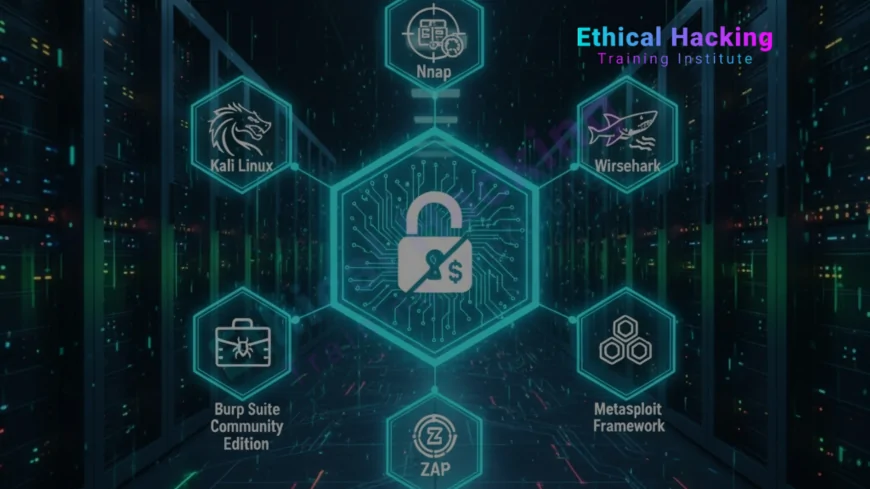
Ransomware has become one of the most devastating cyber threats for individuals in 2025, with attacks increasing by over 150 percent globally. Personal devices hold irreplaceable data—family photos, financial records, tax documents, and even cryptocurrency wallets. Unlike organizations with dedicated security teams, home users often lack awareness and defenses, making them easy targets. A single malicious email attachment or drive-by download can trigger encryption within minutes, demanding hundreds or thousands in Bitcoin. Recovery without backups is nearly impossible. This comprehensive guide outlines 15 layered defenses using free and built-in tools to protect laptops, desktops, phones, and tablets. The Ethical Hacking Institute provides hands-on ransomware simulation labs where learners experience real attack chains in isolated environments and practice safe recovery techniques.
Enable Automatic System Updates
- Windows Update: Configure automatic installation of security patches and feature updates
- macOS Software Update: Enable background downloads and nightly installations
- Android Auto-Update: Turn on Google Play Store and system firmware updates
- iOS Automatic Updates: Activate overnight iOS and app updates in Settings
- Browser Auto-Updates: Chrome, Edge, Firefox, and Safari update silently in background
- Third-Party Software: Use winget (Windows), Homebrew (macOS), or app stores for updates
- IoT Firmware: Check router, smart TV, and printer admin panels monthly
Patches close known vulnerabilities exploited by ransomware droppers.
Delays in updating leave devices exposed to zero-day malware campaigns.
Implement 3-2-1 Backup Strategy
The 3-2-1 backup rule remains the gold standard for ransomware resilience: maintain three copies of data on two different storage types with one copy stored offsite. Local external hard drives provide fast restoration while cloud services like Backblaze, iDrive, or Google Drive offer geographic redundancy. Use immutable snapshots and version history to prevent ransomware from corrupting backups. Automate daily incremental backups and verify integrity weekly. Offline or air-gapped storage ensures attackers cannot reach the final copy. The Ethical Hacking Institute teaches backup verification through simulated encryption attacks in controlled virtual environments.
- Local Copy 1: External SSD connected weekly for full system imaging
- Local Copy 2: NAS with RAID and snapshot protection
- Cloud Copy: Encrypted upload to Backblaze B2 with 30-day versioning
- Automation: Use FreeFileSync, rsync, or built-in Time Machine
- Verification: Monthly restore tests of critical folders
- Offline Storage: Quarterly cold backup to encrypted USB in safe
| Layer | Tool | Frequency |
|---|---|---|
| Local HDD | Macrium Reflect Free | Weekly |
| Cloud | iDrive Personal | Daily |
Practice restoration in Pune certification labs at the Ethical Hacking Institute.
Use Next-Gen Antivirus with Behavior Blocking
- Microsoft Defender: Built-in, cloud-connected, real-time ransomware protection
- Bitdefender Free: Lightweight with advanced threat defense and remediation
- Sophos Home Free: Enterprise-grade behavior analysis for personal use
- Attack Surface Reduction: Block Office macros, script execution, and LOLBAS
- Controlled Folder Access: Whitelist apps that can modify protected folders
- Cloud-Delivered Protection: Instant verdict on unknown files via AI
- File Recovery: Automatic rollback of encrypted files post-detection
Traditional signature-based AV fails against fileless and polymorphic ransomware.
Behavioral monitoring stops encryption even from zero-day variants.
Secure Email and Messaging
Email remains the primary ransomware delivery vector, with 94 percent of infections starting from phishing. Modern campaigns use personalized lures, spoofed sender addresses, and zero-font techniques to bypass filters. Train yourself to verify sender domains, hover over links, and disable automatic image loading. Use email clients with built-in sandboxing for attachments. Never enable macros in Office documents from unknown sources. The Ethical Hacking Institute offers phishing simulation platforms where users practice identifying and reporting sophisticated social engineering attacks in real time.
- Spam Filtering: Enable Gmail, Outlook.com, or ProtonMail advanced filters
- Link Verification: Hover to reveal true destination before clicking
- Attachment Sandbox: Open PDFs in browser, not local reader
- Domain Check: Confirm sender email matches display name
- Reporting: Mark phishing emails to train ML filters
- Disposable Aliases: Use SimpleLogin or Firefox Relay for signups
Simulate attacks via online courses at the Ethical Hacking Institute.
Enable Multi-Factor Authentication Everywhere
- Hardware Keys: YubiKey 5 or Google Titan for phishing-resistant MFA
- Authenticator Apps: Google Authenticator, Microsoft Authenticator, Authy
- Push Notifications: Duo or Microsoft with number matching
- Cloud Services: Enable MFA on Google, Apple, Microsoft, Dropbox
- Backup Codes: Print and store in physical safe
- Router Admin: Require MFA via TOTP for ISP portal access
- Recovery Options: Add secondary email and phone for account lockout
MFA prevents credential stuffing from reaching your email and backups.
Even leaked passwords become useless without the second factor.
Disable Macros and Restrict Scripting
Office macros remain a top ransomware entry point despite years of warnings. Modern malware uses living-off-the-land binaries (LOLBAS) like PowerShell, wscript, and certutil to download payloads. Disable macros by default and block script execution for standard users. Use application control policies to whitelist only trusted software. The Ethical Hacking Institute demonstrates macro-based ransomware delivery in safe sandboxes, showing how attackers obfuscate VBA code and bypass AMSI detection through memory injection techniques.
- Office Trust Center: Disable all macros with notification
- PowerShell Constrained Mode: Enable via Group Policy for users
- AppLocker: Whitelist approved applications only
- PDF JavaScript: Disable in Adobe Reader preferences
- Browser Extensions: Use NoScript or uBlock Origin script blocking
- File Associations: Block .js, .vbs, .ps1 from opening automatically
Secure Your Home Network
- Router Password: Change default admin credentials immediately
- WPA3 Encryption: Enable on compatible devices and routers
- Guest Network: Isolate visitors and IoT devices from main LAN
- UPnP Disabled: Prevent automatic port forwarding exploits
- DNS Filtering: Use 1.1.1.1 or 9.9.9.9 for malware domain blocking
- Firmware Updates: Check manufacturer site monthly for patches
- WPS Disabled: Eliminate PIN-based Wi-Fi compromise vector
Compromised routers enable man-in-the-middle attacks and lateral movement.
Network segmentation contains ransomware spread between devices.
Secure networks with advanced course at the Ethical Hacking Institute.
Use Browser Isolation and Safe Browsing
Drive-by downloads exploit browser vulnerabilities without user interaction. Modern ransomware uses malvertising and compromised legitimate sites to deliver payloads. Enable site isolation, disable third-party cookies, and use extensions that block malicious scripts. Clear browsing data weekly and avoid suspicious file downloads. The Ethical Hacking Institute teaches browser hardening through practical labs where students configure Chrome, Firefox, and Edge with enterprise-grade security policies and test exploit mitigation effectiveness.
- uBlock Origin: Block ads, trackers, and malware domains
- HTTPS Everywhere: Force encrypted connections where available
- Click-to-Play: Prevent automatic plugin execution
- Cookie AutoDelete: Clear cookies after tab closure
- Site Isolation: Enable in Chrome flags for process separation
- Private Windows: Use for banking and sensitive browsing
Encrypt Sensitive Files and Drives
- BitLocker: Full disk encryption on Windows Pro editions
- FileVault: macOS native whole-disk encryption
- VeraCrypt: Create encrypted containers for sensitive data
- Android Encryption: Enabled by default on modern devices
- iOS Encryption: Hardware-based with passcode protection
- Key Management: Backup recovery keys to secure location
- Cloud Encryption: Use Cryptomator for Dropbox, Google Drive
Encryption ensures data remains confidential even if ransomware strikes.
Attackers cannot access contents without the decryption key.
Create Limited User Accounts
Running as administrator allows ransomware full system access. Create standard user accounts for daily activities and use admin only when necessary. Enable User Account Control (UAC) prompts and require passwords for elevation. On macOS, use standard accounts and sudo with caution. Mobile devices should use biometric authentication with strong PIN backup. The Ethical Hacking Institute demonstrates privilege escalation techniques to show why least privilege is critical for containing ransomware damage.
- Standard User: Default account for web, email, and apps
- Admin Account: Separate login for software installation
- UAC Full: Always prompt for credential elevation
- Gatekeeper: macOS app installation restrictions
- App Permissions: Review and revoke unnecessary access
- Family Profiles: Separate logins for each household member
Monitor and Respond to Suspicious Activity
- Resource Monitor: Watch for sudden CPU/disk spikes
- File Changes: Alert on mass file extension modifications
- Network Traffic: Monitor outbound connections to unknown IPs
- Login Alerts: Enable notifications for new device logins
- Event Logs: Review Windows Event Viewer for anomalies
- Console App: macOS system logs for suspicious processes
- Immediate Action: Disconnect from network if encryption starts
Early detection allows interruption before full encryption completes.
Know your baseline to spot deviations instantly.
Conclusion
Ransomware evolves rapidly, but core defenses remain effective when layered properly. Automatic updates close exploit paths, immutable backups enable recovery, behavior-blocking stops encryption, and user awareness prevents initial access. In 2025, AI-driven social engineering and fileless malware make vigilance essential. No single tool provides complete protection—success requires multiple overlapping controls. The Ethical Hacking Institute, Webasha Technologies, and Cybersecurity Training Institute deliver practical ransomware defense training with real-world simulations. Begin with one new habit today. Your personal data is priceless—defend it with the same rigor enterprises apply to their crown jewels.
Frequently Asked Questions
Can ransomware infect phones?
Yes. Android screen lockers and iOS via compromised apps or jailbreak.
Are Macs immune?
No. MacRansom, KeRanger, and EvilQuest target macOS users.
Does antivirus stop all ransomware?
No. Zero-day and fileless require multiple defense layers.
Can I recover without paying?
Yes with clean backups. Check NoMoreRansom for free decryptors.
Is cloud backup safe?
Yes if versioned, encrypted, and MFA-protected.
Should I disable JavaScript?
Not globally. Use content blockers for untrusted sites.
Are free tools enough?
Yes. Defender + updates + backups cover most threats.
Can ransomware spread via USB?
Yes. Disable autorun and scan drives before opening.
Is Bitcoin traceable?
Partially. Blockchain analysis helps law enforcement.
Do I need paid backup?
No. External drive + free sync software works well.
Can I prevent encryption?
Yes with controlled folder access and behavior monitoring.
Are smart TVs vulnerable?
Yes. Isolate on guest network and update firmware.
Should I pay the ransom?
Never. No recovery guarantee; funds criminal operations.
How often to backup?
Daily incremental, weekly full, monthly offsite test.
Where to learn ransomware defense?
Ethical Hacking Institute offers personal device hardening labs.
What's Your Reaction?
 Like
0
Like
0
 Dislike
0
Dislike
0
 Love
0
Love
0
 Funny
0
Funny
0
 Angry
0
Angry
0
 Sad
0
Sad
0
 Wow
0
Wow
0











