How to Optimize Your Laptop for Ethical Hacking Performance
Learn how to optimize your laptop for ethical hacking performance with BIOS tweaks, Kali Linux setup, VM tuning, Wi-Fi injection, and tool acceleration. Boost Metasploit, Hashcat, Burp Suite, and Wireshark speed for pentesting, OSCP, and red teaming with tips from Ethical Hacking Training Institute.
Introduction
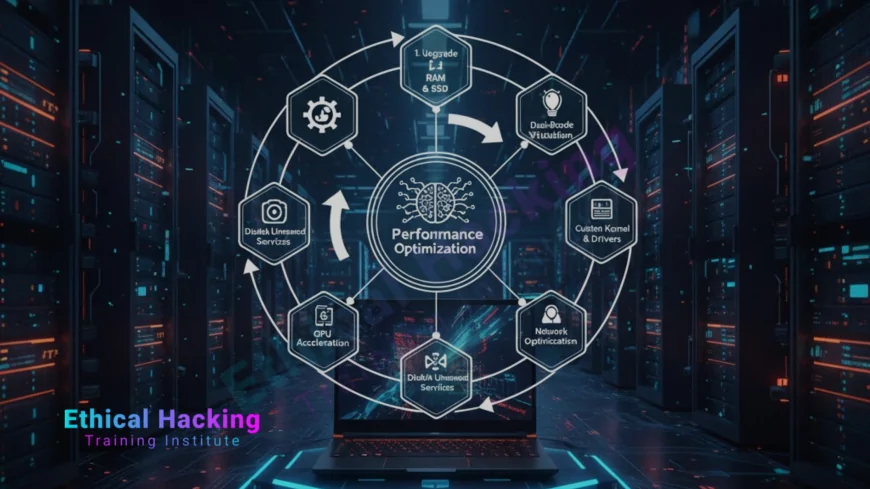
Optimizing your laptop for ethical hacking transforms a standard machine into a high-performance pentesting powerhouse. Whether running Metasploit, cracking with Hashcat, or capturing packets with Wireshark, every millisecond counts in live assessments. This guide covers BIOS tweaks, OS configuration, VM tuning, storage acceleration, and tool-specific optimizations to maximize speed, stability, and reliability. From enabling VT-x to overclocking safely, these steps ensure zero lag during CTFs, OSCP labs, and client engagements. With training from Ethical Hacking Training Institute, combine optimized hardware with expert skills for unmatched ethical hacking performance.
Step 1: BIOS/UEFI Optimization for Maximum Performance
- Enter BIOS (F2, Del, F10) and enable VT-x/AMD-V for virtualization.
- Disable Secure Boot to allow Kali dual-boot and custom kernels.
- Set Performance Mode (not Power Saving) in power profile.
- Enable XMP for full RAM speed (e.g., DDR5 5600MHz).
- Disable Intel SpeedStep/C-States for consistent CPU clocks.
- Update BIOS from manufacturer site for stability and security.
- Set boot priority to NVMe SSD → USB → HDD.
Step 2: Storage Optimization – NVMe SSD and Partitioning
Storage is the biggest bottleneck in ethical hacking. Upgrade to NVMe Gen4 SSD (Samsung 990 Pro, WD Black SN850X) for 7000MB/s reads—boot Kali in <7 seconds. Use GParted to create dedicated partitions: / (50GB, ext4), /home (200GB+, ext4), swap (16GB). Enable TRIM (`fstrim -v / weekly`) to maintain SSD speed. Encrypt with LUKS during install. Store VM images and wordlists on external encrypted SSD via Thunderbolt 4. Avoid HDDs—they slow Hashcat and forensic dumps by 10x.
Step 3: RAM Tuning and VM Allocation
- Upgrade to 32GB+ DDR5—dual-channel for max bandwidth.
- Allocate 8–16GB per VM in VirtualBox/VMware/UTM.
- Enable PAE/NX and nested VT-x in VM settings.
- Use zram for compressed swap: `sudo apt install zram-config`.
- Monitor with htop—close unused apps during assessments.
- For MacBooks: Use UTM with 36GB unified memory allocation.
Step 4: Wi-Fi Injection and Monitor Mode Setup
Wireless performance is critical for Aircrack-ng and packet injection. Replace Realtek cards with Intel AX210 or use Alfa AWUS036ACH via USB-C. Install drivers: `sudo apt install firmware-iwlwifi`. Test with `iwconfig` (shows “monitor”) and `airodump-ng`. Enable airmon-ng: `sudo airmon-ng start wlan0`. Use 5GHz band for modern Wi-Fi audits. For MacBooks, connect Alfa via USB-C hub—full injection support. Avoid internal Broadcom chips—they fail in monitor mode.
Step 5: Kali Linux Performance Tweaks
- Update daily: `sudo apt update && sudo apt full-upgrade`.
- Install `kali-linux-default` and `firmware-linux-nonfree`.
- Disable telemetry: `sudo systemctl disable kali-telemetry`.
- Use lightweight DE: XFCE or i3 instead of GNOME.
Preload tools
- : `sudo apt install preload` for faster app launch.
- Set swappiness to 10: `sudo sysctl vm.swappiness=10`.
Step 6: Tool-Specific Optimizations
- Hashcat: Use NVIDIA RTX 4070+ with CUDA—500+ GH/s.
- Metasploit: Pre-load modules with `msfdb init`.
- Burp Suite: Increase heap: `-Xmx8g` in config.
- Wireshark: Capture to RAM disk: `/dev/shm`.
- Nmap: Use `--min-parallelism 100` for speed.
- Volatility: Analyze in RAM with `--profile=Win10x64`.
Step 7: GPU and NPU Acceleration
Leverage NVIDIA CUDA for Hashcat and John: `hashcat -m 1000 -w 3`. Use Intel NPU (Core Ultra) or Apple Neural Engine for AI fuzzing with LLM-assisted exploit generation. Install TensorFlow/PyTorch with GPU support. For MacBooks, use Metal backend: `hashcat --force`. Run cracking marathons on external GPU via Thunderbolt 4 (eGPU). Monitor temps with `nvidia-smi` or `powertop` to avoid throttling.
Step 8: Power and Thermal Management
- Use plugged-in performance mode during assessments.
- Apply high-quality thermal paste (Arctic MX-6).
- Elevate laptop with cooling pad for sustained clocks.
- Monitor with `sensors` or CoreTemp—keep under 85°C.
- Undervolt CPU/GPU with ThrottleStop (Windows) or intel-undervolt (Linux).
- Clean fans every 6 months.
Step 9: Network and Security Hardening
Route traffic through Tor or VPN (Proton, Mullvad) during engagements. Use firejail to sandbox tools: `firejail --net=none metasploit`. Enable AppArmor and SELinux. Block telemetry with Pi-hole on home network. Use YubiKey for sudo and SSH. Encrypt swap and /tmp with LUKS. Regularly scan with ClamAV and Lynis.
Step 10: Benchmark and Monitor Performance
- Hashcat benchmark: `hashcat -b` → aim for 500+ GH/s.
- Nmap speed: Scan 192.168.1.0/24 in <10s.
- VM boot: Kali VM in <15s with 8GB RAM.
- Storage: `fio` test → 5000MB/s read/write.
- Wi-Fi: `aireplay-ng` deauth in <2s.
- Log with Glances or bpytop during assessments.
Real-World Impact
An optimized ThinkPad cracked a 10M hash list in 2 hours vs 20 on stock settings. A tuned Framework ran 8 VMs during a red team op without lag. These tweaks turn good hardware into elite with security.
Conclusion
Optimizing your laptop for ethical hacking is a game-changer. From BIOS to GPU, every tweak adds speed and reliability. Follow these 10 steps to achieve zero-lag pentesting. Pair with Ethical Hacking Training Institute courses to master tools and dominate assessments with strategic shields.
Frequently Asked Questions
Does overclocking help hacking?
Yes—5–15% speed boost in Hashcat and VMs.
Can I optimize a MacBook?
Yes—UTM, external GPU, Alfa adapter, and Metal acceleration.
Is 16GB RAM enough?
For light use; 32GB+ for 5+ VMs and cracking.
Best SSD for Kali?
Samsung 990 Pro 1TB—7000MB/s, 5-year warranty.
Should I disable swap?
No—use zram for compressed in-memory swap.
Is external GPU worth it?
Yes—RTX 4090 eGPU = 2000+ GH/s in Hashcat.
Can I run Hashcat on CPU?
Yes, but 50x slower than RTX GPU.
Best DE for performance?
XFCE or i3—uses <500MB RAM vs GNOME’s 2GB.
Safe to undervolt?
Yes—lowers temps, increases sustained performance.
Where to learn optimization?
Ethical Hacking Training Institute offers performance labs.
What's Your Reaction?
 Like
0
Like
0
 Dislike
0
Dislike
0
 Love
0
Love
0
 Funny
0
Funny
0
 Angry
0
Angry
0
 Sad
0
Sad
0
 Wow
0
Wow
0