How to Create a Home Lab for Cybersecurity Practice?
Build your own cybersecurity home lab in 2025. Learn with Kali Linux, Metasploitable, Windows VMs, TryHackMe, and cloud labs. Practice ethical hacking safely with guidance from Ethical Hacking Training Institute, Webasha Technologies, and Cybersecurity Training Institute. Start pentesting today.
Introduction
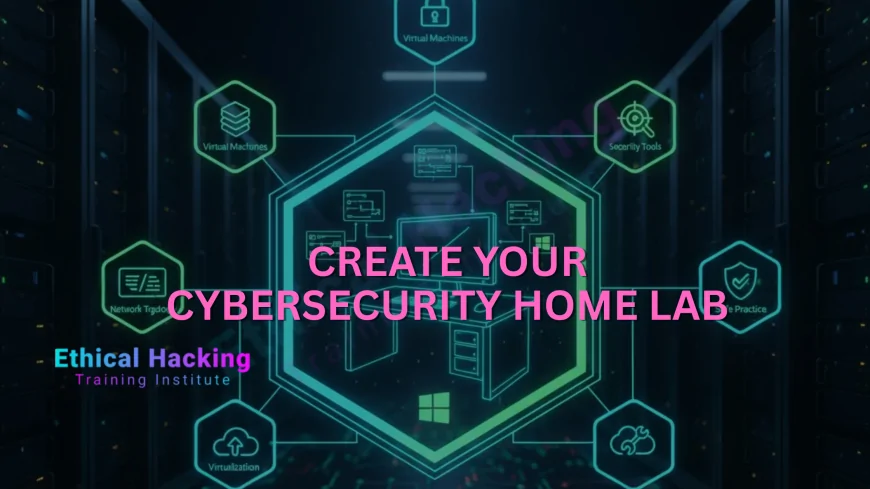
Cybersecurity is hands-on. In 2025, 95% of jobs require practical skills. A home lab lets you practice ethical hacking safely without breaking laws. Use Kali Linux to attack vulnerable VMs like Metasploitable and Windows XP. Build networks, exploit flaws, and defend systems. Ethical Hacking Training Institute provides 24/7 cloud labs, but a home setup gives unlimited access. Webasha Technologies and Cybersecurity Training Institute teach lab building in CEH bootcamps. This guide covers hardware, software, targets, and cloud options. Start with ₹10,000 or free. No risk to real systems. Isolate everything. Practice daily and master Nmap, Metasploit, Burp Suite. Your lab becomes your portfolio. Employers love real experience. Begin today and accelerate your career. Explore the cybersecurity career path.
Essential Hardware for Your Home Lab
Start with a decent laptop or desktop. Minimum 16GB RAM, i5/i7 processor, 512GB SSD. This runs 3-5 VMs smoothly. Add external 1TB HDD for backups. Use old routers for network segmentation. WiFi adapter with monitor mode supports wireless testing. Budget ₹50,000 for new, ₹15,000 for used. Ethical Hacking Training Institute recommends ThinkPad or Dell for stability. Virtualization is key. Install VirtualBox (free) or VMware Workstation Player. Enable VT-x/AMD-V in BIOS. Test with Ubuntu live ISO first. Add USB passthrough for hardware testing. Keep power backup. Your setup grows with skills. Start small, expand later. Practice on real hardware when ready. This foundation supports OSCP-level labs. Find the best local courses to guide setup.
Core Software and Operating Systems
Kali Linux is your attacker machine. Download from offensive-security.com. Install in VM or dual-boot. Keep updated. Windows 10/11 ISO from Microsoft for victim machines. Use evaluation versions. Metasploitable 2 and 3 are pre-vulnerable Linux systems. Download from Rapid7. Webasha Technologies teaches full VM setup in labs. Add DVWA, WebGoat, Juice Shop for web testing. Install TryHackMe and Hack The Box in browser. Use OpenVPN for connections. Keep snapshots after clean install. Revert when broken. This software stack covers 90% of pentesting scenarios. Practice daily. Your skills grow with every exploit. Learn more about the CEH course lab requirements.
Attacker Machines to Install
- Kali Linux 2025.1 (latest)
- Parrot Security OS
- BlackArch Linux
- Ubuntu with security tools
- Remnux for malware
- Flare VM for Windows
- Custom scripts folder
Vulnerable Target Systems
- Metasploitable 2 and 3
- Windows XP SP3
- Windows 7 unpatched
- DVWA (Damn Vulnerable Web App)
- WebGoat, Juice Shop
- bWAPP, Mutillidae
- VulnHub machines
Network Setup and Isolation
- Host-only network in VirtualBox
- NAT for internet access
- Internal network for isolation
- Old router as firewall
- VLANs with pfSense
- WiFi pineapple (optional)
Cloud and Online Lab Options
- TryHackMe free rooms
- Hack The Box starting point
- PentesterLab free exercises
- AWS Free Tier labs
- Azure student credits
- Institute cloud labs
Advanced Lab Components
- SIEM with ELK Stack
- IDS with Suricata
- Active Directory domain
- Kubernetes cluster
- IoT devices (Raspberry Pi)
- Mobile emulators
Home Lab Cost Breakdown
| Component | Minimum Cost | Recommended |
|---|---|---|
| Laptop/Desktop | ₹15,000 (used) | ₹50,000 |
| RAM Upgrade | ₹3,000 | ₹6,000 (32GB) |
| Software | Free | Free |
Conclusion
Start with Kali and Metasploitable. Practice 2 hours daily.
Ethical Hacking Training Institute offers free lab setup guidance. Join now.
Frequently Asked Questions
Can I build lab on low-end PC?
Yes. 8GB RAM, i3. Run 2 VMs. Use lightweight Kali.
Legal to download vulnerable VMs?
Yes. Metasploitable, DVWA are for education. Use in isolated network.
Internet needed for lab?
Only for updates. Practice offline. Use snapshots.
Best hypervisor for lab?
VirtualBox free. VMware better performance. Both work.
Safe from malware?
Yes. Isolate network. Use snapshots. Never browse real sites.
Cloud lab vs home lab?
Cloud for mobility. Home for control. Use both.
Where to find vulnerable machines?
VulnHub, TryHackMe, Hack The Box. Free downloads.
Windows license needed?
No. Use evaluation ISOs. Reset every 90 days.
Mobile testing in lab?
Yes. Android emulator. Genymotion or Android Studio.
Cost to start?
₹0 with existing PC. ₹10,000 for upgrades.
Practice schedule?
2 hours daily. Follow CEH modules. Track progress.
OSCP lab at home?
Yes. 50+ machines. Use VulnHub. Build AD domain.
Share lab with friends?
Yes. Export VMs. Use OVA format. Share safely.
Institute lab access?
Yes. 1-year cloud labs. 200+ machines. 24/7.
Next step to build lab?
Book free lab setup demo at Ethical Hacking Training Institute, Webasha Technologies, or Cybersecurity Training Institute.
What's Your Reaction?
 Like
0
Like
0
 Dislike
0
Dislike
0
 Love
0
Love
0
 Funny
0
Funny
0
 Angry
0
Angry
0
 Sad
0
Sad
0
 Wow
0
Wow
0