How Do Hackers Exploit Email Security Weaknesses?
Email remains a primary attack vector for cybercriminals. This guide explains common email security weaknesses, how hackers exploit them, real world attack chains, and practical defenses organizations and individuals can use to reduce risk and respond effectively.
Introduction
Email is one of the oldest and most ubiquitous communication methods on the internet. Its wide adoption makes it an attractive target for attackers who want to phish credentials, deliver malware, or defraud organizations through social engineering. Understanding how attackers find and exploit email security weaknesses helps defenders design better controls, train users, and prepare incident response plans. This article walks through the common weaknesses in email systems, the techniques attackers use to exploit them, and practical steps to harden email security for both individuals and organizations.
Common Email Security Weaknesses
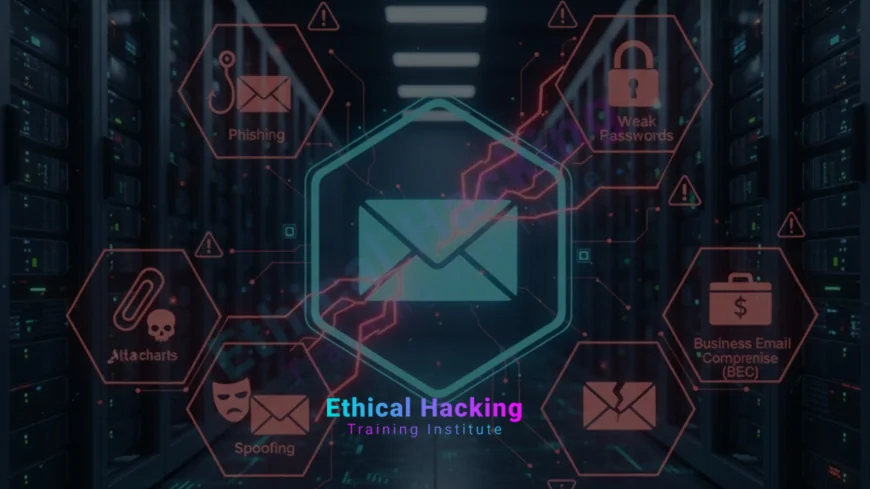
Several recurring weaknesses appear across many email environments. These include lack of strong authentication for email origins, misconfigured DNS records, missing encryption for messages in transit, weak user awareness, and insecure handling of attachments and links. Attackers exploit a mixture of technical gaps and human factors. Typical problems include absent or misconfigured SPF, DKIM, and DMARC records, mail servers exposing unnecessary services, and users who cannot reliably spot sophisticated phishing attempts.
Defenders often start by mapping exposed mail infrastructure, for example enumerating mail servers and open ports, because knowing what is reachable helps prioritize fixes and monitoring. Tools that map services and versions are commonly used during early assessments to reveal basic but critical misconfigurations.
Security practitioners frequently pair service discovery with deeper email-specific checks, and many training paths teach these skills alongside network mapping tools like Nmap so teams can see how externally visible infrastructure increases phishing risk.
Phishing and Social Engineering Techniques
Phishing is the most well known email-based attack. Attackers craft messages that trick recipients into clicking malicious links, opening malware-laden attachments, or divulging credentials. Tactics range from generic mass phishing to highly targeted spear phishing that uses personal details about the recipient to seem legitimate. Voice phishing or "vishing" and SMS-based "smishing" extend social engineering beyond email, but the initial compromise often begins with a deceptive message delivered by email.
Spear phishing campaigns can be particularly effective because attackers research the victim or organization, then craft tailored messages that mimic internal communications. This level of targeting bypasses many simple filters because the content appears contextually relevant to the recipient.
Email Spoofing, Forgery, and BEC
Email spoofing involves forging sender details so a message appears to come from a trusted source. Business Email Compromise (BEC) is a high-value fraud technique where attackers impersonate company executives, vendors, or partners to instruct finance or HR teams to transfer funds or disclose sensitive data. BEC often bypasses technical controls by exploiting human trust: attackers craft urgent, plausible instructions and rely on staff to act quickly without verification.
Attackers also use lookalike domains and subdomain tricks to create believable sender addresses. When combined with social pressure and timing—such as end-of-quarter requests—these messages can produce costly outcomes for organizations.
To understand how attackers scale and refine these methods, defenders study both automated and AI-enhanced offensive techniques; resources about AI in hacking are useful for learning how automation changes the threat landscape.
Weaponized Attachments and Malicious Links
Email attachments remain a common malware delivery mechanism. Attackers craft documents with macro-enabled content, weaponized PDFs, or archive files containing executables. Malicious links often lead to credential harvesting pages or direct downloads. Modern campaigns use fileless techniques as well, leveraging scripts or remote content to avoid detection by signature-based scanners.
Detection is complicated by legitimate uses of similar attachments and by attackers who obfuscate payloads. Sandboxing attachments and evaluating link destinations through safe click services help identify dangerous items before delivery to users.
Technical Exploits: SMTP, IMAP, and Mail Server Misconfigurations
Beyond social engineering, attackers exploit technical misconfigurations in mail servers. Open relays, outdated mail server software, and unsecured administrative interfaces give attackers ways to send phishing at scale or to tamper with message flow. Vulnerable IMAP, POP3, or webmail interfaces may allow account takeover if authentication protections are weak.
Separately, when TLS is not enforced or certificates are misconfigured, messages can be intercepted or downgraded. Attackers may attempt man-in-the-middle attacks on poorly protected channels to capture credentials or modify messages in transit.
Teams protecting email infrastructure often combine hardening guides with hands-on defensive training and courses that demonstrate attacker tools and typical misconfigurations; structured learning such as a complete hacking course helps practitioners understand these risks from the attacker’s view.
Bypassing Email Authentication: SPF, DKIM, and DMARC Weaknesses
SPF, DKIM, and DMARC are complementary standards that verify sender legitimacy and reduce spoofing. However, incorrect DNS records, permissive policies, or lack of enforcement undermine their effectiveness. Attackers exploit gaps by sending messages from allowed third-party services, abusing forwarding chains, or using lookalike domains to bypass weak DMARC policies set to "none" rather than "reject."
Organizations that do not publish strict DMARC policies leave themselves vulnerable to impersonation-based fraud. Additionally, complex forwarding scenarios require careful SPF and DKIM configuration to avoid false positives while still protecting recipients.
Insider Threats and Compromised Accounts
Compromised or malicious insiders present another vector for email exploitation. Attackers who obtain legitimate credentials—via phishing, credential stuffing, or previous breaches—can send convincing messages from authentic accounts. Insider threats may also misuse privileges to access sensitive mailboxes or exfiltrate data. Detecting these cases requires monitoring for anomalous behavior, such as unusual sending patterns or access from unfamiliar locations.
Rapid detection and account remediation reduce damage once compromise is suspected.
Organizations strengthen detection by combining behavior analytics, threat intelligence, and training; upskilling teams through targeted programs such as CEH training can improve incident handling and forensic analysis.
Prevention: Hardening Email Infrastructure and Policies
Effective prevention blends technical controls, policy, and user education. Key technical steps include publishing strict SPF, DKIM, and DMARC records, enforcing TLS for mail delivery, disabling legacy authentication where possible, and running up-to-date mail servers with minimal exposed services. Use gateway defenses to scan attachments and rewrite or block suspicious URLs. Implement rate limits and reputation checks to reduce the effectiveness of automated phishing campaigns.
Equally important are policies for vendor onboarding, multifactor authentication for privileged accounts, and secure configuration of shared mailboxes. Periodic audits and automated checks for DNS and certificate health keep protections effective over time.
Detection and Response: Monitoring, Forensics, and Playbooks
Detection begins with logging and telemetry. Centralize email logs, track message flows, and correlate indicators such as spikes in outbound mail, unusual subject lines, or patterns of failed login attempts. Use sandboxing and detonation services to analyze suspicious attachments, and integrate threat intelligence to enrich alerts. When an incident occurs, follow a documented playbook: isolate affected accounts, preserve mail records, rotate credentials, and notify affected parties. Post incident, perform root cause analysis and update controls and training accordingly.
Automation helps triage high volume alerts, but human review is essential for complex BEC and targeted spear phishing attacks.
Teams often complement technical defenses with formal training and courses that cover real world attack demonstrations and response exercises, for example guided material available in resources on attacker tooling and defensive strategies.
Security Checklist: Email Hardening at a Glance
| Control | Action | Benefit |
|---|---|---|
| SPF / DKIM / DMARC | Publish strict policies and monitor reports | Reduces spoofing and impersonation |
| TLS Enforcement | Require encryption for mail delivery | Prevents interception in transit |
| Attachment Scanning | Sandbox and detonate suspicious files | Stops malware delivery |
| MFA | Require MFA for all accounts, especially admins | Reduces account takeover risk |
| User Training | Phishing simulations and awareness programs | Reduces likelihood of successful social engineering |
Conclusion
Email will remain a core business and personal communication channel, and attackers will continue to target it because of the value of credentials, access, and user trust. Reducing email-related risk requires a layered approach: technical hardening, reliable detection, clear policies, and continuous user education. Implementing and enforcing SPF, DKIM, and DMARC, requiring MFA, scanning attachments, and training staff on social engineering are practical, high-impact steps that significantly shrink the attack surface. When incidents do occur, a practiced response playbook and forensic capability limit damage and speed recovery.
Use the checklist above to prioritize actions, simulate phishing to measure resilience, and treat email security as a regular part of your risk management program rather than a one-time project. If you want structured training and hands-on exercises that show attackers’ methods and defensive controls in practice, consider guided coursework and bootcamps that include real-world scenarios and labs.
Frequently Asked Questions
How do attackers use phishing to compromise accounts?
Attackers send deceptive messages that trick recipients into revealing credentials or clicking malicious links. Once credentials are obtained, attackers log in as the victim and escalate access or exfiltrate data.
What is the difference between phishing and spear phishing?
Phishing is broad and often mass-mailed, while spear phishing is targeted and personalized, using researched information to appear credible to the victim.
How does DMARC help prevent spoofing?
DMARC instructs receivers how to handle messages that fail SPF or DKIM checks, enabling domain owners to reject or quarantine fraudulent mail and to receive reports about abuse.
Can attackers bypass SPF and DKIM?
Attackers may bypass authentication using forwarding chains, compromised third-party services, or by using lookalike domains. Proper DMARC policy and monitoring reduce these risks.
Are free email services safer from phishing?
Free providers implement strong protections, but users of any email service remain vulnerable to targeted social engineering. Security depends on both provider controls and user behavior.
What is Business Email Compromise (BEC)?
BEC is fraud where attackers impersonate executives or vendors to trick employees into transferring funds, paying fake invoices, or revealing sensitive data.
How should an organization respond to a suspected phishing incident?
Isolate affected accounts, preserve mail logs, force password rotations and MFA re-enrollment, scan endpoints for malware, and notify potentially impacted parties. Follow your incident response playbook.
What role does user training play in email security?
Training reduces the success rate of social engineering by teaching users to recognize suspicious cues, verify requests, and report suspicious messages promptly.
Are attachment scans always effective?
Attachment scanning helps a lot but can miss obfuscated or fileless payloads. Combining sandboxing with behavior analysis and URL rewriting improves detection.
How often should DMARC reports be reviewed?
Daily or weekly review is recommended for busy domains; prompt analysis helps detect impersonation attempts and misconfigurations quickly.
Can MFA stop BEC attacks?
MFA greatly reduces account takeover risk, but attackers may still succeed with social engineering targeting approval flows. Combine MFA with strict transfer controls and verification processes.
What monitoring signals indicate a phishing campaign?
Look for spikes in inbound mail from new domains, increased click-throughs on rewritten links, abnormal outbound mail volumes, and new forwarding rules created without authorization.
Should companies block external forwarding?
Blocking or restricting auto-forwarding to external addresses reduces data exfiltration risk, but weigh usability for legitimate workflows.
How do lookalike domains work in phishing?
Attackers register domains visually similar to legitimate ones (for example using character substitutions) to trick recipients who glance at sender addresses without close inspection.
Where can teams learn practical email defense skills?
Hands-on courses, labs, and targeted training programs that simulate phishing and BEC attacks are effective; consider structured programs that combine theory and practical exercises to build real-world skills.
What's Your Reaction?
 Like
0
Like
0
 Dislike
0
Dislike
0
 Love
0
Love
0
 Funny
0
Funny
0
 Angry
0
Angry
0
 Sad
0
Sad
0
 Wow
0
Wow
0