Detecting AI-Generated Malware Targeting macOS
Learn how to safeguard your Mac from AI-generated malware. This comprehensive guide covers the nature of these advanced threats, including examples like PromptLock and Poseidon Stealer, their operation, detection methods, tools, prevention strategies, case studies, and future trends. Ideal for beginners and experts aiming to secure macOS devices.
Introduction
Artificial intelligence is revolutionizing technology, but it’s also fueling a new wave of cybercrime. AI-generated malware targeting macOS is challenging the long-standing belief that Macs are immune to attacks. These sophisticated programs use AI to adapt, evade detection, and exploit vulnerabilities, putting sensitive data at risk. This blog post is your guide to understanding AI-generated malware, why macOS is a prime target, and practical steps to detect and prevent these threats. Written in clear, beginner-friendly language, it’s designed for everyone, from casual users to tech professionals. We’ll explore real-world examples, detection tools, prevention strategies, case studies, and future trends to empower you to keep your Mac secure.
With macOS’s growing popularity in professional and creative fields, cybercriminals see high-value opportunities. Recent reports from 2025 highlight a surge in AI-driven attacks, such as PromptLock ransomware, which adapts in real time. Let’s dive into these threats and learn how to stay protected in this evolving digital landscape.
Understanding AI-Generated Malware
What is Malware?
Malware, short for malicious software, refers to any program designed to harm your device, steal data, or disrupt operations. Common types include viruses that spread through files, trojans that masquerade as legitimate apps, and ransomware that locks files until payment is made. On macOS, malware often targets sensitive information like passwords, financial data, or cryptocurrency wallets, making it a serious concern for users.
How AI Enhances Malware
Artificial intelligence enables machines to learn and adapt, and cybercriminals are leveraging it to create smarter malware. AI can generate thousands of unique code variants through a process called polymorphism, altering the malware’s structure while preserving its harmful intent. This makes it challenging for traditional antivirus software, which relies on recognizing known patterns, to detect threats.
For instance, AI tools like large language models can produce malicious scripts from simple prompts, lowering the skill barrier for attackers. On macOS, such malware might mimic trusted apps or exploit system features like Keychain access. A SentinelOne report notes that AI has made malware creation faster and more scalable, with a significant rise in macOS-specific threats. This shift requires detection methods that focus on behavior rather than static signatures, as we’ll discuss later.
The Impact on Cybersecurity
The rise of AI-generated malware has transformed the cybersecurity landscape. Attackers no longer need deep coding expertise, as AI tools automate complex tasks. This democratization of cybercrime has led to a proliferation of threats, particularly for macOS users who may underestimate their risk. Understanding these dynamics is crucial for staying safe in this rapidly changing environment.
Why macOS is a Target
Growing Popularity
Macs have become increasingly popular, especially among professionals in fields like finance, design, and technology. These users often handle valuable data, such as financial records or cryptocurrency, making them attractive targets for cybercriminals seeking high rewards.
User Complacency
Many Mac users believe their systems are inherently secure, leading to relaxed vigilance. This misconception stems from macOS’s historically lower malware prevalence compared to other platforms. However, as adoption grows, so does the attention from attackers, who exploit this trust to deliver sophisticated threats.
Ecosystem Vulnerabilities
macOS’s seamless integration with iPhones and iPads creates a broader attack surface. Compromising a Mac could potentially affect linked devices or accounts. AI enhances these threats by crafting convincing phishing lures or bypassing Apple’s built-in protections, such as Gatekeeper, which verifies app authenticity.
A recent Jamf security report highlights a rise in macOS-targeted ransomware and info-stealers like Poseidon and Atomic Stealer. These threats exploit user trust and system features, making proactive defense essential for all Mac users.
Notable AI-Generated Malware
PromptLock Ransomware
Discovered by ESET in 2025, PromptLock is a groundbreaking AI-powered ransomware. It uses generative AI to analyze files and create custom encryption scripts, adapting to macOS defenses in real time. This makes it particularly difficult to detect and remove, as it can modify its approach based on the system’s configuration.
Poseidon Stealer
Poseidon Stealer employs AI-generated images to trick users into downloading infected files. It targets macOS passwords and cryptocurrency wallets, often distributed through fake apps or phishing emails that appear legitimate.
Atomic Stealer (AMOS)
Trend Micro’s analysis shows AMOS as a dominant info-stealer, using AI-enhanced phishing campaigns to steal credentials from macOS users. Its prevalence underscores the growing threat to Mac security, particularly for those handling sensitive data.
Cthulhu Stealer
Darktrace identified Cthulhu Stealer, a Go-based malware-as-a-service targeting macOS Keychain and wallets. While not fully AI-generated, it has potential for AI integration, making it a significant concern for future threats.
EvilAI Malware
Recently uncovered, EvilAI disguises itself as legitimate AI tools, stealing data from macOS users in global organizations. Its deceptive nature highlights AI’s role in social engineering, tricking users into installing malicious software.
XCSSET Variant
Microsoft found a new XCSSET strain that uses advanced obfuscation to infect Xcode projects on macOS, targeting developers and their applications. This variant demonstrates how AI can enhance existing malware to bypass detection.
NimDoor
Linked to North Korean actors in 2025, NimDoor is a backdoor targeting Web3 and crypto platforms on macOS. It employs AI for persistence, maintaining access to compromised systems even after initial detection attempts.
These examples illustrate the diversity and sophistication of AI-involved malware, exploiting macOS vulnerabilities.
How AI-Generated Malware Operates
Delivery Methods
AI-generated malware often enters through phishing emails, fake app downloads, or malvertising, where malicious code hides in online ads. For example, Poseidon Stealer uses AI-crafted images to lure users into opening infected files disguised as documents or productivity tools. These delivery methods exploit user trust, making them highly effective.
Dynamic Execution
Once installed, the malware leverages AI to adapt. PromptLock, for instance, runs locally to analyze files and generate unique scripts for encryption, bypassing detection by traditional antivirus tools. Polymorphic malware like Atomic Stealer alters its code at runtime, rendering signature-based scans ineffective.
Data Theft and Exfiltration
Info-stealers target sensitive data, such as passwords or crypto keys, often from macOS’s Keychain. AI optimizes this process by selecting high-value targets and sending data via encrypted channels that mimic normal traffic, as seen in EvilAI campaigns. This stealthy approach makes it difficult to trace the stolen information.
Real-World Scenario
Imagine downloading a fake productivity app infected with Cthulhu Stealer. The AI component scans your system, avoids detection by adapting to antivirus scans, and quietly sends your credentials to attackers, all while appearing legitimate. This adaptability requires defenders to focus on behavior, such as unusual file access or network activity, rather than static code patterns.
Signs of Infection on macOS
System Performance
A sudden slowdown, high CPU usage, or excessive fan activity in Activity Monitor may indicate malware. Look for unfamiliar processes with odd names, which could be a sign of malicious activity running in the background.
Permission Prompts
Unexpected requests for accessibility, disk access, or password prompts from unknown apps are warning signs. Many stealers exploit these prompts to gain deeper system access, so be cautious of unsolicited requests.
Network Activity
Unusual data usage or connections to unknown servers suggest data exfiltration. Tools like Little Snitch can help monitor network traffic and identify suspicious activity before significant damage occurs.
File and Account Anomalies
Check for strange files in folders like /Users/Shared or Library. Unauthorized logins or crypto transactions are critical red flags, indicating that your data may have been compromised.
Noticing these signs early can prevent significant damage. For example, battery drain on MacBooks was a common first clue for AMOS victims, prompting further investigation.
Detection Methods and Tools
Behavioral Monitoring
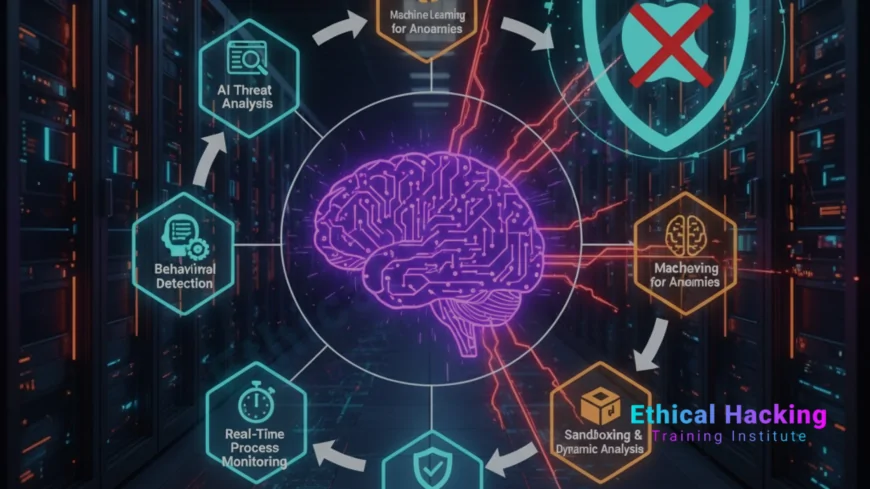
Since AI-generated malware changes constantly, focus on behavior: unusual file access, network spikes, or permission requests. Machine learning in security tools can spot these anomalies, making it a powerful defense against evolving threats.
Log Analysis
Use the Console app to review system logs for suspicious entries, such as repeated failed authentications or unexpected processes. This manual check can reveal hidden malware activity.
Top Tools
Malwarebytes excels for macOS, with high detection rates in recent tests. Intego Mac Internet Security is certified for Mac threats, offering robust protection. AVG Internet Security and Norton 360 scored well in AV-Test for comprehensive coverage.
Advanced tools like CrowdStrike Falcon and Palo Alto’s Cortex XDR use AI to detect real-time threats, making them ideal for enterprise users. Apple’s XProtect is free but limited against AI-generated malware, so pair it with third-party scanners for better protection.
- Schedule regular scans with updated definitions.
- Combine multiple tools for layered protection.
- Monitor system behavior proactively.
AV-Comparatives’ tests showed top tools catching nearly all Mac threats when configured correctly, emphasizing the importance of proper setup.
Prevention Strategies
Software and Security Settings
Update macOS regularly to patch vulnerabilities. Enable Gatekeeper to block unsigned apps and turn on the built-in Firewall to limit unauthorized network access. These settings form the first line of defense against malware.
Online Habits
Avoid downloading from untrusted sources, use a VPN on public Wi-Fi, and enable two-factor authentication for all accounts. Be skeptical of emails or ads, especially those promoting AI-themed apps, as they may conceal malicious payloads.
Education and Backups
Stay informed via trusted cybersecurity blogs to keep up with emerging threats. Back up data to external drives or Time Machine to recover from ransomware without paying. Regular backups ensure you can restore your system quickly and safely.
- Use strong, unique passwords for all accounts.
- Install reputable antivirus software for ongoing protection.
- Review app permissions in System Settings to limit access.
- Never use cracked software, as it’s a common malware vector.
These steps significantly reduce your risk of infection.
Case Studies
North Korean Deepfake Campaign
In 2025, North Korean hackers used AI-generated deepfakes in Zoom calls to trick cryptocurrency employees into downloading NimDoor, a backdoor that led to significant thefts on macOS systems. This case highlights the sophistication of AI-driven social engineering.
AMOS Stealer Outbreak
Trend Micro reported AMOS spreading via fake productivity apps, stealing enterprise credentials across macOS systems. Its AI-enhanced phishing tactics made it difficult to detect until significant damage was done.
Sploitlight Vulnerability
Microsoft discovered a macOS vulnerability exploited by AI-enhanced malware to access private data. This case underscores the need for timely system updates to close security gaps.
These real-world examples demonstrate the importance of proactive defenses in today’s threat landscape.
Future Trends in AI Malware and Defense
AI will make malware more autonomous, capable of learning from and adapting to defenses. For example, future threats may dynamically adjust their behavior based on the security software they encounter. However, security firms are fighting back with AI-driven tools for predictive threat detection, offering hope for stronger protections.
Apple may enhance macOS safeguards, such as improving XProtect with machine learning capabilities. Expect more advanced persistent threats (APTs) and cross-platform attacks targeting the Apple ecosystem, as cybercriminals exploit interconnected devices.
Staying educated and updating your defenses will be critical as this arms race continues into the future.
Conclusion
AI-generated malware targeting macOS represents a new era of cyber threats, leveraging AI’s adaptability to bypass traditional defenses. This guide has explored the essentials: understanding these threats, why Macs are targeted, examples like PromptLock and Atomic Stealer, how they operate, signs of infection, detection methods, tools, prevention strategies, real-world cases, and future trends. By staying vigilant, updating your system, using trusted tools, and adopting safe habits, you can protect your Mac from these sophisticated attacks. Cybersecurity is a shared responsibility, and with the right knowledge, you can stay one step ahead.
Frequently Asked Questions
What defines AI-generated malware?
It’s malicious software created or enhanced by AI, capable of adapting to avoid detection by antivirus programs.
Why are Macs targeted by AI malware?
Increased Mac usage in high-value sectors and user complacency make them prime targets for AI-driven attacks.
What is PromptLock ransomware?
PromptLock, found in 2025, uses AI to generate scripts for encrypting files on macOS, demanding ransom for access.
How does Poseidon Stealer operate?
It uses AI-generated lures, like fake images, to trick users into downloading malware that steals passwords and wallets.
Why is Atomic Stealer significant?
Atomic Stealer (AMOS) is a leading info-stealer, targeting macOS credentials through AI-enhanced phishing campaigns.
What are common signs of malware on a Mac?
Look for slow performance, unexpected prompts, high network usage, strange files, or unauthorized account activity.
How can I detect AI-generated malware?
Use behavioral analysis, check system logs, and employ AI-capable tools like Malwarebytes or Intego.
Is Apple’s XProtect sufficient?
XProtect handles basic threats but needs third-party tools for AI-generated malware detection.
What are the best prevention tips?
Update macOS, enable Gatekeeper, use antivirus, avoid suspicious downloads, and enable two-factor authentication.
What is polymorphic malware?
It’s malware that changes its code structure, often using AI, to evade traditional antivirus scans.
Can AI help detect these threats?
Yes, machine learning in tools like CrowdStrike can identify suspicious behaviors from AI malware.
What to do if my Mac is infected?
Disconnect from the internet, scan with antivirus, remove threats, change passwords, and restore from backups.
Are free antivirus tools reliable?
Free tools like Malwarebytes detect many threats, but paid versions offer better real-time protection.
How does phishing aid AI malware?
AI creates convincing phishing emails or sites to deliver malware, tricking users into installing it.
What’s next for macOS cyber threats?
Expect more autonomous AI malware and stronger AI-driven defenses in future macOS updates.
What's Your Reaction?
 Like
0
Like
0
 Dislike
0
Dislike
0
 Love
0
Love
0
 Funny
0
Funny
0
 Angry
0
Angry
0
 Sad
0
Sad
0
 Wow
0
Wow
0