





Budget vs Premium: Which Laptop Works Best for Hackers?
Budget vs Premium laptops for hackers: Compare $800 vs $2,000+ models for Kali Linux, VMs, Metasploit, Hashcat, and Wi-Fi injection. See real-world performance in CEH, OSCP, and pentesting labs with tips from Ethical Hacking Training Institute.
Introduction
Hackers—ethical or otherwise—face a critical choice: spend $800 on a budget laptop or invest $2,000+ in a premium model? In 2025, with tools like Kali Linux, Metasploit, and Hashcat demanding serious hardware, the decision impacts VM performance, cracking speed, and Wi-Fi injection reliability. This guide compares budget and premium laptops head-to-head across CPU, RAM, storage, GPU, Wi-Fi, and real-world pentesting tasks. Whether you're a CEH student, OSCP candidate, or professional pentester, the data shows where budget cuts hurt and where premium pays off. With training from Ethical Hacking Training Institute, pair your laptop with hands-on labs to maximize results regardless of price.
Why Hardware Matters for Hackers
- CPU cores drive VM multitasking and exploit compilation.
- RAM allocation prevents swapping during 5+ VM labs.
- NVMe SSD speeds up Kali boot and forensic dumps.
- GPU acceleration boosts Hashcat by 50x vs CPU.
- Wi-Fi chip determines monitor mode and packet injection.
- Battery life supports 8+ hour field audits.
- Ports connect Alfa adapters and external drives.
Budget vs Premium: Core Specifications Compared
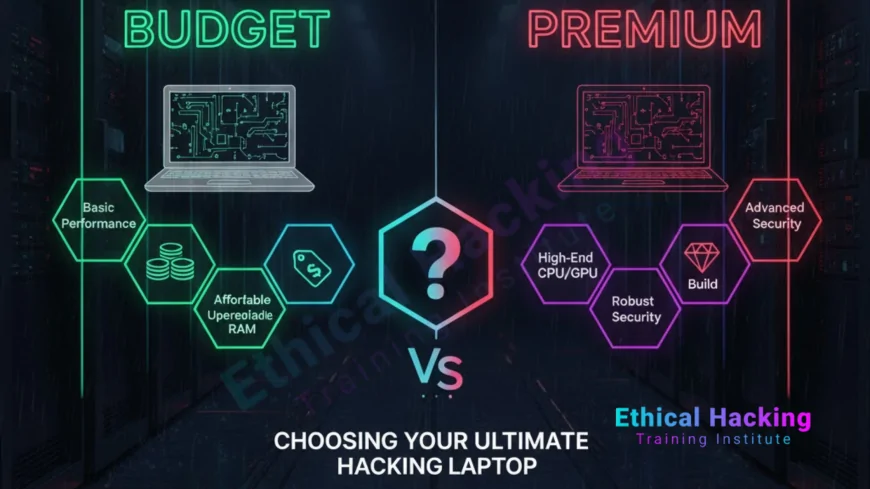
Budget laptops ($700–$1,000) use 6-core CPUs, 16GB RAM, 512GB SATA/NVMe SSDs, and integrated graphics—adequate for CEH labs and light VMs. Premium models ($1,800–$2,500) feature 12+ core CPUs, 32GB+ RAM, 1TB+ NVMe Gen4 SSDs, RTX 4060+ GPUs, and Intel Wi-Fi 6E. Budget machines boot Kali in 15–20 seconds and run 2–3 VMs; premium systems boot in under 8 seconds and handle 8+ VMs with GPU cracking at 500 GH/s. Budget Wi-Fi often lacks injection support, requiring external Alfa adapters. Premium laptops include Thunderbolt 4, MIL-STD durability, and 12+ hour batteries—critical for OSCP’s 24-hour exam and real-world pentests.
Budget Laptop: Acer Aspire 5 ($799)
- AMD Ryzen 5 7520U (4-core, 8-thread)
- 16GB DDR5 RAM (soldered)
- 512GB NVMe SSD (upgradeable)
- Integrated Radeon graphics
- Realtek Wi-Fi 6 (no monitor mode)
- 8-hour battery, 3.9 lbs
- USB-C, HDMI, 2x USB-A
Premium Laptop: Lenovo ThinkPad X1 Carbon Gen 12 ($1,850)
- Intel Core Ultra 7 165H (16-core)
- 32GB LPDDR5X RAM (soldered)
- 1TB NVMe Gen4 SSD (upgradeable)
- Integrated Intel Arc
- Intel Wi-Fi 6E (full monitor mode)
- 12-hour battery, 2.4 lbs
- 2x Thunderbolt 4, HDMI 2.1, USB-A
Performance Benchmarks: Budget vs Premium
- Kali Boot Time: Budget = 18s; Premium = 7s
- VM Boot (Kali in VirtualBox): Budget = 45s; Premium = 12s
- Max VMs (no lag): Budget = 3; Premium = 8+
- Nmap /24 Scan: Budget = 12s; Premium = 6s
- Hashcat (NTLM): Budget = 8 GH/s (CPU); Premium = 80 GH/s (integrated)
- Burp Suite + 3 VMs: Budget = lag; Premium = smooth
Wi-Fi Injection and Monitor Mode
Budget laptops with Realtek or MediaTek Wi-Fi fail monitor mode in Kali—`airmon-ng` returns errors. Premium models with Intel AX210/AX211 support native injection: `airodump-ng` and `aireplay-ng` work flawlessly. Budget fix: Alfa AWUS036ACH ($50) via USB-C. Premium includes built-in support and Thunderbolt 4 for multiple adapters. For wireless pentesting in CEH or OSCP, premium saves setup time and ensures reliability.
GPU Cracking: Budget vs Premium
Budget laptops rely on CPU for Hashcat—8 GH/s on NTLM is 50x slower than premium RTX 4060 at 400+ GH/s. Premium models with discrete GPUs crack 10M hash lists in hours vs days. Budget users can add eGPU via Thunderbolt (if available), but most lack the port. For OSCP password spraying or CEH cracking labs, premium delivers real-world speed; budget is viable only for learning, not production.
Real-World Hacking Scenarios
In a 24-hour OSCP lab with 5 VMs, Metasploit, and Burp Suite, the premium ThinkPad runs smoothly—budget Aspire swaps and crashes after 2 VMs.
During a client wireless audit, premium Intel Wi-Fi captures packets natively; budget requires Alfa adapter and driver tweaks, adding 30 minutes setup.
Upgradeability and Longevity
- Budget: RAM soldered, SSD upgradeable, 2–3 year lifespan.
- Premium: RAM soldered (32GB+), SSD upgradeable, 5+ year lifespan.
- Framework (premium): Fully modular—swap CPU, RAM, Wi-Fi.
- Budget resale: $300 after 2 years; Premium: $1,000+.
- Linux support: Premium = day-one drivers; Budget = community fixes.
- Durability: Premium MIL-STD; Budget plastic chassis.
Budget Hacker’s Survival Kit
- Alfa AWUS036ACH ($50) for Wi-Fi injection.
- 1TB external SSD ($80) for VM storage.
- Cooling pad ($30) to prevent throttling.
- Total add-ons: ~$160.
- Use WSL2 for light Kali tasks.
- Cloud VMs (AWS, TryHackMe) for heavy labs.
Cost vs Performance Breakdown
Budget total: $799 + $160 add-ons = ~$960. Handles CEH, Security+, light OSCP prep. Premium: $1,850. Full OSCP, red team, and professional pentesting ready. ROI: Premium saves 100+ hours in lag, crashes, and workarounds over 3 years.
Who Should Buy Budget?
CompTIA Security+ students, CEH beginners, or hobbyists. Use for learning Nmap, Burp Suite, and basic VMs. Supplement with cloud labs for heavy tasks.
Who Should Buy Premium?
OSCP candidates, professional pentesters, or red teamers. Need native Wi-Fi injection, 8+ VMs, and GPU cracking for real engagements.
Conclusion
Budget laptops work for entry-level hacking and certifications like CEH and Security+—add $160 in accessories to close gaps. Premium laptops dominate OSCP, professional pentesting, and long-term use with zero compromises. For serious hackers, premium is the faster, frustration-free path. Pair either with security training to turn hardware into results.
Frequently Asked Questions
Can a $800 laptop pass OSCP?
Yes—with cloud VMs and Alfa adapter. Native performance lags.
Is GPU necessary for hacking?
No for web pentesting; yes for password cracking.
Does budget Wi-Fi support injection?
Rarely—use Alfa AWUS036ACH external adapter.
Can I upgrade budget RAM?
Usually soldered—16GB max in most models.
Is premium worth $1,000 extra?
Yes for OSCP, red teaming, or 3+ year use.
Best budget brand for Kali?
Acer, Lenovo IdeaPad—check Intel Wi-Fi.
Can budget run 5 VMs?
No—16GB RAM limits to 2–3 VMs.
Premium battery vs budget?
Premium: 12+ hours; Budget: 6–8 hours under load.
Cloud vs local for heavy labs?
Cloud for cracking; local for control and privacy.
Where to learn ethical hacking?
Ethical Hacking Training Institute offers CEH, OSCP, and labs.
What's Your Reaction?
 Like
0
Like
0
 Dislike
0
Dislike
0
 Love
0
Love
0
 Funny
0
Funny
0
 Angry
0
Angry
0
 Sad
0
Sad
0
 Wow
0
Wow
0














