





Best Laptops for Virtual Machines and Penetration Testing Labs
Discover the best laptops for virtual machines and penetration testing labs in 2025, with 32GB+ RAM, multi-core CPUs, fast NVMe SSDs, and Linux compatibility. Perfect for running Kali Linux, Metasploit, Burp Suite, and 5+ VMs for ethical hacking and OSCP preparation.
Introduction
Virtual machines (VMs) and penetration testing labs are essential for cybersecurity professionals, enabling safe simulation of attacks, vulnerability assessments, and tool testing without risking production environments. In 2025, with cyber threats causing $15 trillion in damages, the right laptop must handle multiple VMs (e.g., Kali, Metasploitable, Windows Server) alongside tools like Metasploit, Burp Suite, and Wireshark seamlessly. This guide recommends the top laptops for virtual machines and pentesting labs, emphasizing high-core CPUs, 32GB+ RAM, NVMe storage, and Linux compatibility. Whether you're a beginner setting up a home lab or a professional preparing for OSCP, these picks ensure smooth performance. With training from Ethical Hacking Training Institute, transform your laptop into a powerful virtual lab for hands-on ethical hacking.
Why Hardware is Crucial for Virtual Machines and Pentesting Labs
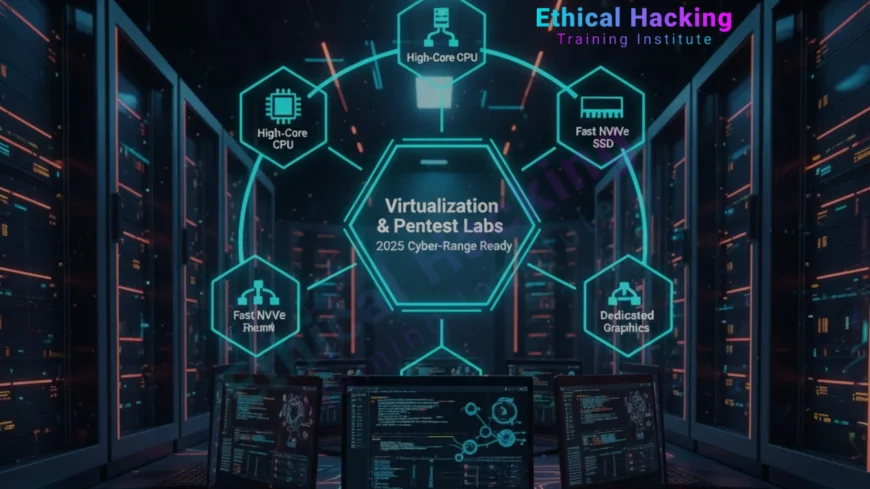
- CPU cores: 8+ cores (i7/Ryzen 7) for running 4–6 VMs and exploit compilation without lag.
- RAM capacity: 16GB minimum; 32GB+ for 5+ VMs, Burp Suite, and Nessus simultaneously.
- Storage speed: 512GB NVMe SSD for fast VM image loading and forensic analysis.
- Virtualization support: Intel VT-x/AMD-V enabled for seamless Hyper-V or VirtualBox operation.
- GPU acceleration: NVIDIA RTX for CUDA-based cracking (Hashcat) and AI fuzzing.
- Wi-Fi compatibility: Intel AX series for Kali's monitor mode and packet injection.
- Ports and expansion: Thunderbolt 4/USB-C for Alfa adapters and external drives.
MacBook: Strengths for VMs and Pentesting Labs
MacBooks excel in VM performance through M-series chips and optimized software, making them suitable for lab work. The M4 Pro's 36GB unified memory runs Kali in UTM with minimal overhead, supporting 3–4 VMs for Metasploit and Burp Suite. Battery life over 20 hours enables extended lab sessions without power. macOS Terminal and Homebrew simplify tool installation and scripting. External USB-C Wi-Fi adapters like Alfa AWUS036ACH enable packet injection and monitor mode. FileVault and secure enclave protect lab data. MacBooks are favored by lab-focused users who prioritize portability and stability for virtual environments, though they lack native Linux access.
MacBook: Limitations for VMs and Labs
- Internal Wi-Fi does not support monitor mode or injection in Kali VMs.
- No native Linux—VMs only, adding 10–20% overhead for I/O-intensive tasks.
- GPU cracking (Hashcat) is 5–10x slower than NVIDIA CUDA.
- Locked bootloader blocks kernel modules and low-level debugging.
- Limited USB/Thunderbolt ports—hubs needed for multiple Alfa cards.
- High cost—M4 Pro 36GB starts at $2,499 with no upgrades.
Windows Laptop: Strengths for VMs and Labs
Windows laptops shine in VM and lab setups with native Linux support and hardware scalability. Dual-boot Kali provides full performance for Metasploit, Nessus, and 5+ VMs. i9/Ryzen 9 CPUs and 64GB RAM handle intensive fuzzing and forensic analysis. NVIDIA RTX GPUs accelerate cracking with CUDA. Intel Wi-Fi supports monitor mode natively. Framework and ThinkPad models allow RAM, storage, and Wi-Fi upgrades. Thunderbolt 4 ports connect multiple Alfa adapters and forensic tools. Windows is perfect for OSCP labs, CTFs, and enterprise pentesting with broad tool compatibility.
Windows Laptop: Limitations for VMs and Labs
- Battery life under 10 hours during VM-heavy workloads.
- Driver updates can interrupt lab sessions and cause instability.
- Some models use Realtek Wi-Fi—no injection support.
- Gaming laptops have thermal throttling under prolonged VM use.
- WSL2 is limited for kernel-level Linux testing.
- UAC and AV interfere with exploit development.
- Shorter resale value compared to MacBooks.
Tool Performance Head-to-Head
- Hashcat: Windows RTX 4070 = 500 GH/s; Mac M4 Pro = ~80 GH/s.
- Aircrack-ng: Windows = native; Mac = external adapter only.
- Metasploit + VMs: Windows = direct access; Mac = efficient unified memory.
- Volatility: Windows native = faster; Mac VM = minor overhead.
- Burp Suite/ZAP: Identical performance on both.
- BloodHound: Windows AD = faster enumeration.
Real-World Use Case Comparison
In a 72-hour wireless pentest, MacBook’s 22-hour battery and lightweight design support stealthy operations from public spaces with Alfa adapter.
In a CTF with cracking and 10 VMs, Windows with RTX 4080 and 64GB RAM finishes wordlists in minutes and runs all challenges without throttling.
Setup and Optimization Guide
- MacBook: Install UTM, load Kali ARM ISO, allocate 16GB RAM, use USB-C hub for Alfa.
- Windows: Partition drive, install Kali via USB, install Wi-Fi drivers if needed.
- Enable VT-x/AMD-V in BIOS.
- Encrypt with LUKS/BitLocker.
- Install kali-linux-default.
- Test with airodump-ng.
Cost and Long-Term Value
MacBook Air M3 (24GB) = $1,500, retains 70% value after 3 years. Dell XPS 14 (32GB, RTX) = $1,800 with upgrades.
Framework 16 (64GB) = $1,900, fully customizable. Budget Windows gaming = $1,400, strong GPU, poor battery.
Certification and Community Support
- CEH v13: Labs run in UTM (Mac) or VirtualBox (Windows).
- OSCP: VM submissions accepted from both.
- TryHackMe/Hack The Box: Identical.
- Training Institute: Mac UTM + Windows dual-boot courses.
- r/netsec: Equal support.
- Windows: Better AD & Empire.
Future-Proofing Your Investment
M5 chips (2026) boost AI fuzzing via Neural Engine. Windows NPUs hit 50+ TOPS for local LLMs.
Windows leads CUDA; Mac gains with MLX/Metal. Choose upgradeability (Windows) or longevity (Mac).
Conclusion
MacBook and Windows laptops both support ethical hacking effectively. MacBook excels in mobility and battery life. Windows shines in native Kali and GPU performance. Recommended models: M4 Pro 16" and ThinkPad/Framework. Pair with security training to optimize results.
Frequently Asked Questions
Can Kali run natively on MacBook?
No—use UTM or Parallels. Performance is near-native with M-series chips.
Which is faster for password cracking?
Windows with RTX GPUs—10x+ faster than Mac GPU.
Can I do Wi-Fi hacking on Mac?
Yes—with Alfa AWUS036ACH via USB-C.
Is OSCP possible on MacBook?
Yes—UTM with bridged networking works perfectly.
Which has better battery life?
MacBook—up to 22 hours vs 8–10 on Windows.
Can I dual-boot Kali on Windows?
Yes—full native access and performance.
Is WSL2 enough for hacking?
For learning, yes. For assessments, use native or VM.
Which is more secure?
Both—Mac has secure enclave; Windows has TPM 2.0.
Should beginners choose Mac or Windows?
Windows—easier Kali setup and broader tool support.
Where to get certified training?
Ethical Hacking Training Institute offers CEH, OSCP, and hands-on labs.
What's Your Reaction?
 Like
0
Like
0
 Dislike
0
Dislike
0
 Love
0
Love
0
 Funny
0
Funny
0
 Angry
0
Angry
0
 Sad
0
Sad
0
 Wow
0
Wow
0












