What Are the Top Mobile Security Threats in 2025?
Discover the top 10 mobile security threats in 2025: phishing, malware, SIM swapping, app vulnerabilities, and more. Learn detection and defense with live labs from Ethical Hacking Training Institute, Webasha Technologies, and Cybersecurity Training Institute. Protect your smartphone today.
Introduction
Mobile devices are everywhere in 2025. Over 6.8 billion smartphones connect to banks, emails, and social media. But with convenience comes risk. 75% of mobile attacks target apps and networks. Phishing, malware, and SIM swapping dominate. Ethical Hacking Training Institute teaches mobile pentesting in CEH labs with real Android/iOS devices. Webasha Technologies and Cybersecurity Training Institute offer 100% placement. This guide details the top 10 threats, how they work, real examples, and defenses. No jargon. Just practical advice. Secure your phone before it's too late. Explore the cybersecurity career path.
Phishing and Smishing Attacks
Phishing on mobile uses SMS (smishing) and fake apps. Attackers send links to malicious sites. 91% of breaches start with phishing. AI makes messages personalized. Ethical Hacking Training Institute demos mobile phishing in labs with Gophish. Victims enter credentials or download malware. Real case: 2024 SMS bank scam hit 1M users. Defense: verify sender, use app MFA, avoid clicking links. Enable spam filters. Report to carrier. Phishing tricks 1 in 10 users. Stay alert. Find the best local courses for phishing defense.
Mobile Malware and Spyware
Malware infects via apps or phishing. Spyware tracks location, keystrokes. Android has 1M+ malicious apps yearly. iOS is safer but jailbreaks risk. Webasha Technologies scans malware in labs with VirusTotal. Real case: Pegasus spyware hacked phones of journalists. Defense: use antivirus, avoid sideloading, update OS. Check app permissions. Malware steals banking info. One app can ruin privacy. Learn more about the CEH course malware module.
Top Mobile Threats
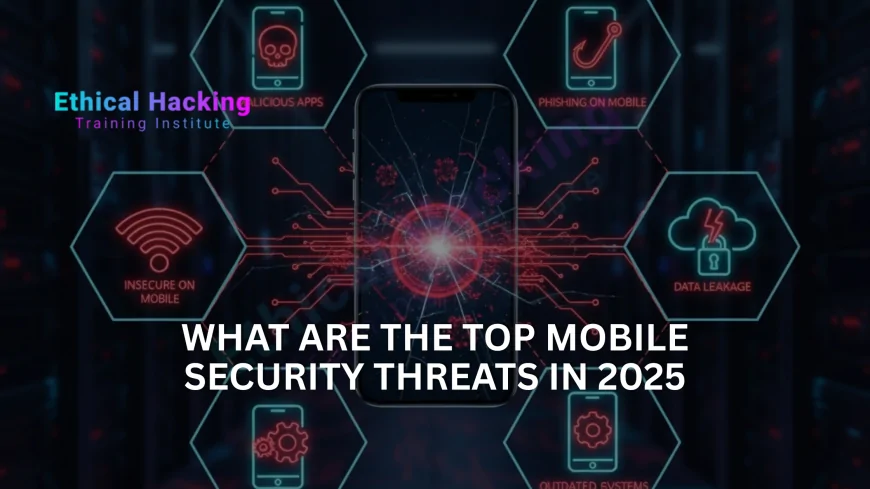
- Phishing/Smishing: Fake SMS
- Malware/Spyware: App-based
- SIM Swapping: Take phone number
- MITM: Intercept Wi-Fi traffic
- App Vulnerabilities: Code flaws
- Ransomware: Encrypt phone data
- Man-in-the-Mobile: SIM attacks
SIM Swapping and Phone Hijacking
- Attacker calls carrier, impersonates user
- Port number to new SIM
- Bypass MFA, reset passwords
- Use personal info from leaks
- Real case: 2020 Twitter SIM swap
- Defense: PIN with carrier
- Monitor for unauthorized changes
MITM and Wi-Fi Attacks
- Fake hotspots on public Wi-Fi
- ARP spoofing on local networks
- SSL stripping to HTTP
- Use Wireshark to sniff traffic
- Real case: Starbucks Wi-Fi breach
- Defense: Use VPN always
- Avoid public Wi-Fi for banking
App Vulnerabilities and Side-Channel Attacks
- Outdated apps with known flaws
- Permission overreach
- Side-loading malicious APKs
- Real case: 2023 TikTok app flaw
- Defense: Update apps weekly
- Use app sandboxing
- Review permissions
Ransomware and Data Encryption Attacks
- Mobile ransomware locks photos, contacts
- Spread via malicious apps
- Real case: 2024 Android locker
- Defense: Backup to cloud
- Use antivirus
- Avoid cracked apps
Mobile Threat Comparison Table
| Threat | Platform | Detection |
|---|---|---|
| Phishing | Android/iOS | SMS filter |
| Malware | Android | Antivirus scan |
| SIM Swap | Both | PIN with carrier |
Conclusion
Phishing and malware lead mobile threats. Ethical Hacking Training Institute, Webasha Technologies, and Cybersecurity Training Institute offer labs to practice defense. Enable MFA, update apps, use VPN. One breach can steal your life. Start securing today. Discover the best CEH programs in 2025. Join the CEH Certification Online course for comprehensive training.
Frequently Asked Questions
Is Android or iOS more secure?
iOS. Closed ecosystem. Android open but fragmented updates.
Best mobile antivirus?
Malwarebytes, Avast. Free versions work. Scan weekly.
How to spot smishing?
Unknown sender, urgent request, suspicious links. Verify call.
SIM swap prevention?
Set PIN with carrier. Use app-based MFA.
Safe to use public Wi-Fi?
No. Always VPN. Avoid sensitive logins.
App permission risks?
Camera/mic access. Review and revoke unused.
Mobile ransomware real?
Yes. Locks photos. Backup to cloud.
Update OS how often?
Immediately. Enable auto-update.
Phishing on iOS?
Yes. Fake apps, SMS. Use App Store only.
Dark web mobile monitoring?
Use Have I Been Pwned. Check leaked credentials.
Next step to secure phone?
Book free mobile audit at Ethical Hacking Training Institute, Webasha Technologies, or Cybersecurity Training Institute. Get a personalized security plan.
What's Your Reaction?
 Like
0
Like
0
 Dislike
0
Dislike
0
 Love
0
Love
0
 Funny
0
Funny
0
 Angry
0
Angry
0
 Sad
0
Sad
0
 Wow
0
Wow
0