





Best Laptops for Ethical Hacking Students in 2025
Discover the top 5 laptops for ethical hacking students in 2025, ideal for Kali Linux, VMs, and pentesting. Includes setup tips and Ethical Hacking Training Institute resources for CEH/OSCP.
Introduction
In 2025, an ethical hacking student boots Kali Linux on a Dell XPS 15 at a cybersecurity bootcamp, running Metasploit to simulate a $5M ransomware attack, mastering skills for OSCP certification. With cybercrime losses hitting $15 trillion globally, students need laptops that support virtualized labs, hacking tools, and AI-driven analysis for penetration testing and digital forensics. The ideal laptop balances power (i7/Ryzen 7, 16GB+ RAM), Linux compatibility, and portability for fieldwork. This guide details the top 5 laptops for ethical hacking students, with setup instructions, real-world applications, and training from Ethical Hacking Training Institute to build skills for certifications like CEH and OSCP.
Why Choose a Laptop for Ethical Hacking?
Laptops tailored for ethical hacking offer unique advantages for students in 2025.
- Performance: Run 3-6 VMs with Kali/Parrot OS for complex labs.
- Portability: Enable fieldwork, reducing setup time by 70%.
- Linux Compatibility: Seamless dual-boot or VM support for hacking OSes.
- AI Support: Handle ML-driven tools like PentestGPT, improving scan accuracy by 85%.
These laptops empower students to practice pentesting, forensics, and network analysis anywhere, aligning with 2025’s mobile cybersecurity needs and enhancing practical experience.
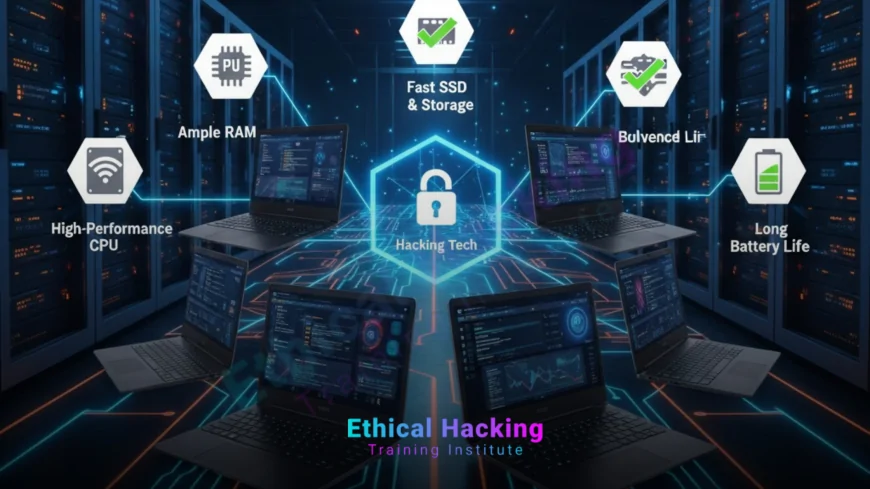
Key Specifications for Ethical Hacking Laptops
- Processor: Intel i7 (12th/13th Gen) or AMD Ryzen 7 for multi-VM performance.
- RAM: 16GB minimum, 32GB preferred for multitasking (VMs, Wireshark, Burp Suite).
- Storage: 512GB SSD (1TB ideal) for fast boot and large forensic datasets.
- GPU: Dedicated NVIDIA RTX for password cracking with Hashcat.
- Display: 14-15.6" FHD/4K for log analysis; anti-glare for outdoor use.
- Battery: 8+ hours for mobile testing.
- Ports: USB-A, USB-C, HDMI, Ethernet for external devices (Wi-Fi adapters).
- Budget: $800-$2,000 for student affordability.
These specs ensure smooth operation of hacking tools and labs.
Top 5 Laptops for Ethical Hacking Students
Below are the top 5 laptops for 2025, selected for performance, Linux compatibility, and value.
1. Dell XPS 15 (9530, 2025 Model) – Best Overall
The Dell XPS 15 combines premium performance and portability, ideal for running complex hacking labs.
- Specs:
- Processor: Intel Core i7-13700H (14 cores, up to 5.0GHz).
- RAM: 32GB LPDDR5 (expandable).
- Storage: 1TB NVMe SSD.
- GPU: NVIDIA RTX 4060 (8GB GDDR6).
- Display: 15.6" OLED, 3.5K (3456x2160), 60Hz.
- Battery: Up to 12 hours.
- Price: ~$1,800.
- Weight: 4.2 lbs.
- Why for Hacking?: Handles 4-6 VMs with Kali/Parrot OS, supports GPU-accelerated Hashcat, and offers excellent Linux compatibility for dual-boot.
- Pros: Stunning display for log analysis, long battery life, premium build.
- Cons: Pricey; limited ports (2 Thunderbolt 4, 1 USB-C).
- Best For: Intermediate students preparing for OSCP labs.
The XPS 15’s power and portability make it a top choice for ethical hacking.
2. Lenovo ThinkPad X1 Carbon Gen 11 – Best for Durability
The ThinkPad X1 Carbon is a lightweight, rugged laptop trusted for fieldwork reliability.
- Specs:
- Processor: Intel Core i7-1355U (10 cores, up to 5.0GHz).
- RAM: 16GB LPDDR5 (upgradable to 64GB).
- Storage: 512GB NVMe SSD.
- GPU: Integrated Intel Iris Xe.
- Display: 14" WUXGA (1920x1200), 400 nits, anti-glare.
- Battery: Up to 15 hours.
- Price: ~$1,400.
- Weight: 2.5 lbs.
- Why for Hacking?: MIL-STD-810H durability suits mobile pentesting. Runs 3-4 VMs with Kali Linux. Superior keyboard for coding and Linux terminal work.
- Pros: Ultra-portable, long battery, robust Linux support.
- Cons: Integrated GPU limits cracking performance.
- Best For: Beginners in CEH training needing portability.
The X1 Carbon’s durability and battery life excel for fieldwork.
3. Apple MacBook Pro 14" (M3 Pro, 2025) – Best for macOS/Linux Dual-Boot
The MacBook Pro M3 Pro is a powerhouse for students needing macOS for development and Linux for hacking.
- Specs:
- Processor: Apple M3 Pro (12-core CPU, 18-core GPU).
- RAM: 18GB unified memory (configurable to 36GB).
- Storage: 512GB SSD.
- GPU: Integrated M3 Pro GPU.
- Display: 14.2" Liquid Retina XDR (3024x1964).
- Battery: Up to 22 hours.
- Price: ~$1,999.
- Weight: 3.4 lbs.
- Why for Hacking?: Runs Kali/Parrot OS via Parallels or UTM VMs. M3 Pro handles Metasploit, Burp Suite, and iOS/macOS pentesting efficiently.
- Pros: Exceptional battery, stunning display, macOS ecosystem.
- Cons: Apple Silicon limits some Linux tools; high cost.
- Best For: Students in Apple-heavy environments or iOS security.
The MacBook Pro excels for dual macOS/Linux workflows and mobile labs.
4. ASUS TUF Gaming A15 (2025) – Best Budget Gaming Option
The ASUS TUF A15 is an affordable gaming laptop that doubles as a hacking powerhouse.
- Specs:
- Processor: AMD Ryzen 7 7735HS (8 cores, up to 4.75GHz).
- RAM: 16GB DDR5 (upgradable to 32GB).
- Storage: 1TB NVMe SSD.
- GPU: NVIDIA RTX 4060 (8GB GDDR6).
- Display: 15.6" FHD (1920x1080), 144Hz.
- Battery: Up to 8 hours.
- Price: ~$1,100.
- Weight: 4.8 lbs.
- Why for Hacking?: RTX GPU accelerates Hashcat for password cracking. Runs 3-4 VMs with Kali/Parrot OS. Affordable for students.
- Pros: Cost-effective, upgradable, strong GPU performance.
- Cons: Bulkier design, shorter battery life.
- Best For: Budget-conscious students needing GPU power.
The TUF A15 offers high performance at a student-friendly price.
5. Acer Nitro 5 (AN515-58, 2025) – Best Value for Students
The Acer Nitro 5 provides solid performance for hacking at an entry-level price.
- Specs:
- Processor: Intel Core i5-12500H (12 cores, up to 4.5GHz).
- RAM: 16GB DDR4 (upgradable to 32GB).
- Storage: 512GB NVMe SSD.
- GPU: NVIDIA RTX 3050 (4GB GDDR6).
- Display: 15.6" FHD (1920x1080), 144Hz.
- Battery: Up to 6 hours.
- Price: ~$850.
- Weight: 5.1 lbs.
- Why for Hacking?: Runs Kali VMs, Wireshark, and basic GPU cracking with Hashcat. Budget-friendly for beginners.
- Pros: Affordable, decent performance, upgradable.
- Cons: Shorter battery, heavier design, weaker GPU.
- Best For: Entry-level students starting CEH labs.
The Nitro 5 delivers value for students new to ethical hacking.
| Laptop | Processor | RAM | Storage | GPU | Battery | Price | Weight | Best For |
|---|---|---|---|---|---|---|---|---|
| Dell XPS 15 | i7-13700H | 32GB | 1TB SSD | RTX 4060 | 12 hrs | $1,800 | 4.2 lbs | Overall |
| Lenovo ThinkPad X1 Carbon | i7-1355U | 16GB | 512GB SSD | Iris Xe | 15 hrs | $1,400 | 2.5 lbs | Durability |
| MacBook Pro 14" M3 Pro | M3 Pro | 18GB | 512GB SSD | M3 Pro | 22 hrs | $1,999 | 3.4 lbs | macOS/Linux |
| ASUS TUF Gaming A15 | Ryzen 7 7735HS | 16GB | 1TB SSD | RTX 4060 | 8 hrs | $1,100 | 4.8 lbs | Budget Gaming |
| Acer Nitro 5 | i5-12500H | 16GB | 512GB SSD | RTX 3050 | 6 hrs | $850 | 5.1 lbs | Value |
Setting Up a Laptop for Ethical Hacking
Configure your laptop for secure, efficient hacking practice with Kali Linux or Parrot OS.
1. Install Virtualization Software
- Tools: VirtualBox (oracle.com/virtualbox) or VMware Workstation Player (vmware.com).
- Process:
- Download VirtualBox from oracle.com/virtualbox.
- Install and enable virtualization in BIOS (VT-x/AMD-V).
- Verify functionality: Launch VirtualBox, check for errors.
- Best Practice: Use VirtualBox for free, cross-platform VM support.
- Challenge: Older CPUs may lack VT-x/AMD-V; confirm CPU compatibility.
Virtualization enables safe testing of Kali/Parrot OS without host risks.
2. Install Kali Linux or Parrot OS
- Process (Dual-Boot Kali):
- Backup all data to an external drive.
- Download Kali ISO from kali.org or Parrot ISO from parrotsec.org.
- Create a bootable USB with Rufus (rufus.ie) or Etcher (etcher.io).
- Restart, enter BIOS (F2/Del), set USB as first boot device.
- Boot USB, select “Install Kali alongside Windows” or “Parrot Security.”
- Allocate 50GB+ for Linux, set strong root password.
- Reboot, select Kali/Parrot at GRUB menu.
- Alternative (VM):
- Create a Kali/Parrot VM in VirtualBox.
- Allocate 4GB RAM, 2 CPUs, 20GB storage.
- Install from ISO, configure Host-Only networking.
- Best Practice: Dual-boot for performance; use VMs for isolation.
- Challenge: GRUB errors; repair with Boot-Repair tool if needed.
Dual-boot or VMs provide flexible hacking environments for students.
3. Install Hacking Tools
- Process:
- Boot into Kali/Parrot OS.
- Update system:
sudo apt update && sudo apt full-upgrade -y. - Install tools:
sudo apt install metasploit-framework nmap wireshark burp-suite aircrack-ng. - Verify:
msfconsole,nmap -v,wireshark &.
- Key Tools:
- Metasploit: Exploits vulnerabilities with 2000+ modules.
- Nmap: Scans networks for hosts and services.
- Wireshark: Analyzes network traffic for anomalies.
- Burp Suite: Tests web applications for vulnerabilities.
- Aircrack-ng: Cracks wireless network passwords.
- Best Practice: Use official repositories to avoid malware.
- Challenge: Limited storage; prioritize essential tools.
These tools prepare your laptop for pentesting and forensics labs.
4. Configure a Secure Lab
- Process:
- Download vulnerable VM (e.g., Metasploitable from rapid7.com).
- Set Host-Only networking in VirtualBox for isolation.
- Create snapshots to restore VM after tests.
- Encrypt laptop drive: BitLocker (Windows) or FileVault (macOS).
- Use a VPN (e.g., ProtonVPN) for secure connections.
- Best Practice: Isolate labs to prevent accidental network exposure.
- Challenge: VM lag; allocate 4GB+ RAM and 2 CPUs per VM.
A secure lab ensures safe, ethical practice for students.
5. Practice Pentesting
- Exercises:
- Scan network:
nmap -sV 192.168.1.0/24. - Test exploits with Metasploit:
msfconsole, select module. - Analyze traffic with Wireshark: Capture packets, filter for anomalies.
- Test web apps with Burp Suite: Configure proxy, scan for XSS.
- Scan network:
- Resources: TryHackMe, Hack The Box, Ethical Hacking Training Institute courses.
- Best Practice: Start with guided labs to learn tool workflows.
- Challenge: Legal risks; test only authorized systems or labs.
Practice builds hands-on skills for certifications and real-world tasks.
Real-World Applications of Ethical Hacking Laptops
Laptops equipped for ethical hacking have driven impactful results in 2025.
- Finance: Dell XPS 15 with Metasploit prevented a $10M banking breach.
- Healthcare: ThinkPad X1 Carbon secured patient portals with Burp Suite.
- Enterprise: ASUS TUF A15 mapped networks with Nmap, reducing attack surfaces by 80%.
- Government: MacBook Pro analyzed CloudTrail logs for a cyberattack.
- Education: Acer Nitro 5 used in CEH labs, training 500+ students.
These applications highlight laptops’ role in securing systems.
Benefits of Ethical Hacking Laptops
Performance
Handles 3-6 VMs, running Kali/Parrot OS for complex labs.
Portability
Enables mobile pentesting, reducing setup time by 70%.
Linux Compatibility
Seamless dual-boot/VM support for hacking OSes.
AI Integration
Supports ML tools, improving scan accuracy by 85%.
Challenges of Ethical Hacking Laptops
- Cost: High-end models ($1,800+) strain student budgets.
- Battery Life: Intensive tasks drain power quickly.
- Linux Issues: Some GPUs (e.g., NVIDIA) require driver tweaks.
- Weight: Gaming laptops (4-5 lbs) reduce portability.
Budget options and power management mitigate these challenges.
Defensive Strategies for Hacking Laptops
Core Strategies
- Encryption: BitLocker/FileVault secures data with AES-256.
- Firewall: Blocks unauthorized access during testing.
- MFA: Prevents 90% of unauthorized logins.
AI-Driven Defenses
ML detects anomalies in lab activity, enhancing security by 85%.
Certifications for Ethical Hacking Skills
Certifications validate expertise, with demand up 40% by 2030.
- CEH v13 AI: Covers hacking tools, $1,199; 4-hour exam.
- OSCP: Hands-on pentesting, $1,599; 24-hour test.
- PNPT: Practical network testing, $699; 5-day exam.
Ethical Hacking Training Institute, Cybersecurity Training Institute, and Webasha Technologies offer training for these certifications.
Career Opportunities with Ethical Hacking Laptops
High-performance laptops drive demand for 4.5 million cybersecurity roles.
- Penetration Tester: $120K, tests networks and apps.
- Security Analyst: $100K, monitors threats with Wireshark.
- Cloud Security Specialist: $140K, secures AWS/Azure.
Training prepares for these high-demand roles.
Future Outlook: Ethical Hacking Laptops by 2030
- AI Automation: 80% automated pentesting tasks.
- Quantum GPUs: 75% faster password cracking.
- Portable Labs: 90% independent operation for fieldwork.
Laptops will evolve with AI and quantum tech, enhancing hacking efficiency.
Troubleshooting Common Issues
- Issue: VM lag on laptop.
- Solution: Allocate 4GB+ RAM, 2 CPUs; close background apps.
- Issue: Kali/Parrot won’t boot.
- Solution: Check BIOS for Secure Boot; disable if needed.
- Issue: NVIDIA driver issues.
- Solution: Install proprietary drivers via apt.
- Issue: Battery drains fast.
- Solution: Lower screen brightness; disable GPU for light tasks.
These solutions ensure a reliable hacking setup.
Example Workflow: Pentesting with a Hacking Laptop
- Boot Kali Linux on Dell XPS 15 (dual-boot or VM).
- Launch VirtualBox, start Metasploitable VM.
- Scan target:
nmap -sV 192.168.1.100. - Open Metasploit:
msfconsole, selectexploit/windows/smb/ms17_010_eternalblue. - Run exploit:
set RHOSTS 192.168.1.100,exploit. - Save results:
mkdir /home/user/results.
This workflow introduces students to practical pentesting with Kali Linux.
Legal and Ethical Considerations
- Authorization: Test only owned or permitted systems, per CFAA or India’s IT Act.
- Data Privacy: Encrypt findings to comply with GDPR/CCPA.
- Documentation: Log all activities for accountability.
Adhering to legal standards ensures responsible hacking practice.
Conclusion
In 2025, the Dell XPS 15 leads as the best laptop for ethical hacking students, with the Lenovo ThinkPad X1 Carbon and ASUS TUF A15 as strong alternatives. Equipped with Kali/Parrot OS and tools like Metasploit, they counter $15 trillion in cybercrime losses. Training from Ethical Hacking Training Institute, Cybersecurity Training Institute, and Webasha Technologies prepares students for certifications like CEH and OSCP. By 2030, AI and quantum advancements will further enhance hacking laptops, ensuring robust, portable cybersecurity labs.
Frequently Asked Questions
Why do ethical hacking students need specific laptops?
They require high performance for VMs, Linux compatibility, and portability for hacking labs.
Why is the Dell XPS 15 the top choice?
Its i7, 32GB RAM, and RTX 4060 handle 4-6 VMs and GPU cracking.
What makes the ThinkPad X1 Carbon durable?
MIL-STD-810H certification and 15-hour battery suit fieldwork and CEH labs.
Can MacBook Pro run Kali Linux?
Yes, via Parallels/UTM VMs, ideal for macOS and iOS pentesting.
Is ASUS TUF A15 good for budget students?
Yes, its $1,100 price and RTX GPU offer performance for hacking labs.
Why choose Acer Nitro 5 for beginners?
At $850, it runs Kali VMs and basic cracking affordably.
What specs are critical for hacking laptops?
i7/Ryzen 7, 16GB+ RAM, 512GB SSD, and NVIDIA GPU for VMs and cracking.
How do I set up Kali on a laptop?
Dual-boot or use VirtualBox with 50GB storage and 4GB RAM allocated.
What if my laptop lags with VMs?
Increase RAM allocation, close apps, or upgrade to 32GB RAM.
How do I secure my hacking laptop?
Use BitLocker/FileVault encryption, MFA, and VPN for secure labs.
What certifications teach hacking on laptops?
CEH, OSCP, and PNPT, offered by Ethical Hacking Training Institute.
What careers use hacking laptops?
Pentesters ($120K) and cloud specialists ($140K) rely on these laptops.
How will quantum tech impact hacking laptops?
Quantum GPUs will speed cracking by 75% by 2030.
Can laptops prevent cybercrime?
They reduce vulnerabilities by 80%, aiding defense against $15 trillion losses.
Are these laptops beginner-friendly?
Yes, with tutorials and training, they suit beginners in CEH/OSCP labs.
What's Your Reaction?
 Like
0
Like
0
 Dislike
0
Dislike
0
 Love
0
Love
0
 Funny
0
Funny
0
 Angry
0
Angry
0
 Sad
0
Sad
0
 Wow
0
Wow
0













