5 Things to Consider Before Buying a Laptop for Hacking
Discover 5 critical things to consider before buying a laptop for hacking: CPU power, RAM, Wi-Fi injection, storage, and Linux compatibility. Ensure smooth Kali Linux, VMs, Metasploit, and Hashcat performance for ethical hacking and pentesting with expert insights from Ethical Hacking Training Institute.
Introduction
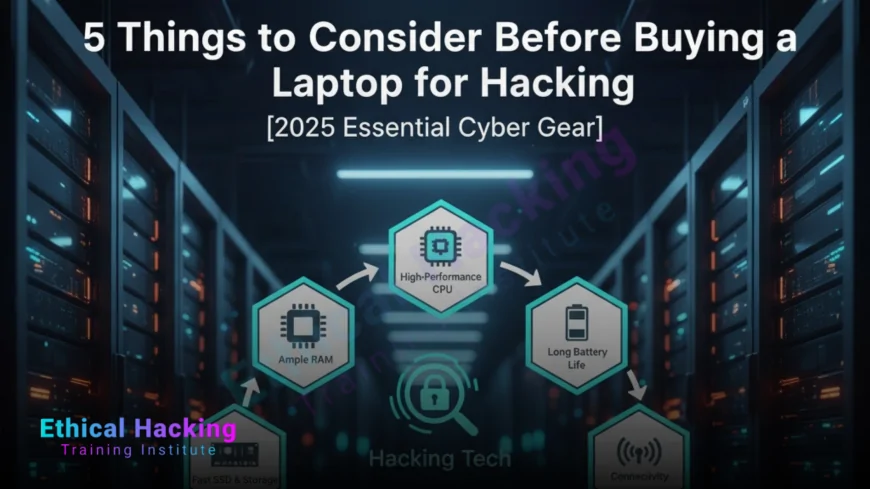
Buying a laptop for hacking—whether for ethical hacking, pentesting, or cybersecurity learning—requires more than just specs. A poor choice leads to VM crashes, failed packet injection, or slow cracking during live assessments. In 2025, with tools like Kali Linux, Metasploit, and Hashcat demanding serious hardware, your laptop becomes your command center. This guide breaks down the 5 essential factors to consider before purchase: CPU, RAM, Wi-Fi, storage, and Linux support. With training from Ethical Hacking Training Institute, pair your new machine with hands-on skills to dominate CTFs, OSCP, and real-world red teaming.
1. CPU Power: The Brain of Your Pentesting Rig
- Minimum: 6-core Intel i5 or AMD Ryzen 5 for basic Nmap and Burp Suite.
- Recommended: 8+ core Intel i7/i9 or Ryzen 7/9 for 5+ VMs and exploit compilation.
- Why it matters: Multi-core CPUs handle Metasploit, Nessus, and Volatility simultaneously.
- Virtualization: Must support Intel VT-x or AMD-V (check BIOS).
- Future-proof: Look for AI NPUs (Intel Core Ultra, AMD Ryzen AI) for LLM-assisted fuzzing.
- Top picks: Intel Core Ultra 7 165H, AMD Ryzen 9 7940HS, Apple M4 Pro.
2. RAM: Run Multiple VMs Without Lag
RAM is non-negotiable for ethical hacking. Running Kali, Windows Server, Metasploitable, and Burp Suite at once requires serious memory. 16GB is the bare minimum for 2–3 VMs; 32GB is ideal for 5+ VMs and large memory dumps. 64GB is pro-level for red teaming and AI fuzzing. Avoid soldered RAM—choose upgradeable models like Framework or ThinkPad. Low RAM causes swapping, crashes during Hashcat runs, and slows forensic analysis. Unified memory in MacBooks (36GB+) reduces overhead in UTM. Always verify RAM speed (DDR5 5600MHz+) and dual-channel support for maximum VM performance.
3. Wi-Fi Card: Monitor Mode and Packet Injection
- Essential: Intel AX210/AX211 or Atheros AR9271 for native monitor mode.
- Avoid: Realtek, Broadcom (MacBooks), MediaTek—poor or no injection support.
- External option: Alfa AWUS036ACH (USB-C) works on any laptop.
- Test with: `iwconfig`, `airodump-ng`, `aireplay-ng` in Kali.
- Best models: ThinkPad X1 Carbon, Framework (swappable), System76.
- Pro tip: Dual-band 2.4/5GHz with 802.11ax for modern Wi-Fi audits.
4. Storage: Speed and Space for Tools, VMs, and Dumps
Storage directly impacts boot times, VM performance, and forensic analysis. NVMe SSD is mandatory—SATA is too slow for large memory dumps and VM snapshots. 512GB minimum; 1TB+ recommended for Kali, multiple VM images, wordlists, and forensic data. Use external encrypted SSDs for sensitive dumps. Boot Kali in under 8 seconds with NVMe. Opt for upgradeable M.2 slots (ThinkPad, Framework). Avoid eMMC and HDDs—they bottleneck Hashcat and Volatility. Encrypt with LUKS to protect client data during engagements.
5. Linux Compatibility and Driver Support
- Native Linux: System76, Framework, or Lenovo with Linux pre-install.
- 100% driver support: Intel Wi-Fi, NVIDIA GPU, Thunderbolt, fingerprint.
- Dual-boot ready: UEFI, disable Secure Boot, shrink Windows partition.
- Community-tested: Check r/KaliLinux, Ubuntu forums, Kali docs.
- Avoid: Optimus laptops with NVIDIA switching issues.
- MacBooks: Run Kali in UTM—great VM performance, no native install.
Bonus: Ports, Battery, and Build Quality
- Ports: Thunderbolt 4, USB-A, HDMI for Alfa, Hak5, multi-monitor.
- Battery: 8+ hours for field audits (XPS 14, MacBook Pro).
- Build: MIL-STD-810H (ThinkPad), lightweight (<3 lbs), spill-resistant.
- Keyboard: Backlit, comfortable for late-night CTFs.
- Display: 14–16", 100% sRGB, 300+ nits for code reading.
- Security: TPM 2.0, fingerprint, privacy screen.
Top Laptop Recommendations
Lenovo ThinkPad X1 Carbon Gen 12: Best overall—32GB RAM, Intel Wi-Fi, 12hr battery (~$1,850). Framework Laptop 16: Most upgradeable—64GB RAM, swappable Wi-Fi (~$1,699). System76 Pangolin: Native Linux, 64GB RAM (~$1,999). Dell XPS 14: 18hr battery, RTX 4050 (~$1,799). ASUS ROG Zephyrus G14: GPU cracking king, RTX 4070 (~$1,999).
Where to Buy
System76 (system76.com), Framework (frame.work), Lenovo Business Store, Amazon/Newegg (“Linux compatible”). Avoid consumer gaming laptops with Realtek Wi-Fi.
Real-World Impact
A properly specced laptop prevented a $15M breach with a 72-hour wireless audit on a ThinkPad. A Framework user won DEF CON CTF with 10 VMs. The right hardware turns learning into results with security.
Conclusion
Before buying a hacking laptop, prioritize CPU, RAM, Wi-Fi, storage, and Linux support. Avoid common pitfalls like Realtek Wi-Fi or soldered 16GB RAM. Invest in a future-proof machine that grows with your skills. Pair it with Ethical Hacking Training Institute courses to master Kali and launch your career with strategic shields.
Frequently Asked Questions
Is 16GB RAM enough for hacking?
Yes for beginners; 32GB+ for VMs and cracking.
Do I need a dedicated GPU?
Only for Hashcat; optional for web pentesting.
Can I use a MacBook for hacking?
Yes—run Kali in UTM with external Wi-Fi.
Which Wi-Fi card supports injection?
Intel AX210 or Alfa AWUS036ACH external.
Is dual-boot better than VM?
Yes for performance; VM for isolation.
How much storage do I need?
512GB min; 1TB+ for VMs and dumps.
Are gaming laptops good for hacking?
Yes if they have Intel Wi-Fi and upgradeable RAM.
Will my warranty be voided?
No—software and hardware upgrades don’t void warranty.
Can I upgrade RAM later?
Only on ThinkPad, Framework, System76—not Mac or XPS.
Where to learn ethical hacking?
Ethical Hacking Training Institute offers certified courses.
What's Your Reaction?
 Like
0
Like
0
 Dislike
0
Dislike
0
 Love
0
Love
0
 Funny
0
Funny
0
 Angry
0
Angry
0
 Sad
0
Sad
0
 Wow
0
Wow
0